8.
Instruction for Use
Before You Begin Cleaning
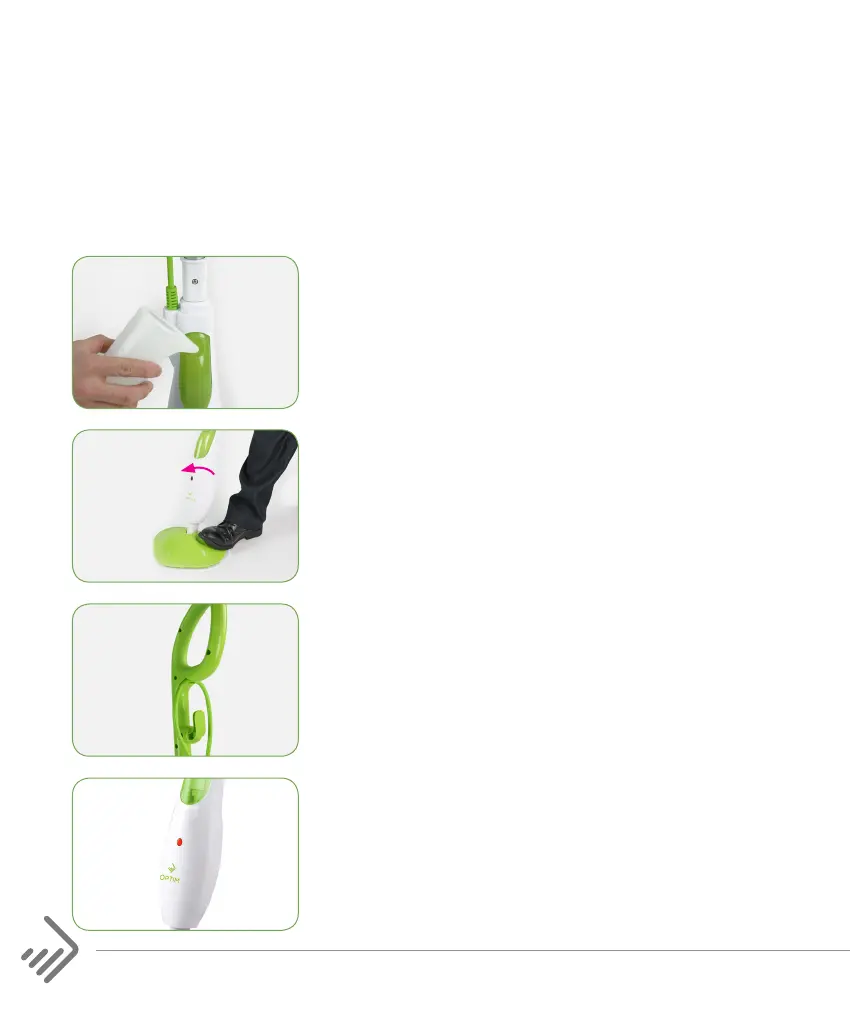
1. Unscrew the water tank cap and fill the water
tank with cool tap water by using the refill cup
provided.
2. Ensure that the cleaner is standing vertically
and in the fixed position. With your foot placed
onto the mop head push the handle forward to
place the cleaner into the fixed position.
3. Adjust the height of the rod by pressing the
Height Adjustment Button. Ensure the power
cable is secured into the cable hook.
IMPORTANT: Do not operate the cleaner over the
power cable.
4. Plug the power plug into the power supply. The
LED light on the main body will illuminate when
the cleaner is ready for cleaning.
Note: Upon initial use, please allow the water to
flow through the system for approximately 30
seconds to prime the unit.
Attention: DO NOT refill the tank when the mop is connected to mains power
supply. Only refill the water tank with cold tap water.


 To Next Page