9.
Instruction for Use
Steam Cleaning Hard Floors
NOTE: Before using the steam mop, sweep or vacuum the floor to
remove any loose dirt or debris.
IMPORTANT: Do not use the cleaner without a mop pad attached to the
mop head.
WARNING: Hard floor wax may be removed by the heat and steam
action. Do not use the cleaner on unsealed wood floors or operate the
cleaner in a stationary position for an extended period of time.
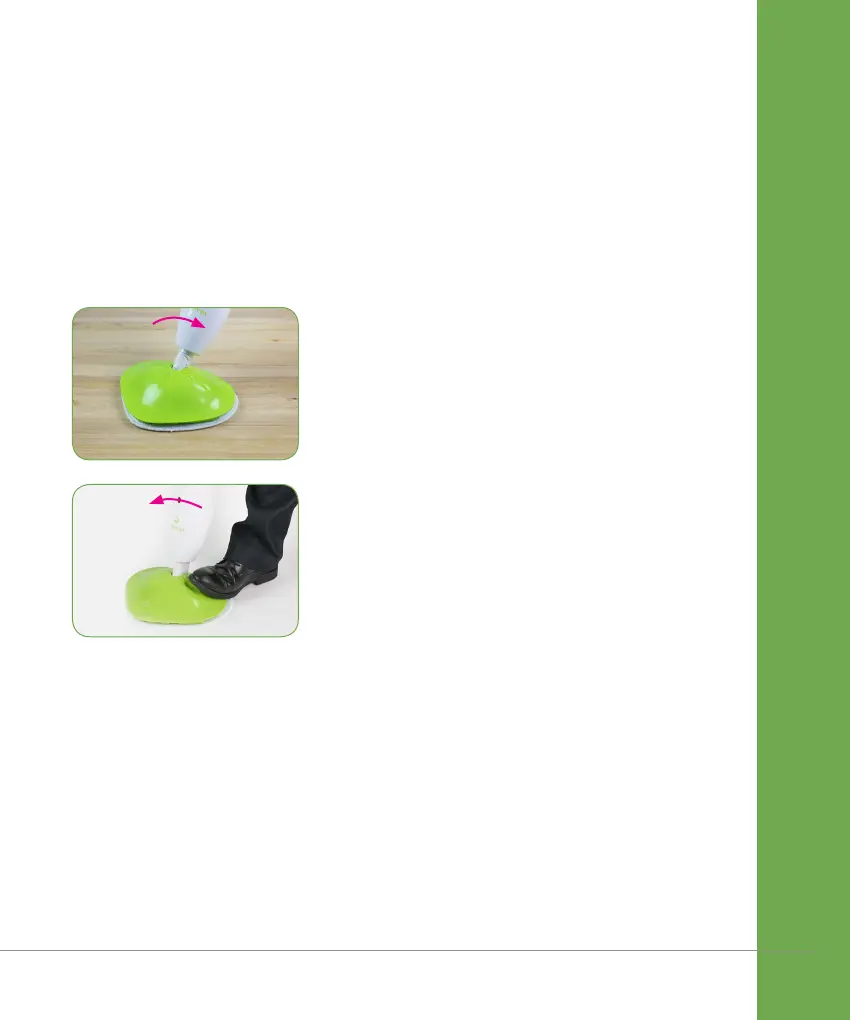
1. With your foot placed onto the mop
head, pull the handle backwards to
unlock the cleaner. The cleaner will
emit steam in the unlocked position.
When steam is emitting from the
cleaner slowly pass over the surface to
be cleaned.
2. With your foot placed onto the mop
head push the handle forward to place
the cleaner in the fixed position. The
cleaner will stop emitting steam in the
fixed position.
release steam
stop steam


 To Next Page