5
STEP 4: CONNECT TRANSFORMER
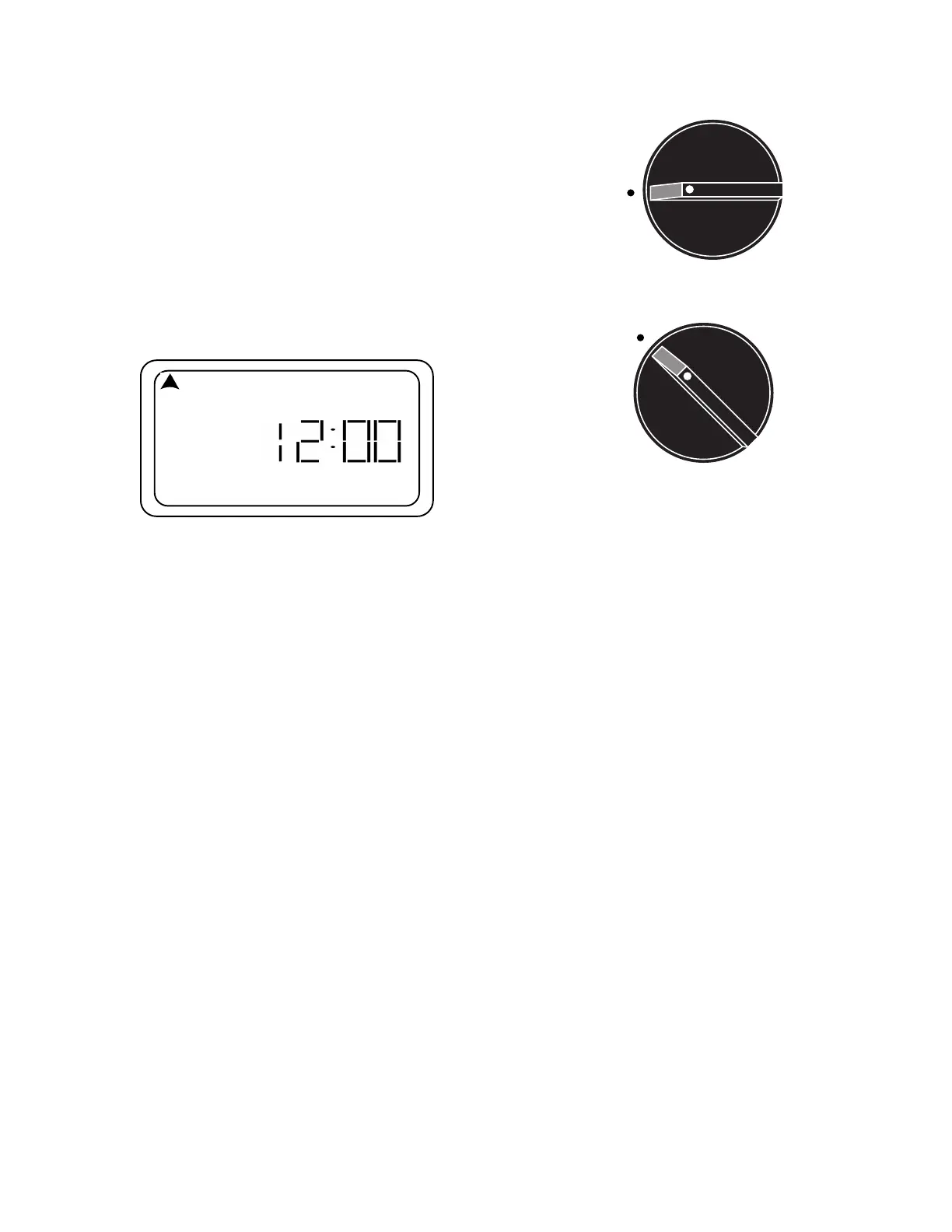
1. Turn dial to Off.
NOTE: In Off position display will be blank.
2. Plug pigtail connector (located at the end of
transformer wire) into the two prongs to the left
of the battery holder located under the cover of
the timer.
3. Plug transformer into electrical socket.
4. Turn dial to Auto. The following display should
appear:
TIP: If display does not come on, check the electrical outlet.
CAUTION: DO NOT plug in the transformer until
you have completed and checked all wiring con-
nections. DO NOT link two or more timers together
Off
Auto
SU MO TU WE TH FR SA
AM
STEP 5: CONNECT BATTERY
Connect a 9 volt alkaline battery (not included) to the battery terminal and place it in the designated po-
sition. DO NOT USE A RECHARGEABLE BATTERY. In the event of a power outage, the battery will
temporarily preserve your Schedule (newly installed batteries can preserve programs for up to 1 month,
see note*). Watering will not occur until electrical power resumes.
(*NOTE: Battery operates memory back-up only. You can program your timer with battery power only;
however, the system will not operate the valves while on battery power.)
DEFAULT MODE: Should the battery fail during a power outage, the timer will default to watering every
day for 10 minutes per station, starting 8 hours after the power resumes, until reprogrammed.
TIP: Replace the battery once a year at the same time you would replace household smoke detector
batteries. When replacing, do not unplug the transformer, or you will lose all programmed settings.
CAUTION: Do not allow the battery to come in contact with the wire terminal strip.
You may now begin to program your new PC-306 timer.
Please turn to page 9 to program your PC-406PS timer.



 To Next Page