Description of the connection
OPTIMUM
MASCHINEN - GERMANY
29 / 11 / 2006
Page
12
Description of the connection CNC Controller III and VI ; Version 2.0.1
© 2006
GB
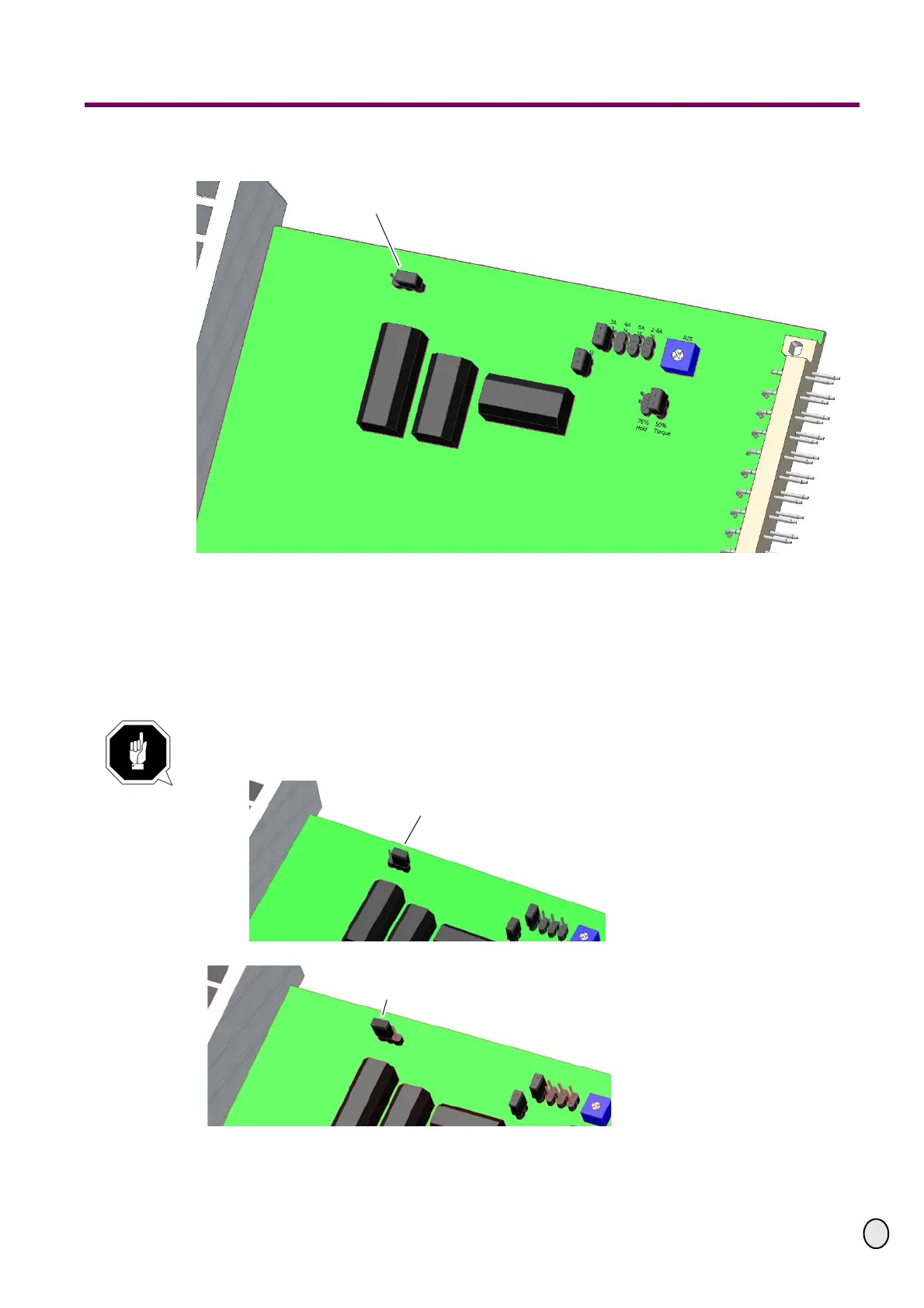
7.3 Control board version 2
Fig.7-7: Control board CNC controller V2
7.3.1 Setting the jumper
When exchanging a control board, a control board has to be set as master control board, the
other control board always as slave control boards. The setting is performed over a jumper. The
master board is always exclusively in the slot of the X or X
1
-axis and the jumper is set as
displayed below.
CAUTION!
The master board is only in the slot of the X or X
1
-axis.
Fig.7-8: Position jumper "master"
Fig.7-9: Position jumper "slave"
Jumper Master / Slave
Jumper in position "master"
Jumper in position "slave"


 To Next Page