IN
OUT
120 VAC
60Hz 40W
120 VAC
60Hz 400W
BYPASS
0003B4287797
SABDQXTL N0006246618
IR
1394 1394
120 VAC
60Hz 40W
120 VAC
60Hz 400W
BYPASS
0003B4287797
SABDQXTL N0006246618
IR
1394 1394
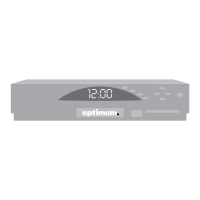
Scientific Atlanta Model
1 2
Cable
splitter
or
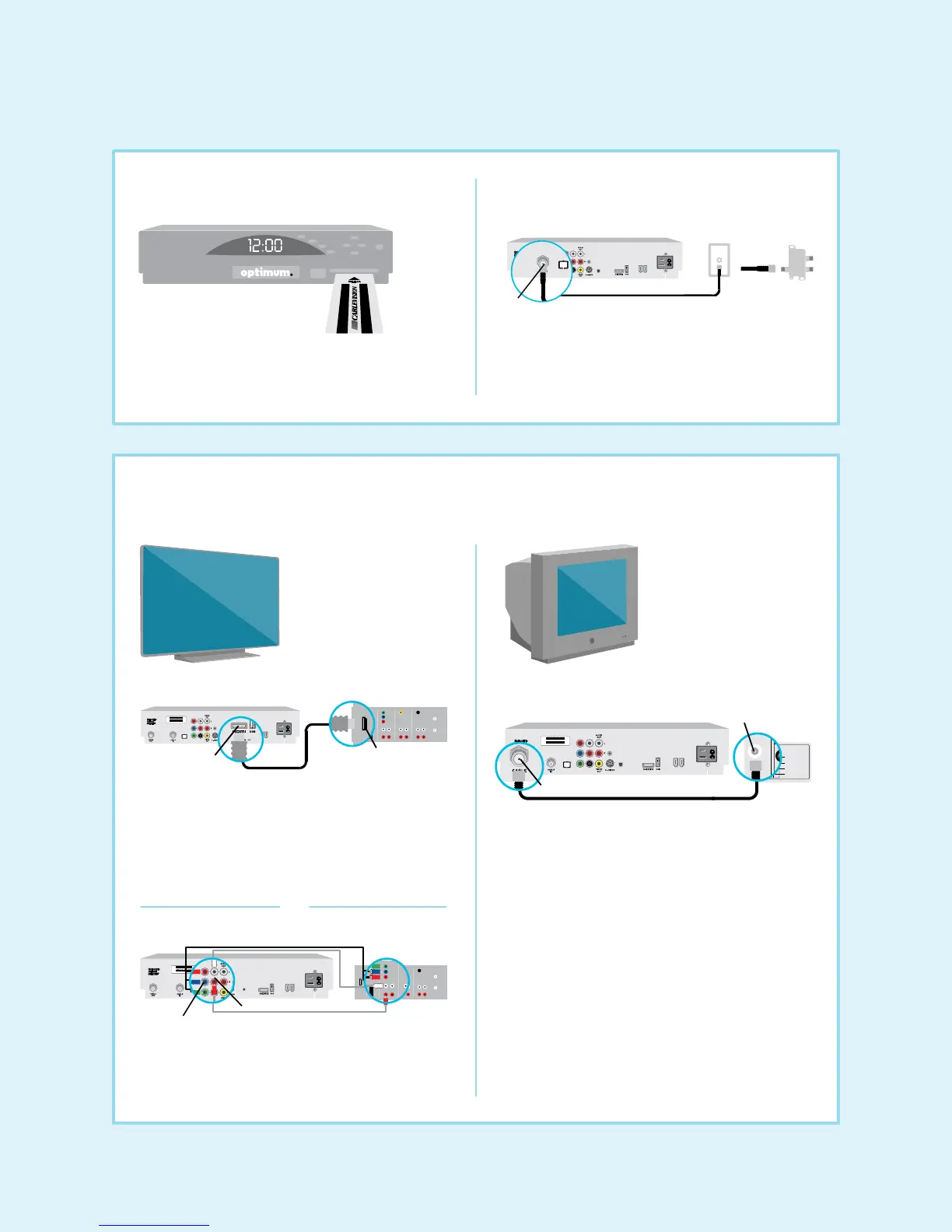
• Insert the Smart Card (will only partially insert).
Once inserted, DO NOT REMOVE.
• Connect the coaxial cable from the cable splitter or
wall to the “CABLE IN” port on the back of the
digital cable box.
Cable in
Back of digital cable box
Coaxial cable
Wall
outlet
Insert the Smart Card Connect the digital cable box
120 VAC
60Hz 40W
120 VAC
60Hz 400W
BYPASS
0003B4287797
SABDQXTL N0006246618
IR
1394 1394
120 VAC
60Hz 40W
120 VAC
60Hz 400W
BYPASS
0003B4287797
SABDQXTL N0006246618
IR
1394 1394
VHF/UHF
S VIDEO
VIDEO
L AUDIO
R AUDIO
VIDEO IN
13
120 VAC
60Hz 40W
120 VAC
60Hz 400W
BYPASS
0003B4287797
SABDQXTL N0006246618
IR
1394 1394
VHF/UHF
S VIDEO
VIDEO
L AUDIO
R AUDIO
VIDEO IN
13
120 VAC
60Hz 40W
120 VAC
60Hz 400W
BYPASS
0003B4287797
SABDQXTL N0006246618
IR
1394 1394
120 VAC
60Hz 40W
120 VAC
60Hz 400W
BYPASS
0003B4287797
SABDQXTL N0006246618
IR
1394 1394
120 VAC
60Hz 40W
120 VAC
60Hz 400W
BYPASS
0003B4287797
SABDQXTL N0006246618
IR
1394 1394
VHF/UHF
S VIDEO
VIDEO
L AUDIO
R AUDIO
VIDEO IN
13
120 VAC
60Hz 40W
120 VAC
60Hz 400W
BYPASS
0003B4287797
SABDQXTL N0006246618
IR
1394 1394
120 VAC
60Hz 40W
120 VAC
60Hz 400W
BYPASS
0003B4287797
SABDQXTL N0006246618
IR
1394 1394
120 VAC
60Hz 40W
120 VAC
60Hz 400W
BYPASS
0003B4287797
SABDQXTL N0006246618
IR
1394 1394
3 Connect the digital cable box to the TV
Either HDMI or component cables can be used for HDTV.
Back of
HDTV
Plug the component and audio cables into specified colors.
OR
Back of digital cable box Back of HDTV
Back of digital cable box
Back of
SDTV
Coaxial cableCable out
HDMI cable
Using an HDMI cable to connect your HDTV:
• Connect it from the HDMI port on the back of the
digital cable box to the back of the HDTV.
DO NOT plug in any additional cables.
Connect your SDTV:
• Connect one end of the coaxial cable to the
“CABLE OUT” port on the digital cable box and
the other end to the “VHF/UHF” or “antenna in”
port on your TV.
DO NOT connect any additional cables.
For the best picture quality, use the wrench included to make
sure the cable connections are secure.
Using component cables to connect your HDTV:
• Connect them from the HD digital cable box to the
back of the HDTV according to the specified colors.
Audio ports
Component ports
HDMI port
HDMI port
VHF/UHF
or
antenna in
Component cables
HDTV SDTV
5


 To Next Page
 Loading...