EasyManua.ls Logo

Optimus F-6212A - User Manual

Optimus F-6212A
3 pages
Print Icon
To Next Page IconTo Next Page
Loading...
WARRANTY
For your own records, staple or attach your sales receipt to this manual. Please also write
the store name/location and date purchased below.
STORE NAME/LOCATION: ____________________________________
DATE PURCHASED: __________________________________________
ONE YEAR LIMITED WARRANTY:
(SAVE THIS WARRANTY INFORMATION)
Optimus Enterprise, Inc. warrants to its customers and/or consumers of this electric fan and the parts
thereof will be free from defect in material and workmanship, under normal use, for a period of one (1)
year from the date of initial purchase. The warranty does not apply to repairs necessitated by damage,
misuse, abuse or alternation and to any repair of merchandise not used within the United States or
Canada. Unless otherwise proscribed by law, Optimus Enterprise, Inc. shall not be liable for any
personal injury, property damage or any incidental or consequential damages of any kind (include water
damage) resulting from malfunctions, defects, misuse, improper installation or alternation of this
product. This warranty is the only warranty extended by Optimus Enterprise, Inc. to its original
customers and/or consumer purchased of this fan. Optimus Enterprise, Inc. disclaims all other
warranties, express or implied, that arise by the operation of law, specifically including the implied
warranties of merchantability and fitness for a particular purpose. Optimus Enterprise, Inc. shall not be
liable for any incidental or consequential damage, which may have resulted from any alleged breach of
warranty. Some states do not allow limitations on how long implied warranty lasts or the exclusion or
limitation of incidental or consequential damage, so the above limitations or exclusion may not apply to
you. This warranty gives you specific legal rights you may also have other rights which vary from state
to state.
Should the fan fail during the warranty period, the owner should:
Within the first 30 days from date of purchase, the store from which you purchased your Optimus
product should replace this product if it is defective in material or workmanship (provided the store
has in-stock replacement).
Within the first 12 months from date of purchase, Optimus Enterprise, Inc. will repair or replace the
product if it is defective in material or workmanship providing it is returned to Optimus Enterprise,
Inc. with freight prepaid, with evidence of purchase date (cash register receipt) together with
US$44.00 check or money order for handling and return packaging/ shipping charges.
IMPORTANT: ANY REPAIRS SHOULD BE PERFORMED BY AN AUTHORIZED SERVICE
REPRESENTATIVE. DO NOT ATTEMPT TO REPAIR THIS FAN YOURSELF. DOING SO
MAY VOID YOUR WARRANTY.
PLEASE RETAIN THIS WARRANTY AND SALES RECEIPT TO INSURE YOUR PRODUCT
WARRANTY.
IMPORTANT: RETURN INSTRUCTIONS:
Your warranty depends on your following these instructions if you are returning the unit more than 30
days after the date of purchase:
Carefully pack the fan in the original container or a suitable container to avoid damage in shipping.
Seal the carton. Address an envelope as follows:
Optimus Enterprise, Inc.
Customer Service Department
2201 E. Winston Road, Unit #J, Anaheim, CA 92806
TEL: 714-956-1300
E-mail: OptimusEnt@aol.com
Inside the envelope, enclose your name, full address with zip code, daytime phone number,
evidence of purchase date (cash register receipt) AND A CHECK OR MONEY ORDER for handling
and return packaging/ shipping charges. Please also include a brief explanation of the problem you
are having with the unit.
Optimus Enterprise, Inc. recommends you insure the package (as damage in shipments is not
covered by your warranty).
All shipping charges must be prepaid by you (as noted as above).
INSTRUCTION MANUAL
AND OWNER'S GUIDE
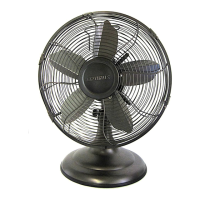
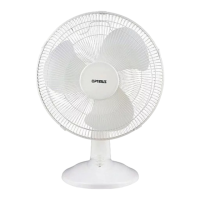
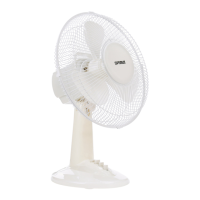
12" Oscillating Antique Design Table Fan
Model: F-6121
INFORMATION HOTLINE: If, after reading this owner’s guide, you have
any question or comments, please feel free to write us or call us at 1-888-672-
5832 or e-mail us at Service.Optimus@gmail.com. Our customer service
representative will be happy to help you.
Please read these instructions carefully and keep for future reference.
Question and Answer IconNeed help?

Do you have a question about the Optimus F-6212A and is the answer not in the manual?

Summary

Warranty Information

One Year Limited Warranty

Details the limited warranty terms and conditions for the product.

Return Instructions

Provides step-by-step instructions for returning the product for warranty service.

Customer Support Information

Important Safety Precautions

Thermal Cut-Out Device

Explains the function of the built-in thermal cut-out device for overheating protection.

Grounding Instructions

Cleaning and Maintenance

During Season Care

Guidance on how to clean and maintain the fan during its active use period.

After Season Care

Recommendations for cleaning and storing the fan during the off-season.

Service Instructions

User Servicing Instructions

Assembly Instructions

Operating Instructions

Pre-Operating Instructions

Steps to take before plugging in and operating the fan for the first time.

Fan Operation

Details on how to plug in, select speed, and use the oscillation feature.

Overview

This document describes the 12" Oscillating Antique Design Table Fan, Model: F-6121, a portable electric fan designed for personal comfort and air circulation.

Function Description

The fan's primary function is to provide air movement and cooling within a room. It features an oscillating mechanism, allowing it to sweep air across a wider area, or it can be set to a stationary position for direct airflow. The fan offers multiple speed settings, enabling users to adjust the intensity of the airflow to their preference. It is powered by a standard 120V AC, 60Hz electrical outlet. A thermal cut-out device is integrated into the motor for safety, automatically shutting off the fan if it overheats due to various reasons.

Usage Features

Pre-Operating Instructions: Before initial use, users should carefully remove the fan from its packaging, ensuring to save the carton for potential off-season storage. It is crucial to confirm that the fan's speed control selector is in the "OFF" position before plugging the unit into an electrical outlet.

Assembly Instructions: The fan requires some assembly before use. This involves:

  1. Attaching the Rear Grill: Position the rear grill (6) in front of the motor housing (9) with the handle facing upwards. Secure it using the four screws (5) provided.
  2. Installing the Fan Blade: Place the fan blade (3) onto the motor shaft and secure it with the provided screw (4).
  3. Securing the Front Grill: Position the front grill (1) in front of the rear grill. Both grills are then secured by the grill ring (2). The screw (13) on the grill ring should be tightened, possibly loosened slightly first to allow the grills to seat properly within the ring before final tightening.
  4. Adjusting the Fan Head: The fan head can be tilted and adjusted to the desired angle for optimal airflow. Once the desired angle is achieved, the neck setting screw (10) should be tightened to secure its position.

Operating Instructions:

  1. Placement: Place the fan on a firm, level surface to ensure stability during operation and prevent overturning.
  2. Power Connection: Plug the power cord (11) into any standard 120V AC, 60Hz outlet. Always ensure the speed control selector (7) is in the "OFF" position before plugging in. A warning is provided regarding a loose fit between the AC outlet and plug, which can cause overheating. If this occurs, a qualified electrician should replace the outlet.
  3. Speed Control: The fan features a selector switch (7) to choose the desired speed. The settings are typically "0-off," "1-Low," "2-med," and "3-high."
  4. Oscillation Function: To activate the oscillation feature, push the oscillating knob (8) down. To stop the oscillation and keep the fan stationary, pull the knob up.

Safety Features: The fan incorporates several safety measures. It has a polarized plug, meaning one blade is wider than the other, designed to fit into a polarized outlet in only one way to reduce the risk of electrical shock. Users are warned not to defeat this safety feature. A thermal cut-out device is built into the motor to prevent overheating. The fan is designed for indoor use only and should not be used outdoors or in areas with water, near open flames, or where curtains or other objects could obstruct the blades. It is also equipped with a safety device (fuse) within the attachment plug, which should not be removed. If the attachment plug is damaged, the product should be discarded.

Maintenance Features

During Season Care (Cleaning): Regular cleaning is recommended to maintain the fan's performance and longevity.

  1. Safety First: Always turn off and unplug the unit before cleaning.
  2. Wiping Down: Carefully wipe the unit with a soft, damp cloth. Extreme caution should be exercised near the motor to prevent moisture ingress.
  3. Avoid Immersion: Do NOT immerse the fan in water. Water should never be allowed to drip into the motor housing.
  4. Chemical Avoidance: Never use gasoline, benzene, or thinner, as these chemicals can damage the surface of the unit.
  5. Drying: After cleaning, ensure the unit is completely dry with a cloth or towel before storage or next use.

After Season Care (Storage): Proper storage helps preserve the fan during the off-season.

  1. Disassembly/Assembly: The fan can be stored either partially disassembled or fully assembled, depending on user preference and available space.
  2. Cleaning Before Storage: Before putting the fan away, clean it thoroughly as per the "During Season Care" instructions.
  3. Covering and Location: Cover the fan with a vinyl bag to protect it from dust and store it in a cool, dry place. The original carton (or an appropriately sized box) is recommended for storage to provide optimal protection.

User Servicing Instructions (Fuse Replacement): The fan's attachment plug contains a replaceable fuse.

  1. Unplug: Grasp the plug and remove it from the receptacle or outlet device. Do not pull on the cord.
  2. Open Fuse Cover: Slide open the fuse access cover located on top of the attachment plug towards the blades.
  3. Remove Fuse: Carefully remove the old fuse. This can be done by pushing it from the other side or turning the fuse holder over.
  4. Replace Fuse: Replace the fuse only with a 5A, 125-volt fuse. Using a fuse with different specifications poses a fire risk.
  5. Close Fuse Cover: Slide the fuse access cover closed on top of the attachment plug. It is important to note that the attachment plug itself should not be replaced or repaired if damaged, as it contains a safety device (fuse) that should not be removed. A damaged attachment plug necessitates discarding the product.

General Maintenance and Warranty: Users are strongly advised not to attempt to repair or adjust any electrical or mechanical functions of the unit themselves, as doing so will void the warranty. Any repairs should be performed by an authorized service representative. The warranty covers defects in material and workmanship under normal use for one year from the date of initial purchase. It does not cover repairs necessitated by damage, misuse, abuse, or alteration. For warranty claims or service inquiries, users should contact Optimus Enterprise, Inc. via their customer service hotline or email. If returning the unit for exchange or repair, it should be carefully packed in its original container (or a suitable container) to prevent shipping damage. The package should be sealed and addressed to the Optimus Enterprise, Inc. Customer Service Department. The envelope should include the user's name, full address, daytime phone number, evidence of purchase (cash register receipt), a check or money order for handling and return packaging/shipping charges, and a brief explanation of the problem. It is recommended to insure the package, as shipping damage is not covered by the warranty. All shipping charges must be prepaid by the user.

Optimus F-6212A Specifications

General IconGeneral
ModelF-6212A
TypeTable Fan
Speeds3
ColorWhite
MaterialPlastic
Blade Size12 inch
Power SourceElectric

Related product manuals