EasyManua.ls Logo

Optimus F-7345WH - User Manual

Optimus F-7345WH
3 pages
Print Icon
To Next Page IconTo Next Page
Loading...
Instruction Manual
and Owners Guide
Model: F-7345WH/F-7345BK
INFORMATION HOTLINE: If, after reading this owners guide, you
have any question or comments, please feel free to write us or call us at
1-888-672-5832 or e-mail us at Service@optimusent.com. Our customer
service representative will be happy to help you.
PLEASE READ AND SAVE THESE INSTRUCTIONS
IMPORTANT INSTRUCTIONS:
Thank you for choosing an Optimus fan. To ensure the best performance from your
Fan, please read and save the following instructions.
WHEN USING ELECTRICAL APPLIANCES, BASIC PRECAUTIONS
SHOULD ALWAYS BE FOLLOWED TO REDUCE THE RISK OF FIRE,
ELECTRIC SHOCK AND INJURY TO PERSONS, INCLUDING THE
FOLLOWING:
Read all instructions before using this product.
Use this fan only as described in this manual. Any other use not recommended by the
manufacturer may cause fire, electrical shock or injury, and may void the warranty.
Always unplug the unit before assembling, disassembling or cleaning.
Always unplug the unit when not in use or when moving from one location to another.
To disconnect, grip the plug and pull it from the wall outlet. Never yank the cord.
The use of attachments not recommended or sold by the appliance manufacturer may
cause hazards.
Avoid contact with moving parts.
DO NOT operate this fan with a damaged cord or plug, after a malfunction, or is
dropped or damaged in any manner. Return the unit to Optimus Enterprise, Inc. for
examination, electrical or mechanical adjustment, or repair.
DO NOT operate this fan in the presence of explosive and/or flammable fumes.
DO NOT place the fan or any parts near an open flame, cooking or other heating
appliance.
Extreme caution is necessary when fan is used by or near children or invalids and
whenever the fan is left operating and unattended.
This product is intended for household use only and not for commercial or industrial
use. DO NOT use outdoors.
Always use on a dry level surface.
DO NOT operate if the fan housing is removed or damaged.
A loose fit between the AC outlet and plug may cause over heating of the plug. Have a
qualified electrician replace the outlet.
DO NOT run cord under carpeting. Do not cover cord with throw rugs, runners or like.
Arrange cord away from traffic area and where it could be tripped over.
This fan is equipped with a polarized alternating current line plug (a plug having one
blade wider than the other). This plug fits into the power outlet only one way. This is a
safety feature. If you are unable to insert the plug fully into the outlet, try reversing the
plug. If the plug should still fail to fit, contact an electrician to replace the obsolete
outlet. DO NOT defeat the safety purpose of polarized plug.
This product employs an overload protection (fuse). A blown fuse indicates an
overload or short-circuit. If the fuse blows, unplug the product from the outlet. Replace
the fuse as per the Maintenance Instructions (follow product marking for proper fuse
rating). If the replacement fuse blows, a short-circuit may be present and the product
should be discarded or returned to Optimus Enterprise, Inc. for examination and/or
repair.
NEVER connect the fan to any power sources other than a 120 volt alternating current
polarized outlet.
WARNING: To reduce the risk of electric shock. DO NOT use this fan with any
solid-state speed control and DO NOT insert finger or any object into grill.
Question and Answer IconNeed help?

Do you have a question about the Optimus F-7345WH and is the answer not in the manual?

Summary

Important Instructions

Customer Support Information

Operating Instructions

Setting Up the Fan

Follow these steps to carefully remove the fan from the box and prepare it for use.

Fan Functions and Operation

Learn how to plug in, turn on/off, select speed, and use the swing function of the fan.

Cleaning and Maintenance

Details on how to clean the fan during the season and prepare it for off-season storage.

Fuse Maintenance

Instructions on how to access and replace the fuse in the power cord plug.

Service and Repair Information

Guidance on repairs, adjustments, and contacting customer service for issues.

Product Warranty

One Year Limited Warranty Details

Details Optimus Enterprise's one-year limited warranty, exclusions, and customer rights.

Warranty Return Instructions

Steps for packing and returning the unit for warranty service, including required documentation.

Overview

This document provides an instruction manual and owner's guide for the Optimus F-7345WH/F-7345BK fan, emphasizing important safety precautions, operating instructions, maintenance, and warranty information.

Function Description

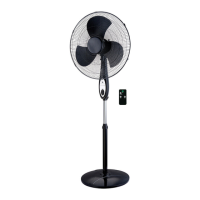
The Optimus F-7345WH/F-7345BK is an electric fan designed for household use to provide air circulation. It features basic controls for power, speed, and oscillation (swing function). The fan is intended to offer cooling and air movement within indoor environments.

Usage Features

Setting Up: To set up the fan, carefully remove it from its packaging, ensuring the unit is in the OFF position before plugging it into an electrical outlet. It is recommended to save the original carton for off-season storage.

Operation:

  1. Power On/Off: Plug the fan into an outlet. The power light will illuminate. Click the designated button to turn the fan on; clicking it again will turn the unit off.
  2. Speed Control: The fan offers multiple speed settings, typically ranging from low to high. Users can select their desired speed by clicking the speed control button.
  3. Swing Function: The fan includes a swing function to oscillate and distribute air across a wider area. This feature can be activated or deactivated by clicking the swing button.

Safety Precautions: The manual stresses several critical safety precautions to prevent fire, electric shock, and injury:

  • Always read all instructions before use.
  • Use the fan only as described in the manual to avoid voiding the warranty or causing hazards.
  • Always unplug the unit before assembly, disassembly, cleaning, or when moving it.
  • To disconnect, grip the plug and pull it from the wall outlet; never yank the cord.
  • Avoid contact with moving parts.
  • Do not operate the fan with a damaged cord or plug, or if it has malfunctioned or been damaged.
  • Do not operate the fan near explosive or flammable fumes, open flames, or heating appliances.
  • Exercise extreme caution when the fan is used by or near children or invalids, or when left unattended.
  • The product is for household use only, not commercial or industrial use.
  • Do not use outdoors.
  • Always use the fan on a dry, level surface.
  • Do not operate if the fan housing is removed or damaged.
  • Address loose fits between the AC outlet and plug promptly by consulting a qualified electrician to prevent overheating.
  • Do not run the cord under carpeting or cover it with throw rugs; arrange the cord away from traffic areas to prevent tripping hazards.
  • The fan is equipped with a polarized alternating current line plug (one blade wider than the other) for safety. If the plug does not fit, reverse it. If it still doesn't fit, contact an electrician to replace an obsolete outlet. Do not defeat this safety feature.
  • The fan includes overload protection (a fuse). If the fuse blows, unplug the product and replace the fuse according to the maintenance instructions (refer to product marking for proper fuse rating). If the replacement fuse blows again, a short-circuit may be present, and the product should be discarded or returned for examination/repair.
  • Never connect the fan to power sources other than a 120-volt alternating current polarized outlet.
  • Do not use the fan with any solid-state speed control and do not insert fingers or objects into the grill to reduce the risk of electric shock.

Maintenance Features

During Season Care (Regular Cleaning):

  • Always turn off and unplug the fan before cleaning.
  • Keep the fan clean by carefully wiping the unit with a soft, damp cloth, being cautious near the motor.
  • Do not immerse the fan in water or allow water to drip into the motor housing.
  • Never use harsh chemicals like gasoline, benzene, or thinner, as they can damage the unit's surface.
  • After cleaning, ensure the unit is completely dry with a cloth or towel.

After Season Care (Storage):

  • The fan can be stored during the off-season.
  • Before storing, clean it thoroughly.
  • Cover the fan with a vinyl bag and store it in a cool, dry place.
  • It is recommended to use the original (or appropriately sized) box for storage.

Maintenance Instructions (Fuse Replacement): A loose fit between the AC outlet and plug can cause the plug to overheat, potentially blowing the fuse inside the power cord plug. The manual provides detailed instructions for fuse replacement, depending on the location of the fuse access cover on the plug.

If the fuse access cover is on the side of the plug:

  1. Grasp the plug and remove it from the outlet; do not yank the cord.
  2. Use a small flat screwdriver or travel scissors to slide open the fuse access cover on top of the attachment plug toward the blades (refer to Fig. 1 in the manual).
  3. Carefully pry out the old fuse (refer to Fig. 2).
  4. Replace the fuse only with a 2.5 Amp, 125 Volt rating to prevent fire risk.
  5. Slide the access cover to close it on top of the attachment plug (refer to Fig. 3).

If the fuse access cover is on the face of the plug:

  1. Grasp the plug and remove it from the outlet; do not yank the cord.
  2. Use a small flat screwdriver or travel scissors.
  3. Press the tool down and pry off the protection door from the face of the plug (refer to Fig. #1).
  4. Continue removing the protection door until the fuse below is accessible (refer to Fig. #2).
  5. Carefully pry out the old fuse.
  6. Replace the fuse only with a 5 Amp, 125 Volt rating to prevent fire risk.
  7. Push the protection door back onto the face of the plug and press it securely in place to close the fuse cover.

Service and Repair:

  • Do not attempt to repair or adjust any electrical or mechanical functions on the unit, as this will void the warranty.
  • For questions or necessary repairs, contact Customer Service at 1-888-672-5832 or email Service@optimusent.com. Email is often easier for a response.
  • If an exchange is needed, return the unit in its original carton with a sales receipt to the store of purchase.
  • For returns more than 30 days after purchase, refer to the enclosed warranty for the return procedure.
  • For other questions or comments, write to Optimus Enterprise, Inc., Customer Service Department, 2201 E. Winston Road, Unit #J, Anaheim, CA 92806, or email Service@optimusent.com.

Warranty Information: The fan comes with a one (1) year limited warranty covering defects in material and workmanship under normal use. The warranty does not cover damage from misuse, abuse, alteration, or repairs not performed in the United States. Optimus Enterprise, Inc. is not liable for personal injury, property damage, or incidental/consequential damages. The warranty disclaims all other express or implied warranties, including merchantability and fitness for a particular purpose.

Warranty Claim Procedure:

  • Within the first 30 days of purchase, if the product is defective, the store of purchase should replace it (if in stock).
  • Within the first 12 months of purchase, Optimus Enterprise, Inc. will repair or replace the product if it is returned with freight prepaid, along with proof of purchase date (cash register receipt) and a US$12.00 check or money order for handling and return packaging/shipping charges.
  • All repairs must be performed by an authorized service representative; attempting self-repair will void the warranty.
  • Retain the warranty and sales receipt for product warranty.

Return Instructions (for returns more than 30 days after purchase):

  • Carefully pack the fan in its original container or a suitable container to prevent shipping damage.
  • Seal the carton.
  • Address the package to: Optimus Enterprise, Inc., 2201 E. Winston Road, Unit #J, Anaheim, CA 92806.
  • Inside the envelope, include your name, full address with zip code, daytime phone number, evidence of purchase date (cash register receipt), a check or money order for handling and return packaging/shipping charges, and a brief explanation of the problem.
  • Optimus Enterprise, Inc. recommends insuring the package, as shipping damage is not covered by the warranty.
  • All shipping/handling charges must be prepaid by the customer.

Optimus F-7345WH Specifications

General IconGeneral
ModelF-7345WH
Speeds3
OscillationYes
Tilt AdjustmentYes
Height AdjustmentYes
Voltage120V
ColorWhite
Diameter16 inches
Blade Size16 inches
Power SourceAC

Related product manuals