A. CONNECTION MATHOD
A-1
1. Loose the screws on the domes cover and remove it from the base.
(Screws won’t be removed)
2. Loose the screws which connect mount cover and Main base and separate dome cover from the
main base. (Screws won’t be removed)
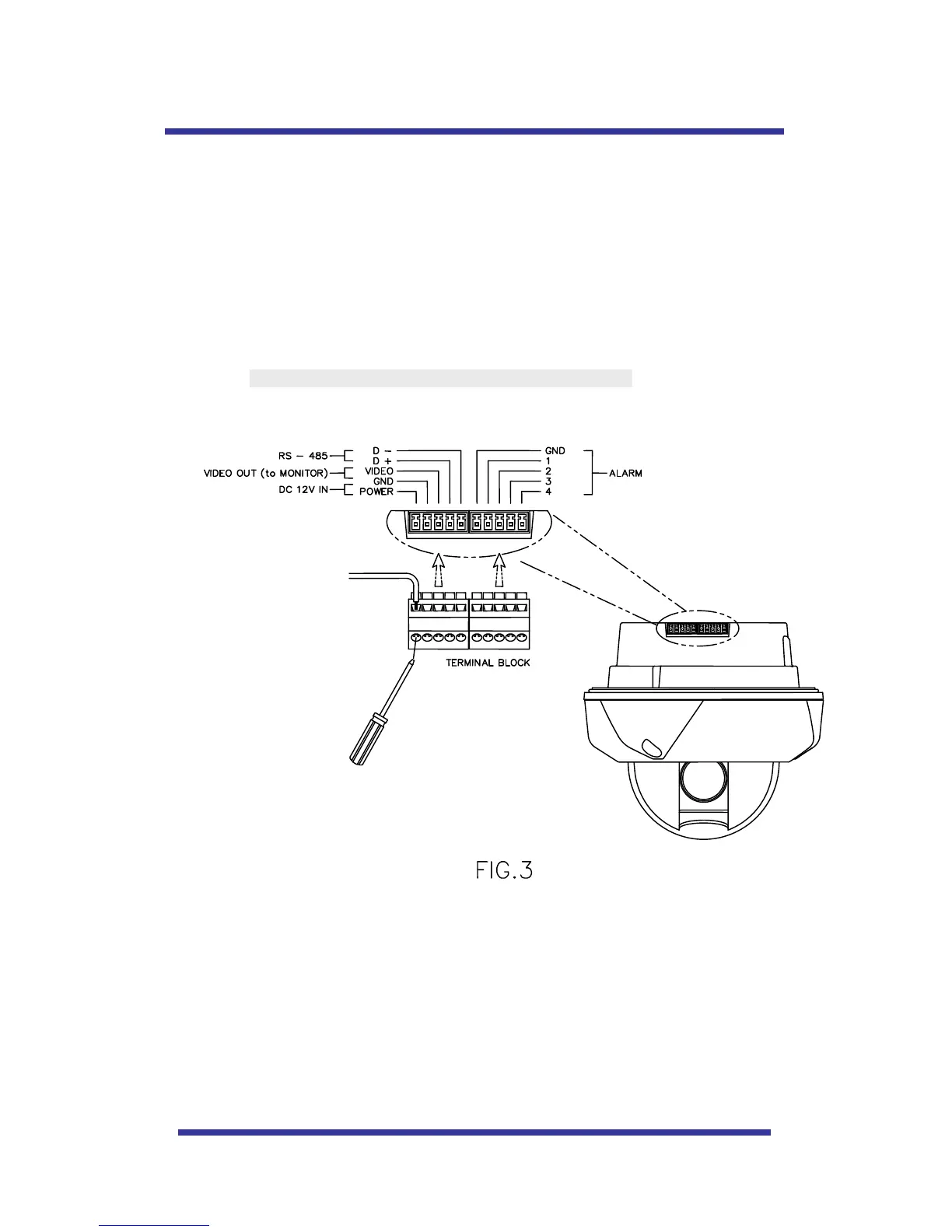
3. Connect power (DC12V 1.5 A) to Power and GND.
4. Connect video to Video and GND.
5. Connect communication cable to RS-485 connectors.
6. Connect alarm cable to GND like 1 and GND, 2 and GND, 3 and GND, 4 and GND.
(You can use both N.O / N.C methods.)
Don’t screw too tightly. It can be the cause of defect.



 To Next Page