English
46
USING THE PROJECTOR
LAN RJ45
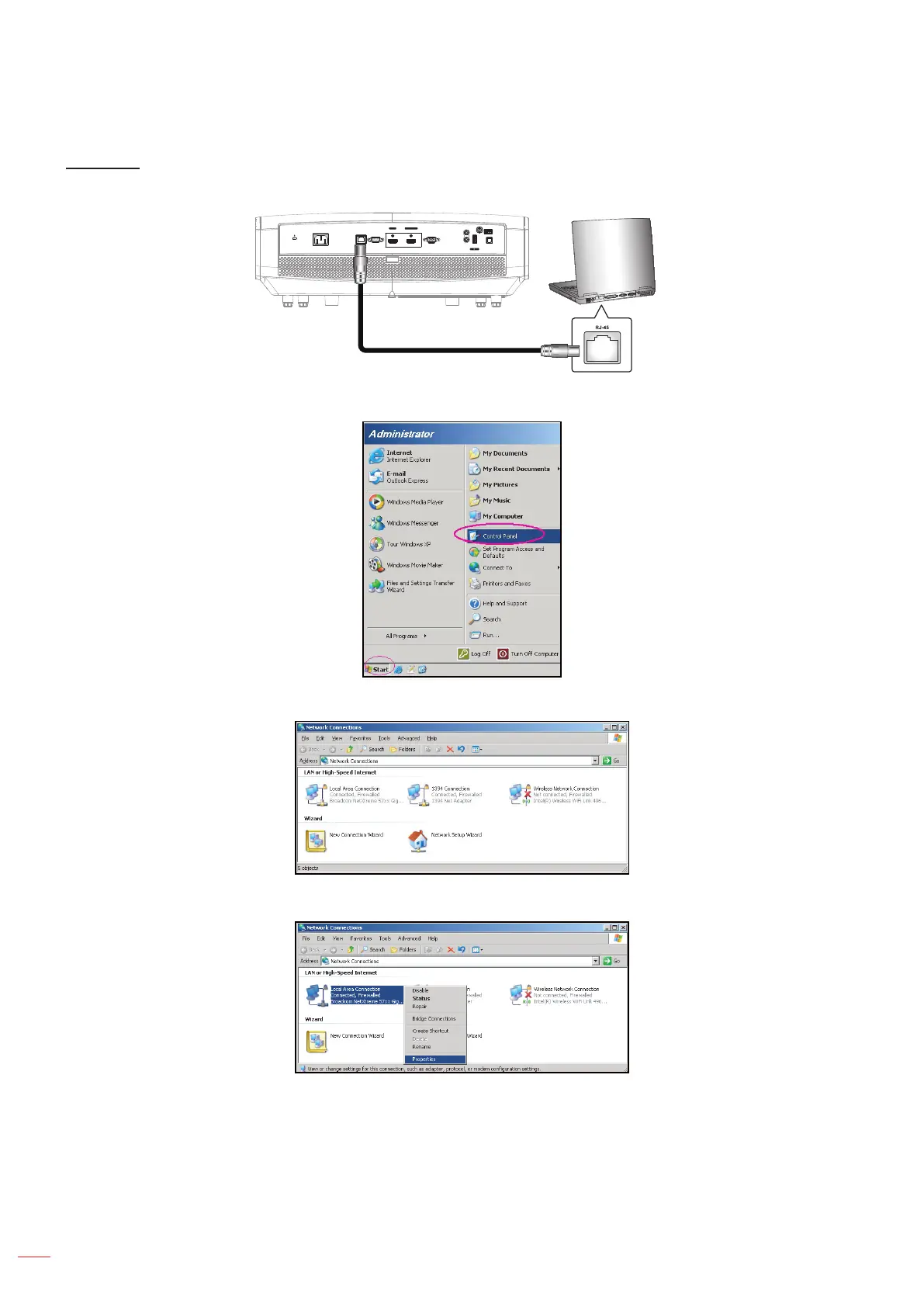
1. Connect an RJ45 cable to RJ45 ports on the projector and the PC (laptop).
(5V 1.5A)
AC-IN
RJ-45 RS232 VGA
SERVICE
S / PDIF
AUDIO
IN
12V
OUT
AUDIO
OUT
USB
POWER OUT
HDMI 1
HDMI v1.4
HDMI 2
HDMI v2.0 4K/MHL
2. On the PC (Laptop), select Start > Control Panel > Network Connections.
3. Right-click on the Local Area Connection, and select Property.
4. In the Properties window, select the General tab, and select Internet Protocol (TCP / IP).



 To Next Page