English
9
INTRODUCTION
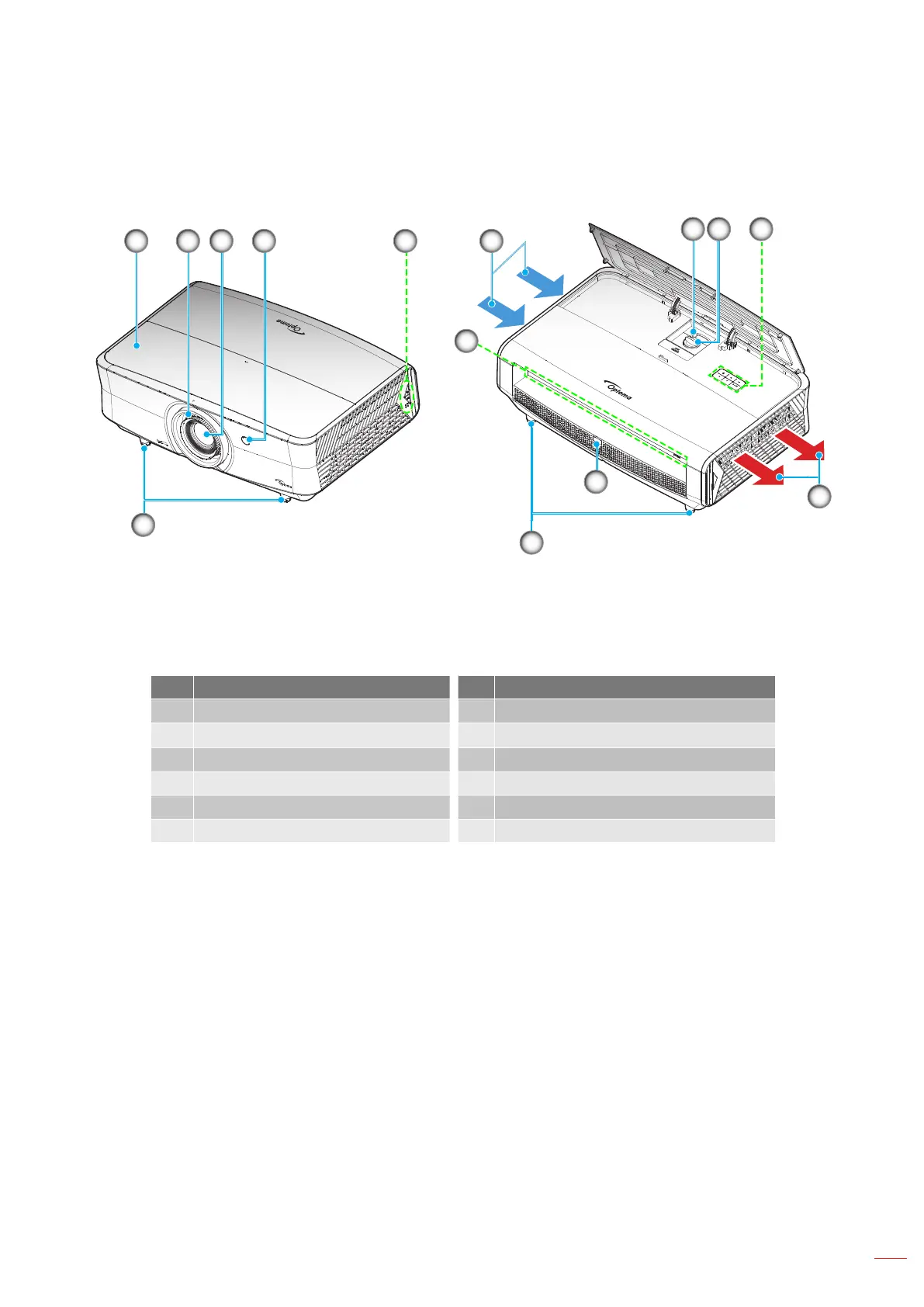
Product Overview
11
721 53 4
8 9
5
10
4
11
6
Note:
Do not block projector intake and exhaust vents.
When operating the projector in an enclosed space, allow at least 30 cm clearance around the intake
and exhaust vents.
No Item No Item
1. Top Cover 7. Ventilation (inlet)
2.
Focus Ring
8.
Zoom Lever
3. Lens 9. Lens Shift Dial
4. IR Receiver 10. Ventilation (outlet)
5. Keypad 11. Tilt-Adjustment Foot
6. Input / Output



 To Next Page