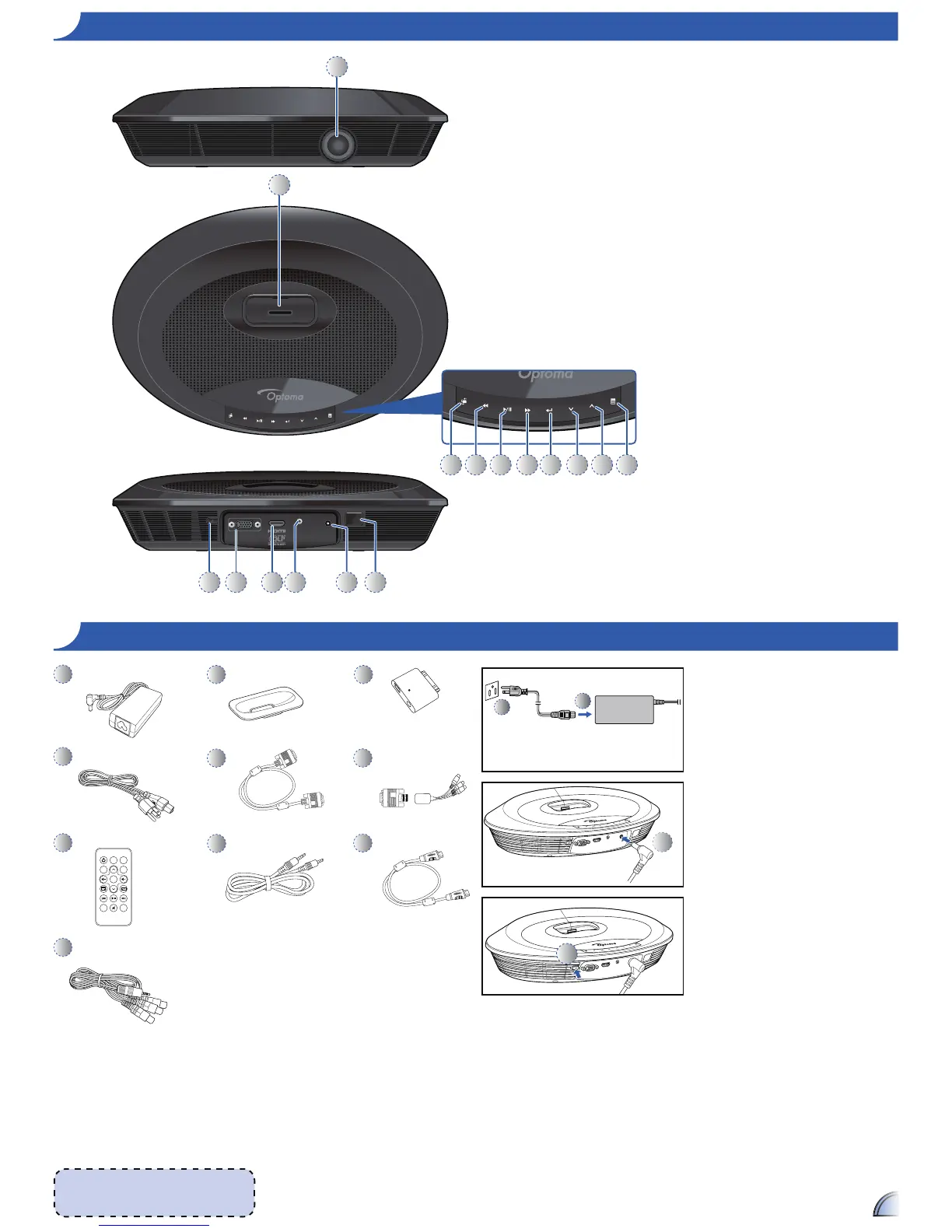
1. Lens
2. iPod/iPhone Docking Station
3. Source Button
4. Rewind Button
5. Play/Pause Button
6. Fast Forward Button
7. Enter Button
8. Down Button
9. Up Button
10. Menu Button
11. Power Button
12. VGA Input Connector
13. HDMI Input Connector
14. AV Input Connector
15. DC Input
16. IR Receiver
PR O D U C T OV E R V I E W
PA C K A G E OV E R V I E W PO W E R ON
1. Connect the power cord to the
power adapter. (
)
2. Plug the power cord into an
electrical outlet. (
)
3. Connect the power adapter to the
DC Input of the projector. (
)
4. During standby mode, the projector
can be powered on by pressing the
power button on the projector or the
remote control. Connecting an iPod/
iPhone to the dock will automatically
power on the projector. (
)



 To Next Page