EasyManua.ls Logo

Optoma EP716 - User Manual

Optoma EP716
2 pages
Print Icon
To Next Page IconTo Next Page
Loading...

1
2
3
4
5
6
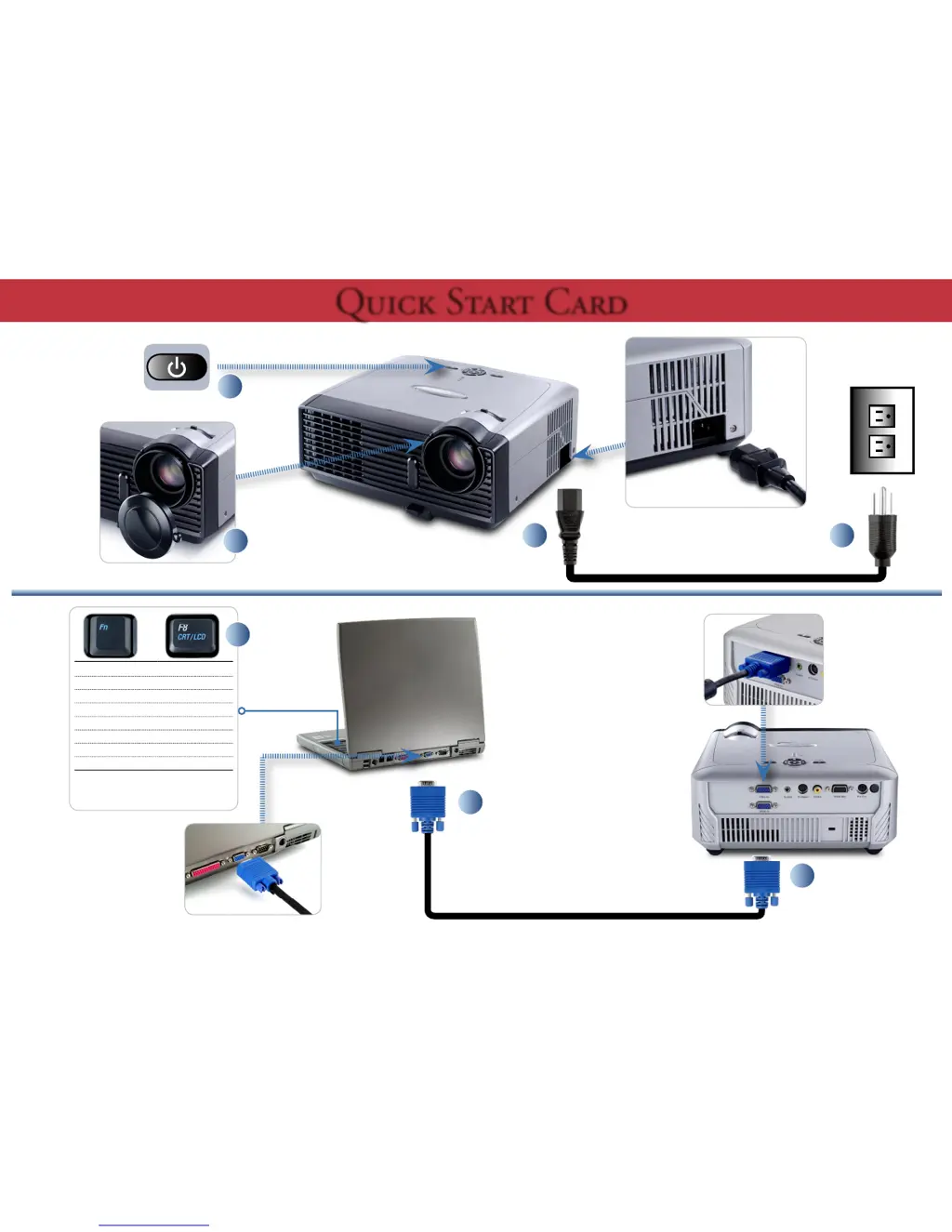
Toggle Output Settings
Compaq [Fn] + [F4]
Dell
[Fn] + [F8]
Gateway
[Fn] + [F4]
Hewlett Packard [Fn] + [F4]
IBM [Fn] + [F7]
NEC
[Fn] + [F3]
Toshiba [Fn] + [F5]
Mac Apple :
System Preferences
Display
Arrangement
Mirror display
+
7

Other manuals for Optoma EP716

Questions and Answers

Summary

Projector Setup and Operation

Toggle Output Settings

Key combinations for switching computer and projector display output.

Projector Adjustments

Adjust Zoom and Focus

Instructions for adjusting the projector's zoom and focus for optimal image clarity.

Safety Warnings

Summary

Projector Setup and Operation

Toggle Output Settings

Key combinations for switching computer and projector display output.

Projector Adjustments

Adjust Zoom and Focus

Instructions for adjusting the projector's zoom and focus for optimal image clarity.

Safety Warnings

Optoma EP716 Specifications

General IconGeneral
Contrast Ratio2000:1
Weight2.2 kg
Projection TechnologyDLP
Resolution800x600
Throw Ratio2.15:1
Projection Size24-300 inches
InputsVGA, Composite Video, S-Video
Noise Level32 dB
Lamp Life2000/3000 Hours (STD/ECO)

Related product manuals