EasyManua.ls Logo

Optoma EP716 - User Manual

Optoma EP716
2 pages
Print Icon
To Next Page IconTo Next Page
Loading...

1
2
3
4
5
6
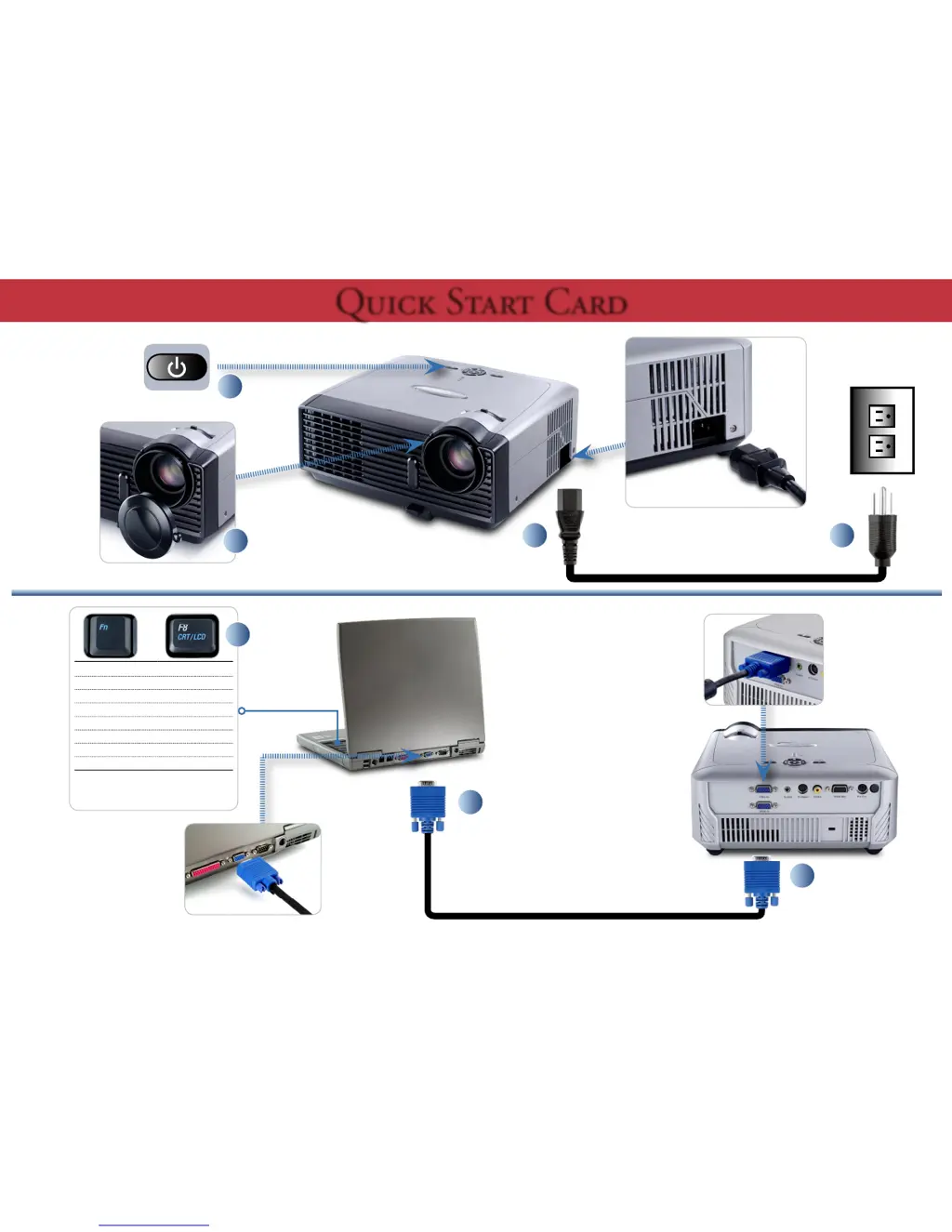
Toggle Output Settings
Compaq [Fn] + [F4]
Dell
[Fn] + [F8]
Gateway
[Fn] + [F4]
Hewlett Packard [Fn] + [F4]
IBM [Fn] + [F7]
NEC
[Fn] + [F3]
Toshiba [Fn] + [F5]
Mac Apple :
System Preferences
Display
Arrangement
Mirror display
+
7

Other manuals for Optoma EP716

Questions and Answers

  • E
    Earl HaynesSep 12, 2025
    Why is my Optoma EP716 showing dead pixel or dust?
    • L
      Lauren HudsonSep 12, 2025
      If your Optoma Projector is showing dead pixels or dust, ensure the projection screen is free of dirt and the projection lens is clean. Clean the DMD Chip and Engine Module. Also, check the DMD Chip and Engine Module.
  • C
    Cassandra TaylorSep 13, 2025
    Why is my Optoma EP716 Projector remote or control panel failing?
    • J
      Jonathan HeathSep 13, 2025
      If the remote controller or control panel on your Optoma Projector is failing, check the Battery. Also, check the Remote Controller, IR receiver, FPC, keypad and Main Board.
  • J
    Jasmine HumphreySep 15, 2025
    Why is my Optoma Projector function abnormal?
    • S
      Samantha CrawfordSep 15, 2025
      If your Optoma Projector's function is abnormal, try performing a “Reset” of the OSD menu. Also, check the Main Board and DMD board.

Summary

Projector Setup and Operation

Toggle Output Settings

Key combinations for switching computer and projector display output.

Projector Adjustments

Adjust Zoom and Focus

Instructions for adjusting the projector's zoom and focus for optimal image clarity.

Safety Warnings

Optoma EP716 Specifications

General IconGeneral
Contrast Ratio2000:1
Weight2.2 kg
Projection TechnologyDLP
Resolution800x600
Throw Ratio2.15:1
Projection Size24-300 inches
InputsVGA, Composite Video, S-Video
Noise Level32 dB
Lamp Life2000/3000 Hours (STD/ECO)

Related product manuals