EX540/EX542/EX612/EX615/EX762/EX540I/EX542I/ES523ST/EW533ST
Condential 2-15
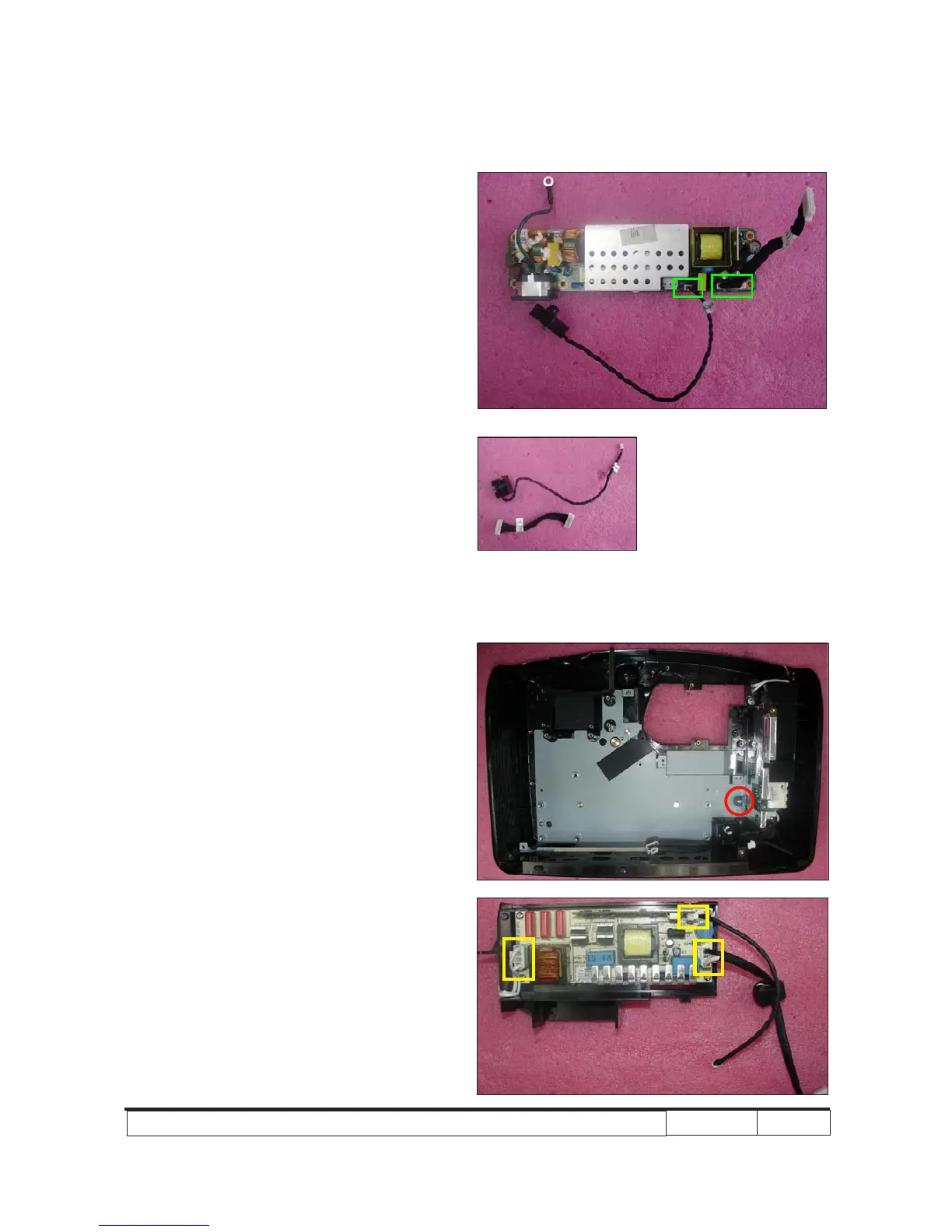
5. Unplug 2 connectors (as green square).
6. Disassemble the Interlock Switch and the
cable from the LVPS Module.
2-19 Disassemble Lamp
Driver Module
1. Unscrew 1 screw (as red circle) to
disassemble the Lamp Driver Module.
2. Unplug 3 connectors (as yellow square).
Interlock Switch



 To Next Page