English
11
INTRODUCTION
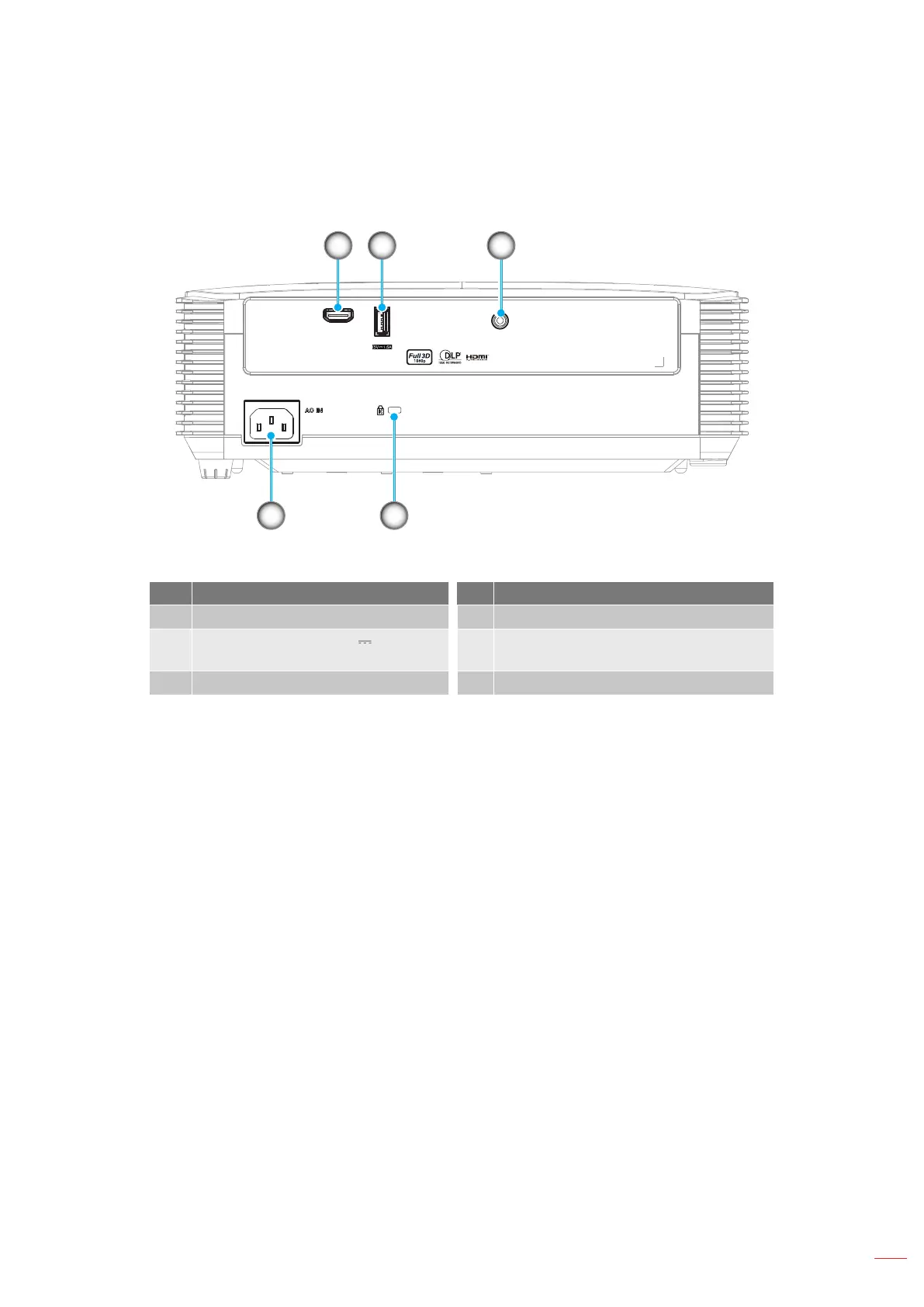
Connections
USB POWER OUT
AUDIO OUT
HDMI
1 2 3
5 4
No Item No Item
1. HDMI Connector 4. Kensington
TM
Lock Port
2.
USB POWER OUT (5V 1.5A) /
Service / Mouse Connector
5. Power Socket
3. AUDIO OUT Connector
Note:
Remote mouse requires special remote control.
To ensure the best image quality and avoid connection errors, we recommend the use of High Speed
or Premium Certied HDMI cables up to 5 meters.



 To Next Page