English
35
USING THE PROJECTOR
Display aspect ratio menu
Aspect Ratio
Select the aspect ratio of the displayed image between the following options:
4:3: This format is for 4:3 input sources.
16:9: This format is for 16:9 input sources, like HDTV and DVD enhanced for Wide screen TV.
LBX: This format is for non-16x9, letterbox source and if you use external 16x9 lens to display 2.35:1
aspect ratio in full resolution.
Native: This format displays the original image without any scaling.
Auto: Automatically selects the appropriate display format.
Note:
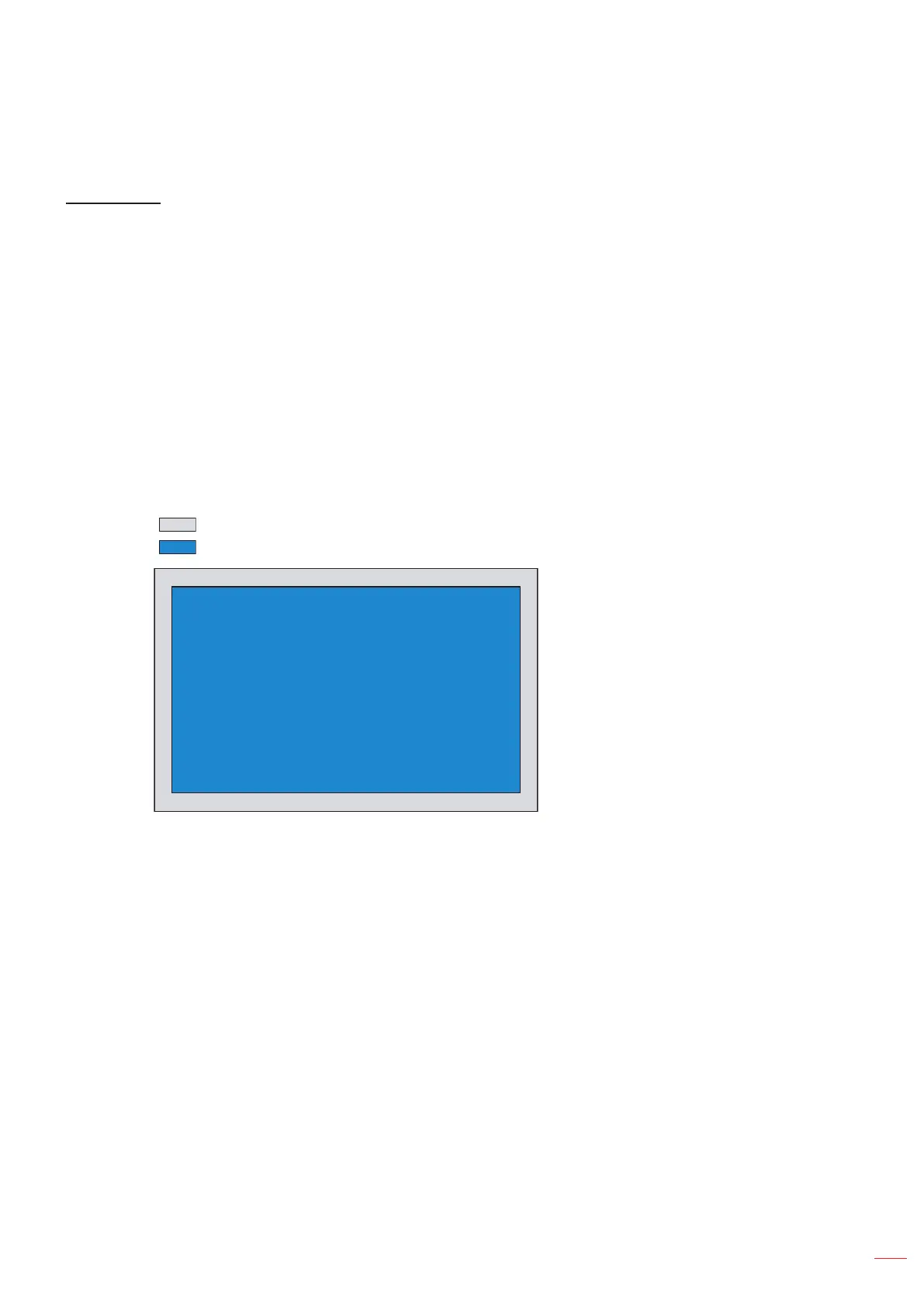
It is considered normal that black bars appear around the image with a resolution of 1080p in each
aspect mode.
The black bars and border will change in size depending on the aspect ratio.
Black bars
1080p active area
1080p 1920x1080 pixels
Note:
Detailed informations about LBX mode:
± Some Letter-Box Format DVDs are not enhanced for 16x9 TVs. In this situation, the image
will not look right when displaying image in 16:9 mode. In this situation, please try to use the
4:3 mode to view the DVD. If the content is not 4:3, there will be black bars around the image
in 16:9 display. For this type of content, you can use LBX mode to ll the image on the 16:9
display.
± If you use an external anamorphic lens, this LBX mode also allows you to watch a 2.35:1
content (include Anamorphic DVD and HDTV lm source) that supports anamorphic wide is
enhanced for 16x9 Display in a wide 2.35:1 image. In this case, there are no black bars. Lamp
power and vertical resolution are fully utilized.
To use the superwide format, do the following:
a) Set the screen aspect ratio to 2.0:1.
b) Align the projector image correctly on the screen.



 To Next Page