English
29
USING THE PROJECTOR
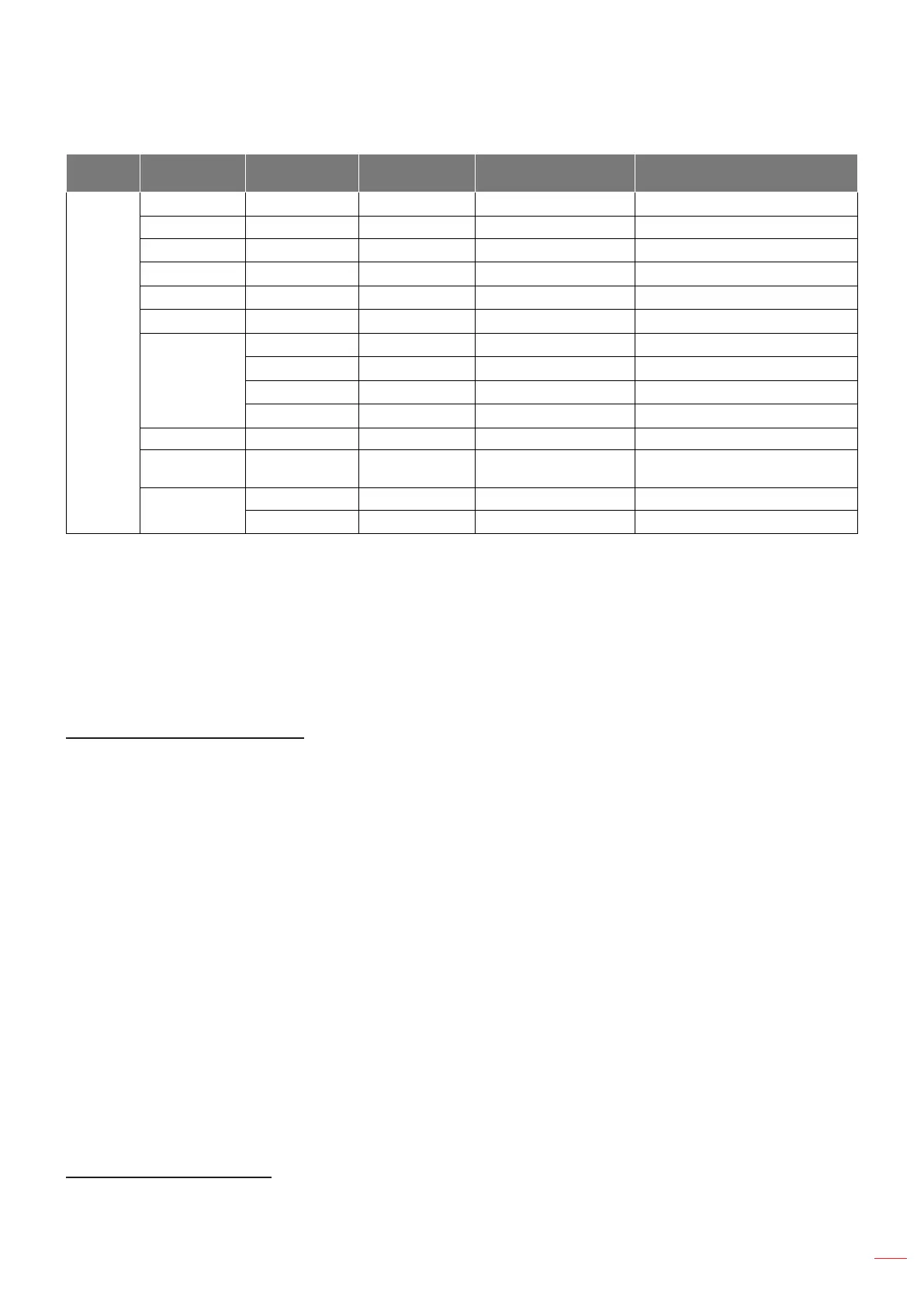
Main
Menu
Sub Menu Sub Menu 2 Sub Menu 3 Sub Menu 4 Values
Information
Regulatory
Serial Number
Source
Resolution 00x00
Refresh Rate 0.00Hz
Display Mode
Lamp Hours
Bright 0 hr
Eco. 0 hr
Dynamic 0 hr
Total
Filter Hours
Brightness
Mode
FW Version
System
MCU
Note:
When you made the changes on the “IR Function”, “Projection”, or “Keypad Lock” function, a
conrmation message will appear on the screen. Select “Yes” to save the settings.
Each display mode can be adjusted and saved the value.
*Optional feature depends on model and region.
Display image settings menu
Display Mode (video-mode only)
There are many factory presets optimized for various types of images.
Cinema: Provides the best colors for watching movies.
Vivid: In this mode, the color saturation and brightness are well-balanced. Choose this mode for
playing games.
Game: Select this mode to increase the brightness and response time level for enjoying video games.
Reference: Provides the most accurate natural looking colors close to Rec. 709, the standard for High
Denition TV(HDTV).
Bright: Maximum brightness from PC input.
USER: Memorize user’s settings.
3D: To experience the 3D effect, you need to have 3D glasses. Make sure your PC/portable device
has a 120 Hz signal output quad buffered graphics card and a 3D Player installed.
ISF Day: Optimize the image with the ISF Day mode to be perfectly calibrated and high picture quality.
ISF Night: Optimize the image with the ISF Night mode to be perfectly calibrated and high picture
quality.
ISF 3D: Optimize the image with the ISF 3D mode to be perfectly calibrated and high picture quality.
Note: For access and calibration of ISF daytime and night viewing modes, please contact your local dealer.
Wall Color (data-mode only)
Use this function to obtain an optimized screen image according to the wall color. Select between off, blackboard,
light yellow, light green, light blue, pink, and gray.


 To Next Page