Please note that the on-screen display (OSD) menus vary according to the
signal type selected and the projector model you are using.
(#1) “Color” and “Tint” are only supported in Video mode.
(#2) For XGA model only.
(#3) For WXGA model only. 16:9 or 16:10 depend on “Screen Type” setting.
(#4) “3D Sync Invert” is only available when 3D is enabled and this mode
3D is for DLP link glass only.
(#5) “Signal” is only supported in Analog VGA (RGB) signal.
(#6) For HDMI Source only.
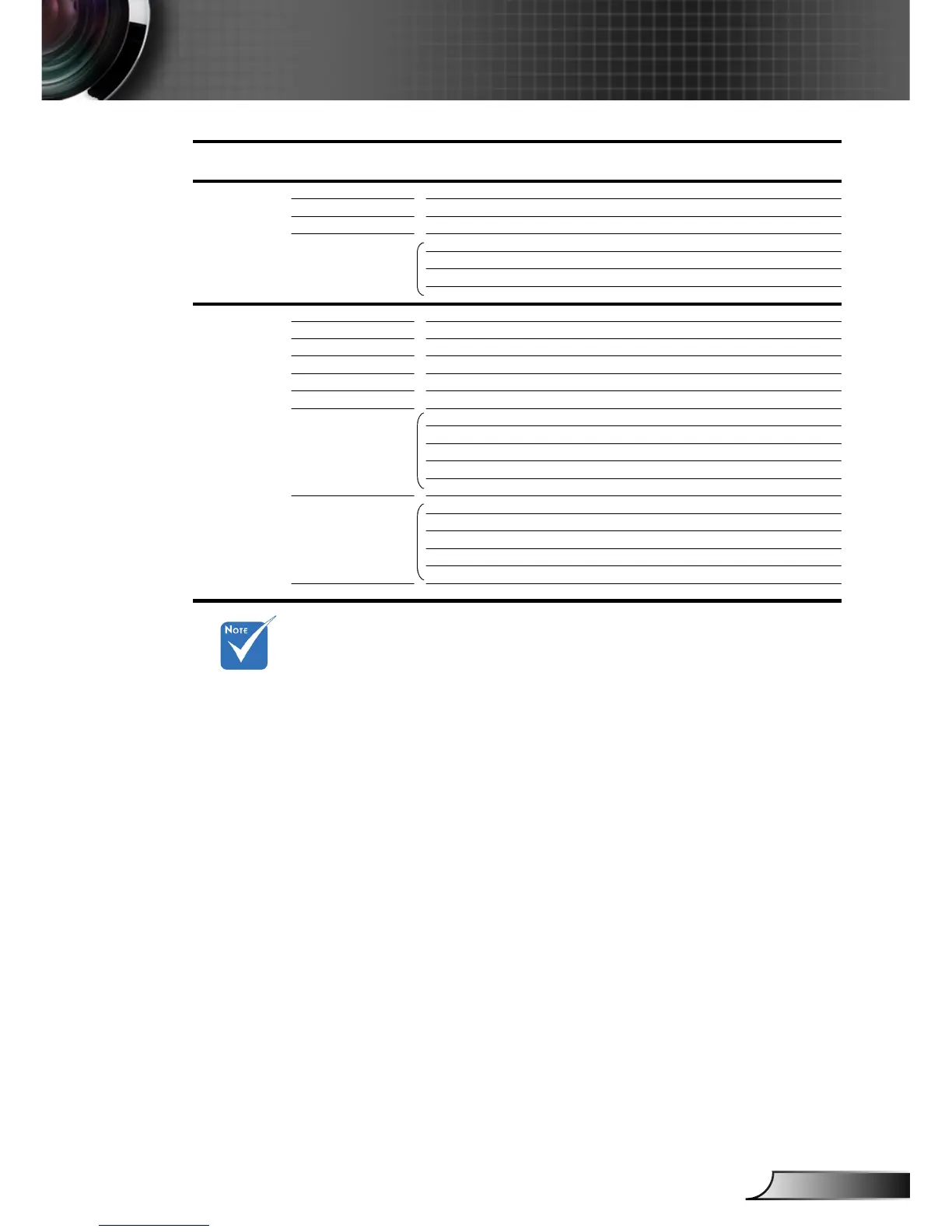
Main Menu Sub Menu Settings
Setup
Projector ID 0~99
Mute On / Off
Volume 0~10
Advanced Logo
Logo Capture
Closed Captioning Off / CC1 / CC2
Exit
Options
Source Lock On / Off
High Altitude On / Off
Information Hide On / Off
Keypad Lock On / Off
Background Color Black / Red / Blue / Green / White
Test Pattern None / Grid / White Pattern
Advanced Direct Power On On / Off
Auto Power Off (min.) 0~180
Sleep Timer (min.) 0~995
Power Mode (Standby) Eco. / Active
Exit
Lamp Settings Lamp Hours
Lamp Reminder On / Off
Brightness Mode STD/Bright
Lamp Reset Yes / No
Exit
Reset
Optoma / Neutral / User


 To Next Page