Ceiling Installation
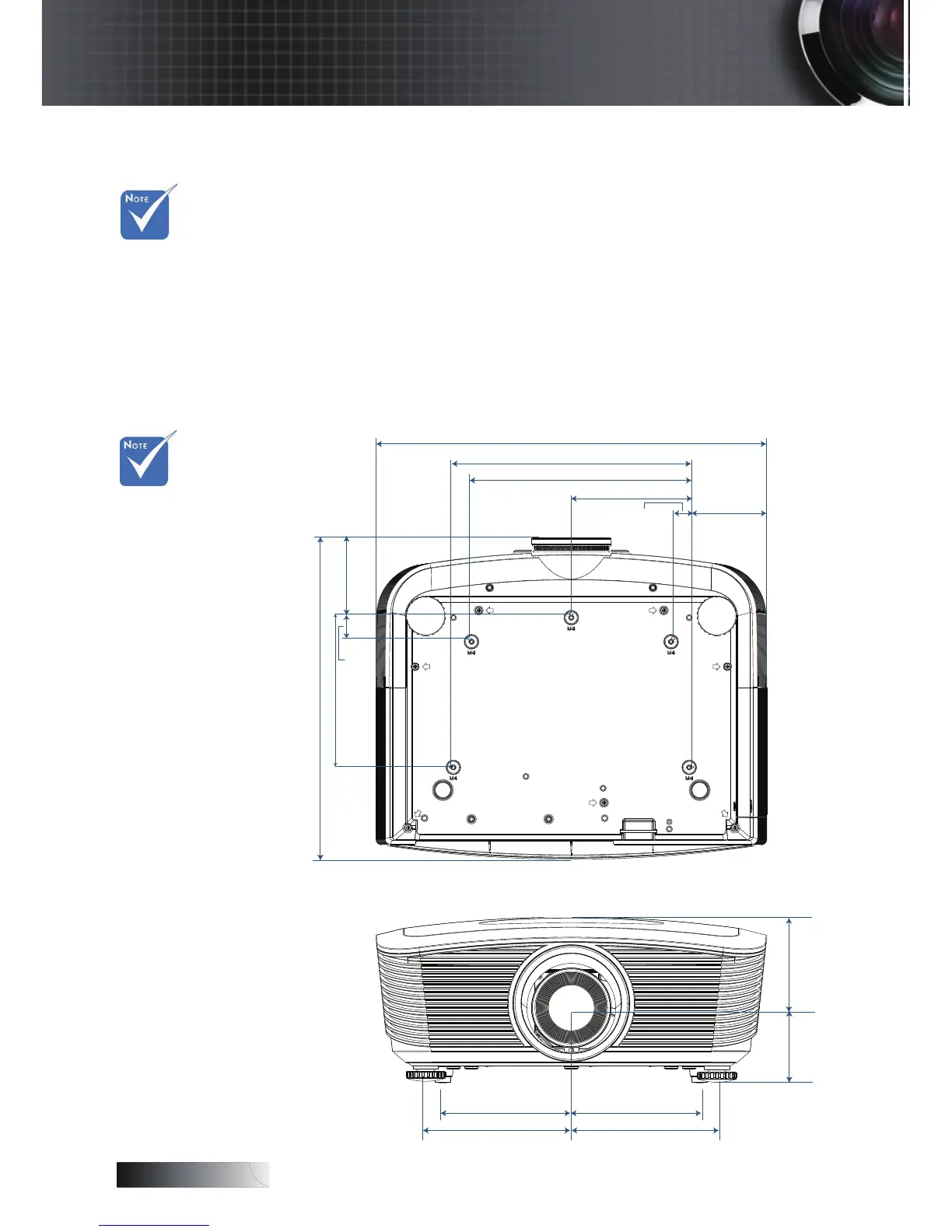
To prevent damage to your projector please use the recommended
mounting package for installation.
To ensure compliance, only use a UL Listed ceiling mount and
screws that meet the following specications:
4
Screw Type: M4
4
Maximum screw length: 11 mm
4
Minimum screw length: 9 mm
Refer to the following diagram to ceiling mount the projector.
v Damage to the
projector as a
result of
incorrect
installation
voids the
warranty.
v Ensure at least
10cm clearance
between the
ceiling and the
underside of
the projector.
v Avoid locating
the projector
near heat
sources such as
air conditioning
and heaters.
Excess heat
may cause the
projector to
power off.
Appendices


 To Next Page