EasyManua.ls Logo

Optoma UHD35 - Page 41

Optoma UHD35
57 pages
Print Icon
To Next Page IconTo Next Page
To Previous Page IconTo Previous Page
Loading...
English
41
MAINTENANCE
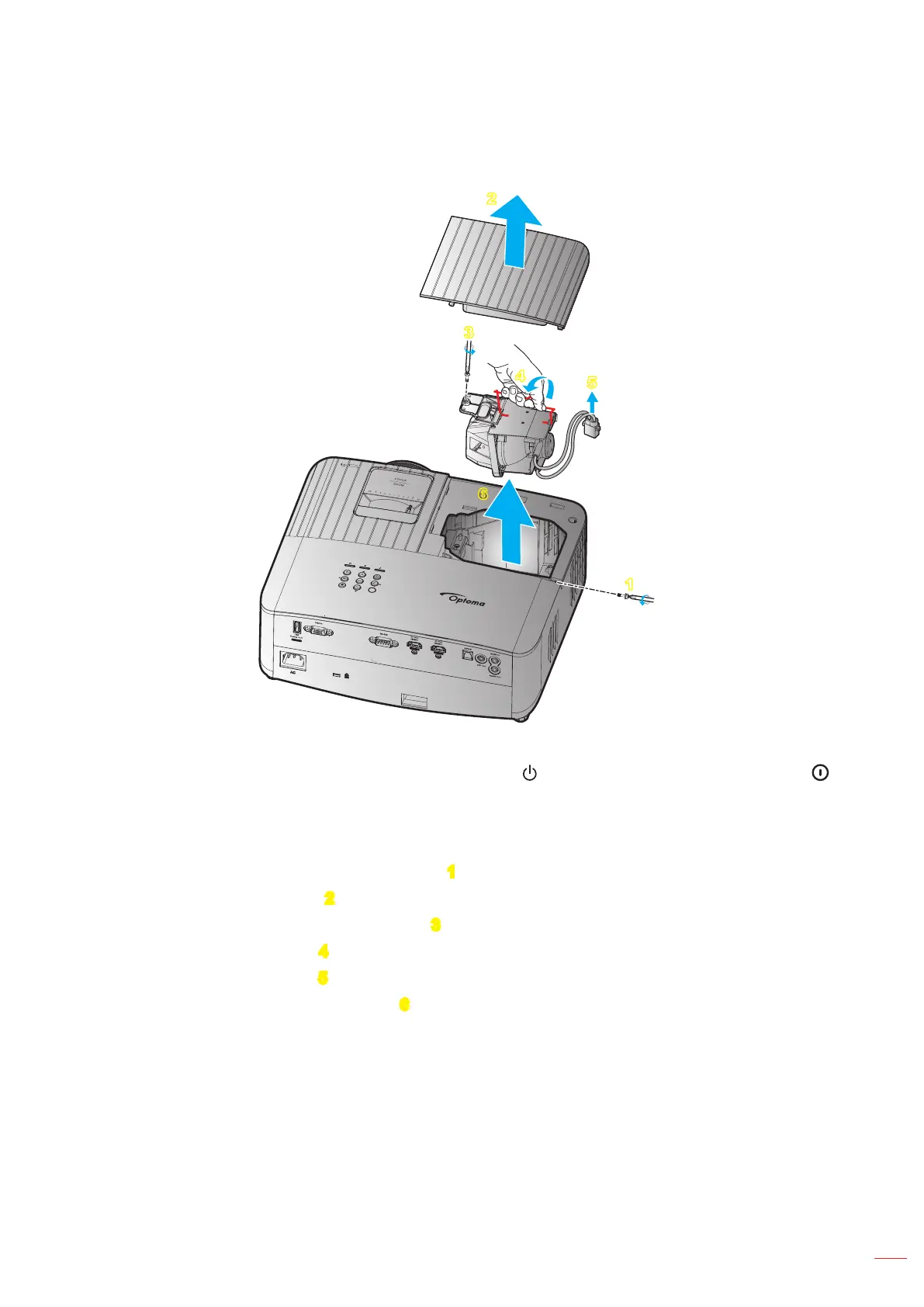
Replacing the lamp (continued)
2
1
6
3
4
5

 󰀨 

 
 
 
 
 
 
 
 
 
 
 



Note:
The projector cannot be turned on if the lamp cover has not been placed back on the projector.
Do not touch the glass area of the lamp. Hand oil can cause the lamp shatter. Use a dry cloth to clean
the lamp module if it was accidentally touched.

Related product manuals