Need help?
Do you have a question about the optrel e3000 and is the answer not in the manual?
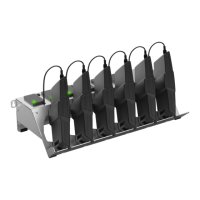
Store charger in a dry, dust-free place. Place on a stable, clean surface and insert batteries correctly.
Remove protective cover and insert battery cable plug into connection. Repeat for each battery.
Ensure OFF/ON switch is off, plug in power cable, then switch ON.
Red light indicates empty battery, green indicates full charge. Remove battery when green.
Details include 6 battery ports, LED indicators (red/green), AC input (100-240V), and DC output (16.8V).
 General
| Brand | optrel |
|---|---|
| Model | e3000 |
| Category | Battery Charger |
| Language | English |


 To Next Page