10
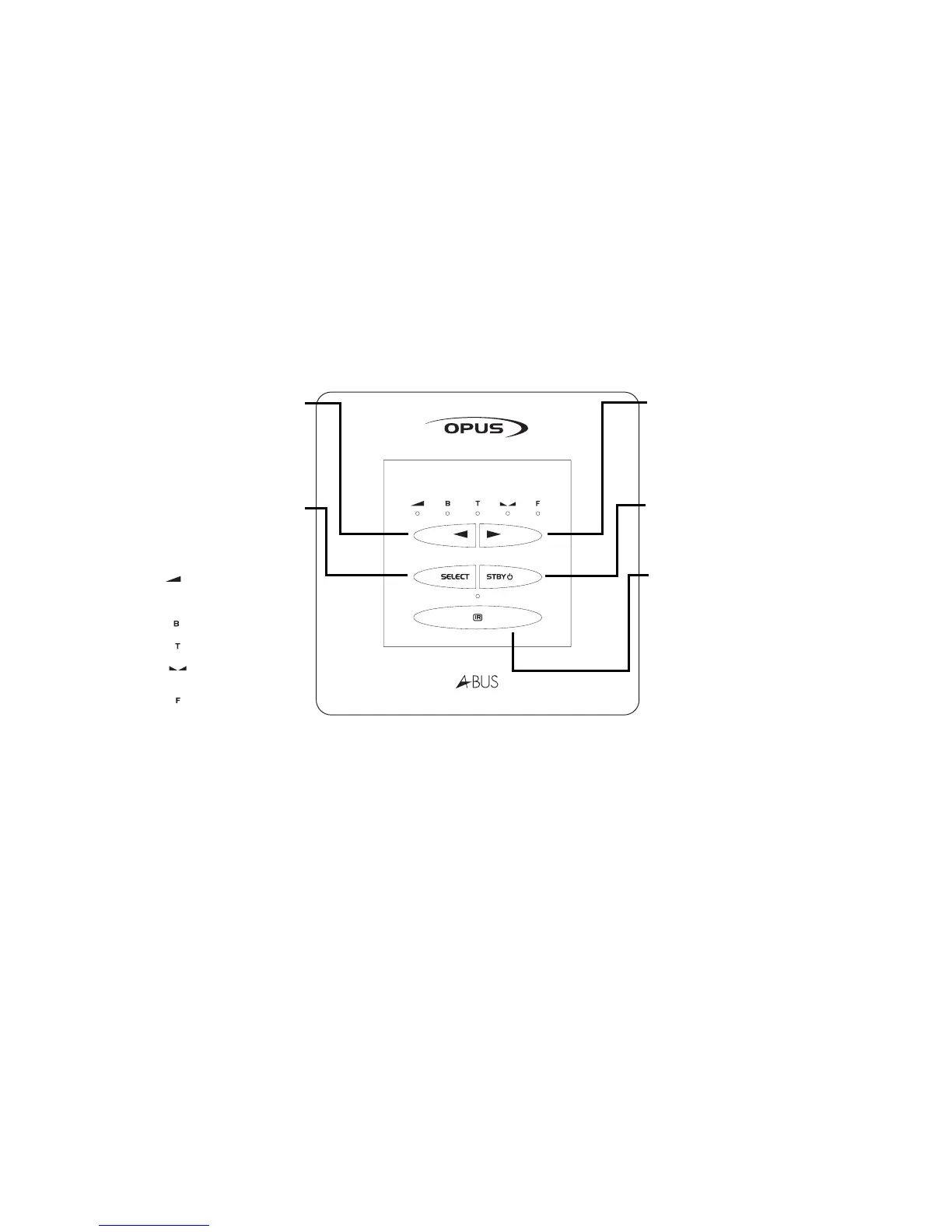
Volume up
Use this button to increase
the volume in your sub
zone (also used to control
Bass/Treble/Balance when
Select button has changed
function).
Standby button
Use this button to set the
system to standby mode.
IR sensor window
Volume down
Use this button to decrease
the volume in your sub zone
(also used to control
Bass/Treble/Balance when
Select button has changed
function).
Select button
Use this button to access
Bass/Treble/Balance. LEDs
will illuminate which mode
you are in:
Volume mode
(Volume level
displayed)
Bass setting mode
Treble setting mode
Balance setting
mode
Fader setting mode
WCU300 keypad f unctions



 To Next Page