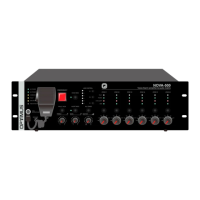
DC-800ETH version 4.3.001
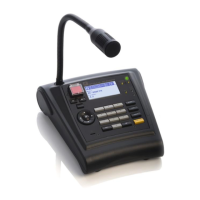
IP Microphone desk
and Control central
Table of contents
1. INTRODUCTION ..................................................................................................................................................................... 5
2. FRONT VIEW .......................................................................................................................................................................... 6
3. REAR VIEW ............................................................................................................................................................................ 7
4. CONNECTIONS ....................................................................................................................................................................... 8
4.1. Primary power supply ................................................................................................................................................... 8
4.2. Secondary power supply ............................................................................................................................................... 8
4.3. Ethernet connection ...................................................................................................................................................... 8
4.4. Connection in installations with a redundant Ethernet network .................................................................................. 9
4.5. Connection of a music source to the paging desk ......................................................................................................... 9
4.6. OUT recording connection ............................................................................................................................................ 9
5. PLACEMENT OF THE BATTERY .............................................................................................................................................. 10
6. DISPLAY, GENERAL VIEW ..................................................................................................................................................... 12
7. NAVIGATING THROUGH THE MENUS ................................................................................................................................... 12
8. STRUCTURE OF THE MENUS ................................................................................................................................................. 13
9. COMMISSIONING THE UNIT ................................................................................................................................................. 14
9.1. Configuration of the DC-800ETH network addresses .................................................................................................. 14
9.1.1. Changing the IP address ................................................................................................................................... 14
9.1.2. Changing the Netmask ..................................................................................................................................... 14
9.1.3. Changing the Gateway ..................................................................................................................................... 14
10. TRANSFER OF PRE-RECORDED MESSAGES TO THE DC-800ETH ............................................................................................. 15
11. GENERAL OPERATIONS ........................................................................................................................................................ 15
11.1. User levels and changes .............................................................................................................................................. 15
11.2. Changing the language of the menu ........................................................................................................................... 16
11.3. Display contrast adjustment ........................................................................................................................................ 16
12. OPERATIONS IN NORMAL MODE ......................................................................................................................................... 16
12.1. Sending a live voice announcement ............................................................................................................................ 16
12.2. Sending a pre-recorded message to one or several zones or group ........................................................................... 16
12.3. Sending a general live voice announcement ............................................................................................................... 17
12.4. Sending a general pre-recorded message ................................................................................................................... 17
12.5. Repeat function ........................................................................................................................................................... 17
12.6. Recording an adhoc message ...................................................................................................................................... 17
12.7. Sending an adhoc message ......................................................................................................................................... 17
12.8. Play a remote pre-recorded message housed in the audio matrix ............................................................................. 17
12.9. Volume zones adjustment ........................................................................................................................................... 18
12.10. Stop or activate all the music channels of the area ................................................................................................ 19
12.11. Stop or activate a specific music channel ............................................................................................................... 19
12.12. Configure music channels ....................................................................................................................................... 19


 To Next Page