Orange Pi PC User Manual Shenzhen Xunlong Software CO., Limited
www.orangepi.org www.xunlong.tv
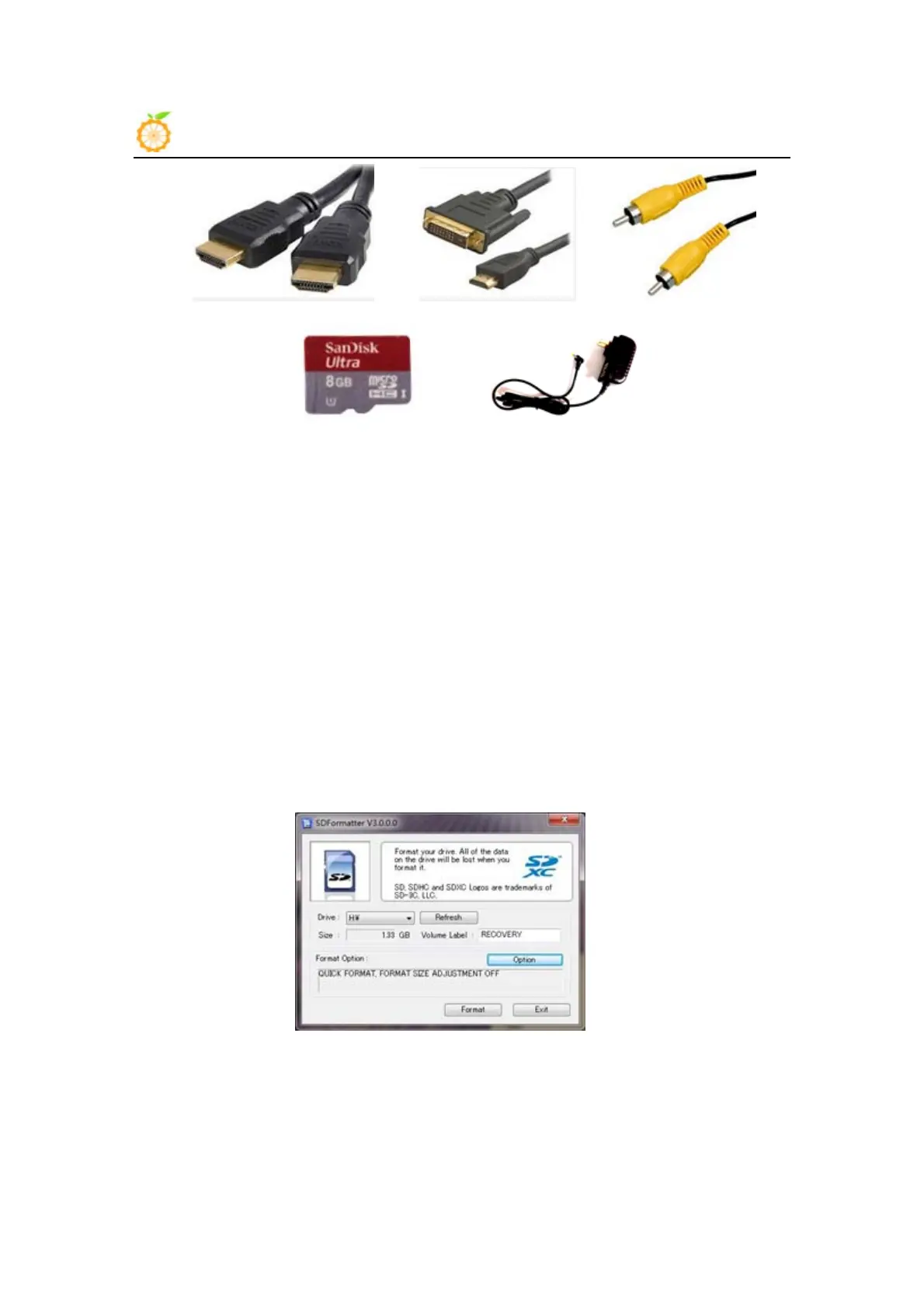
HDMI to HDMI cable HDMI to DVI cable AV video cable
TF card DC power adapter
Step 2 Prepare TF card for Orange Pi PC
Operation System (OS) should be installed in a TF card before using an Orange Pi PC. In the
following we will tell you how to program an OS image file into a TF card Under Windows and Linux
OS.
How to
Program an OS into a TF card?
Windows:
1. Insert your TF card into your computer. The capacity of a TF card should be larger
than OS image, generally 4GB min.
2. Format the TF card.
i. Download a format tool of TF card, such as TF Formatter. You can download it
from the following link, https://www.sdcard.org/downloads/formatter_4/eula_windows/.
ii. Unzip the downloaded file and run the setup.exe to install the tool on your
machine.
iii. In the "Options" menu, set "FORMAT TYPE" option to "QUICK”, and
“FORMAT SIZE ADJUSTMENT" option should be "ON".



 To Next Page