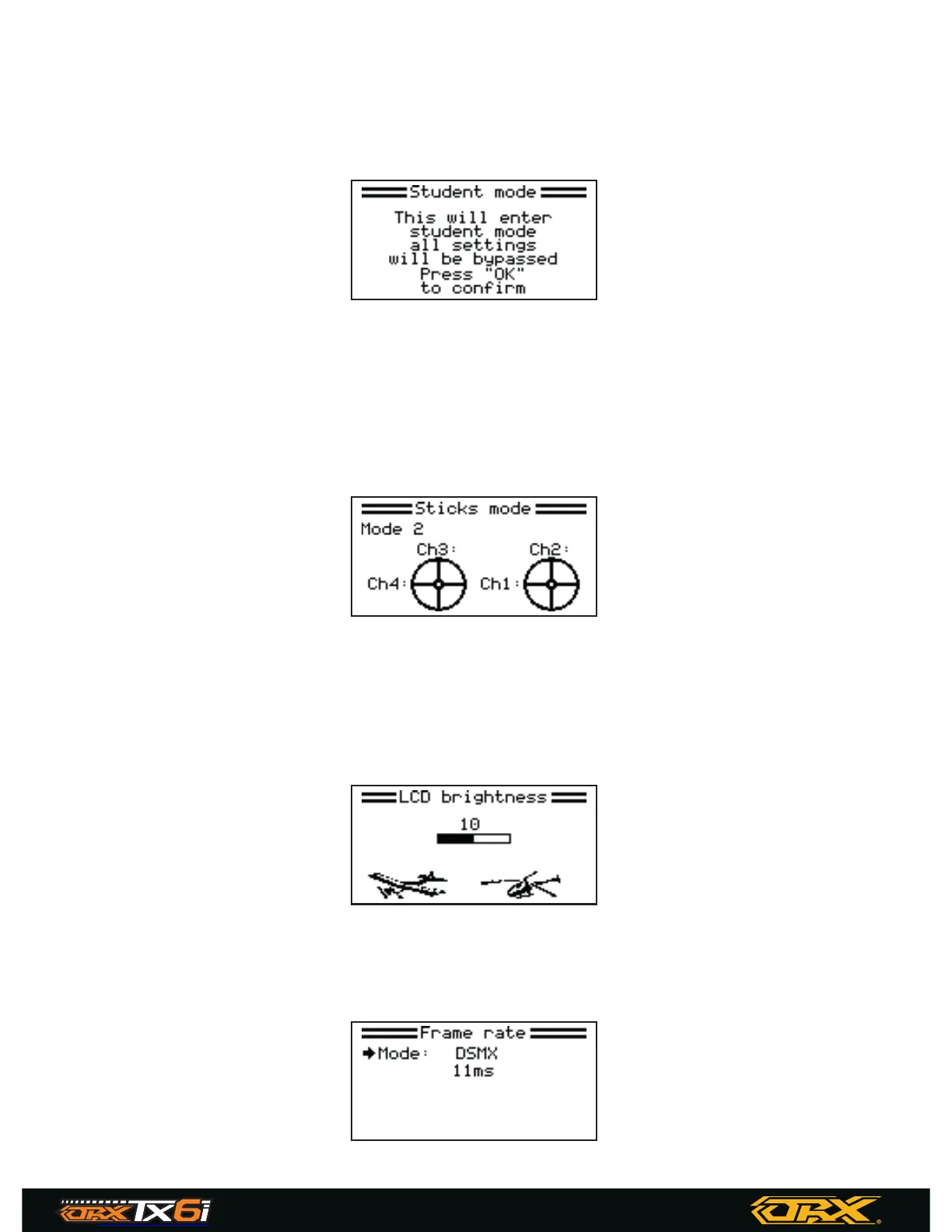
Student mode
This function is used when another system is connected as a master (trainer), when this mode is
active all settings will be bypassed and the system will only function through the master.
Press and hold the wheel and move the wheel to select yes.
Sticks mode
There are 4 available stick modes, each stick mode changes the stick functions.
For example when using stick mode 2 the left stick controls throttle on the vertical axis and rudder
in the horizontal axis, however in stick mode 3, the vertical axis controls elevator and the horizon-
tal axis controls aileron. These modes are largely down to personal preference.
Move the wheel to select a stick mode then press and hold the wheel to save and exit.
LCD brightness
This function controls the backlight brightness. Note that increasing the brightness will reduce
battery life.
To change the LCD brightness, Use the wheel to change the screen brightness then press and
hold the wheel to save and exit.
Frame rate
This function sets the protocol type and speed. Use the wheel to highlight the desired protocol
then press and hold the wheel to save.
22
6 CHANNEL TRANSMITTER
DIGITAL PROPORTIONAL RADIO
CONTROL SYSTEMPROGRAMABLE SYSTEM


 To Next Page