38 39
How can I find out how many users are connected to my Mobile Hotspot?
From the Device:
• From the Home Screen the number of connected devices is displayed in a yellow circle
next to the Wi-Fi Signal icon at the top of the display.
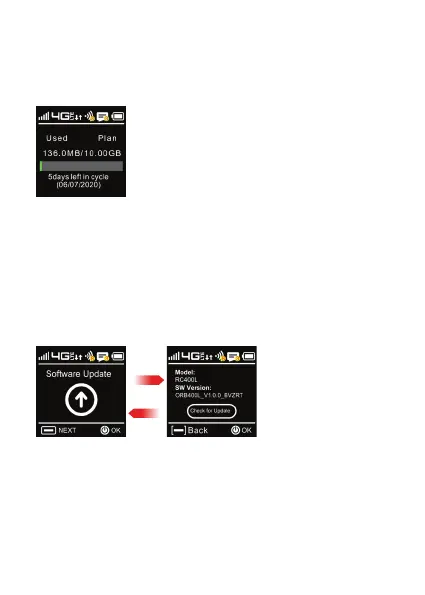
How do I check the firmware version installed on my Mobile Hotspot?
From the Device:
• Press the Menu button until the Software Update screen is displayed.
Press OK/Pwr button and the software version is displayed.
From here you can check for Updates by pressing the OK/Pwr button again
and following the menu to perform an update if available.
From the Mobile Hotspot WEB UI website:
• Select the Clients icon from the home page. The devices connected by Wi-Fi
and tethered is displayed showing name, MAC address and IP address.
From the WEB UI Website:
• From the home screen select Settings > Upgrade.
The current software and hardware version are displayed.
OK/Power
Menu



 To Next Page