28
SECTION VIII
BLOWER OPTION
You can use an optional blower kit with your heater and can be ordered thru your dealer.
This kit can improve heat circulation in the room in which you installed your
Calorama/Comfort View unit.
Installation instructions:
Remove the unit’s front cover to access the mounting point of the Temperature
Activation Sensor on the upper right side of the unit, above the gas valve. (See figure 13).
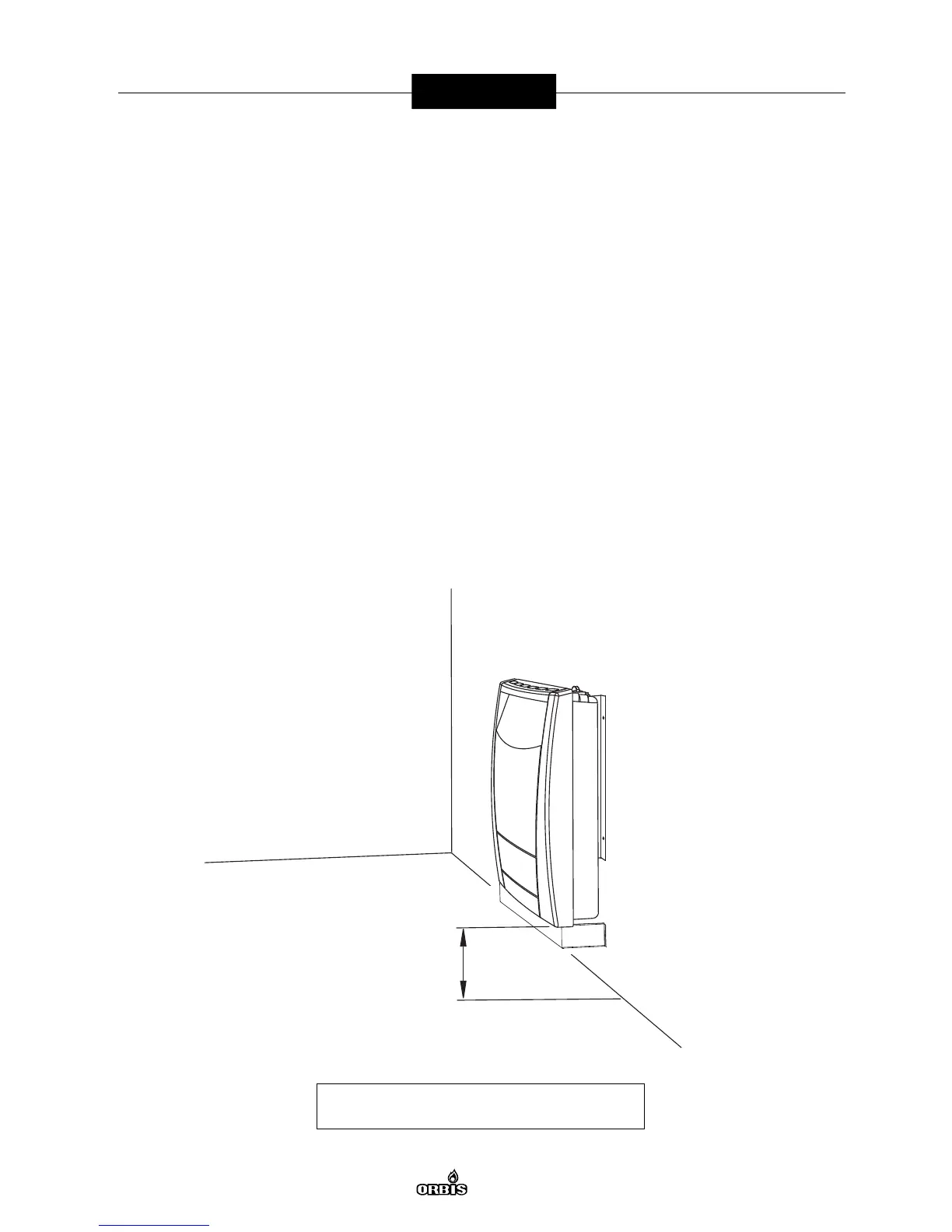
With the cover still off, mount blower into the wall directly under and centered on the
unit using the two fastening screws provided. (See figure 12 for the correct installation
distances).
Mount the temperature activation sensor at place provided for. (See figure 13).
Replace the unit front cover. Plug in the blower assembly and turn rotating switch
to activate.
Note: The blower will not respond until the unit is working for about 8 minutes and has
reached the operating temperature.
Figure 12: Blower Installation
6.7” (170mm)



 To Next Page