4
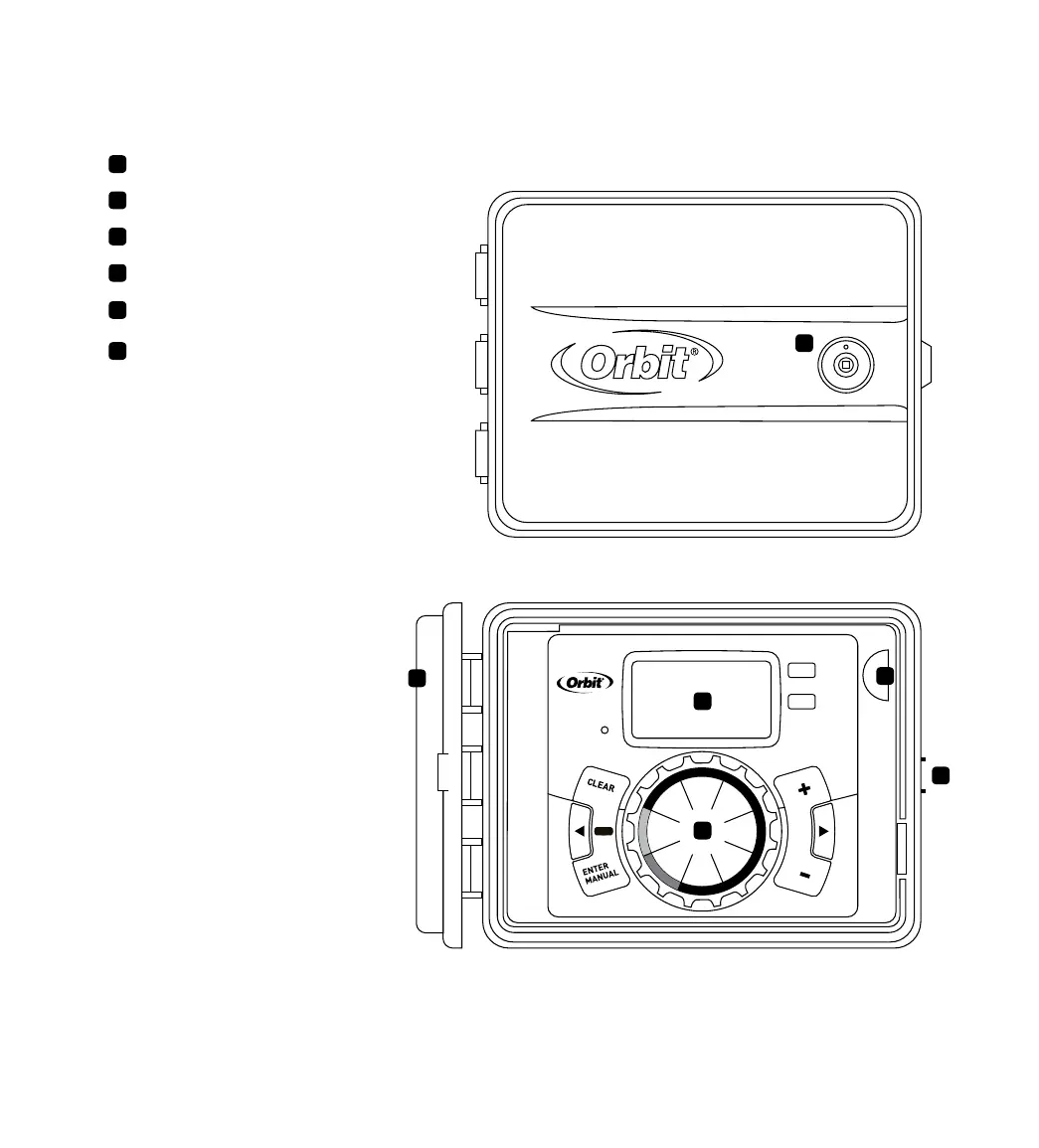
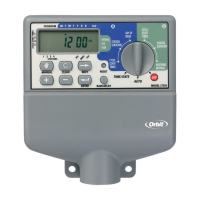
A
B
C
D
E
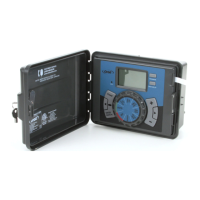
Lock and latch
Weather Resistant Cover
Dial
Digital Display
Battery Compartment
Swing Door panel
F
RESET
PROGRAM
RAIN DELAY
AUTO
OFF
SET
CLOCK
SET
DATE
BUDGET
HOW
OFTEN
RUN
TIME
START
TIME
Section 1: Get to know your timer
Buttons Function
ENTER
MANUAL
To confirm a new setting
To water manually
CLEAR To clear a setting
PROGRAM To move to different programs: A, B, and C
ARROW [ ]
To skip to the next setting / watering station
or move to other programs/settings
ARROW [ ]
To go back to the previous setting / watering
station or move to other programs/settings
RAIN DELAY
To pause operation for 24-72 hours due
to rain or other factors
[
+
] To increase a numeric setting
[
–
]
To decrease a numeric setting
Dial Position Function
AUTO Set Program is running
SET CLOCK Set clock time
SET DATE Year, Month, and Day
START TIME Set time to begin watering Year, Month & Day
RUN TIME Set watering duration for each station
HOW OFTEN Set frequency of watering days
BUDGET Adjust overall watering as a percentage
OFF Turn all stations/functions off
A
B
C
D
E
F


 To Next Page