EasyManua.ls Logo

Orbit 91894 - User Manual

Orbit 91894
76 pages
Print Icon
To Next Page IconTo Next Page
Loading...
PN 94894-24 rA
MODELS / MODÈLES / MODELOS
MODELLI / MODELE:
57894, 57896, 57899, 57900,
27894, 27896, 27892, 27999,
91894, 91896, 91892, 91899
Users ManUal
ManUel de l’UtilisateUr
ManUal del UsUario
ManUale d’Uso
instrUKCJa obsłUgi
RESET
PROGRAM
RAIN DELAY

Questions and Answers

  • F
    fjacksonAug 6, 2025
    Why do stations turn on when they are not supposed to on my Orbit Timer?
    • D
      danielmeyerAug 7, 2025
      If your Orbit Timer's stations turn on at unexpected times, it could be due to several reasons. Firstly, high water pressure might be the cause, so try reducing it. Secondly, verify that you haven't programmed more than one start time. Finally, double-check that your AM/PM settings are correct.
  • T
    Toni AtkinsonAug 11, 2025
    What to do if one station is stuck on and will not shut off on my Orbit 91894 Timer?
    • J
      Jerome BestAug 12, 2025
      If one station on your Orbit Timer is stuck on and won't shut off, it could be due to a faulty valve, in which case you should replace it. Alternatively, there might be dirt or debris stuck in the valve, so clean it thoroughly. Lastly, the valve diaphragm might be faulty, and you'll need to replace it.
  • E
    erikacarpenterAug 16, 2025
    Why do all valves not turn on with my Orbit 91894?
    • T
      thompsonvictoriaAug 16, 2025
      If all valves on your Orbit Timer fail to activate, the issue might stem from a defective or disconnected transformer. Ensure the transformer is properly connected. If it is, and the valves still don't turn on, consider replacing the transformer. Also, incorrect programming can cause this issue, so review and correct your settings.
  • K
    Kenneth WhitakerAug 21, 2025
    How to troubleshoot one or more valves that do not turn on with Orbit 91894?
    • L
      Laurie SchwartzAug 21, 2025
      If one or more valves on your Orbit Timer are not turning on, consider the following: 1. Check the solenoid connection. 2. Inspect the wire for any damage. 3. Adjust the flow control stem. 4. Review and correct the programming.
  • A
    Andrew KochAug 27, 2025
    What to do if valves continue to turn on and off when they are not programmed on Orbit 91894 Timer?
    • K
      Kathleen HernandezAug 27, 2025
      If your Orbit Timer valves are continuously turning on and off unexpectedly, it could be due to overlapping schedules caused by multiple start times. Correct any overlapping start times in your programming. Another potential cause is excessive water pressure, so try reducing it.
  • V
    Victoria ArnoldAug 31, 2025
    How to fix an Orbit 91894 Timer that will not power up?
    • E
      Edwin MorrisAug 31, 2025
      If your Orbit Timer fails to power up, the most likely cause is that the transformer isn't properly plugged into a working outlet. Make sure the transformer is securely plugged into an outlet that you know is functional.

Summary

Get to Know Your Timer

Timer Components Overview

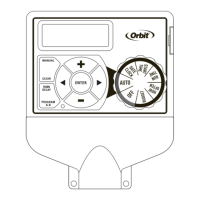
Identifies key parts of the sprinkler timer, including the dial, display, and battery compartment.

Installation

Select a Location

Guidance on choosing an appropriate installation site for the sprinkler timer.

Mount the Timer

Instructions for physically attaching the sprinkler timer to a wall or mounting surface.

Connect Valve Wires to Timer

Steps for wiring the sprinkler valves to the timer's terminals.

Connect Electrical Power

Details on how to connect the timer to a power source for operation.

Activate Battery

Procedure for activating the backup battery that retains program memory.

Programming with Easy-Set Logic

Primary Programming Steps

Initial setup steps including setting the clock, date, and start time for watering.

Setting Run Time

Configuring the duration each station will water.

Setting Watering Frequency

Determining how often watering cycles will occur, using days, intervals, or odd/even days.

Additional Features

Rain Delay Feature

How to temporarily suspend automatic watering for a set period due to rain.

Water Budgeting

Adjusting watering duration by a percentage to match seasonal needs.

Manual Watering

Instructions for manually running individual stations or programs without changing settings.

Connecting a Rain Sensor

Procedure for connecting an external rain sensor to the timer.

Rain Sensor Bypass

How to temporarily disable the rain sensor for maintenance.

Pump Start & Master Valve

Information on connecting pump start relays or master valves.

Replacing the Battery

Guidance on how to replace the internal backup battery.

Troubleshooting

Orbit 91894 Specifications

General IconGeneral
BrandOrbit
Model91894
CategoryTimer
LanguageEnglish

Related product manuals