EasyManua.ls Logo

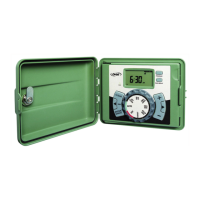
Orbit 91874 - User Manual

Orbit 91874
48 pages
Print Icon
To Next Page IconTo Next Page
Loading...
PN 57874-24 rB
MODELS / MODÈLES / MODELOS:
28954, 28956, 57874, 57876, 91874, 91876
Users ManUal
ManUel de l’UtilisateUr
ManUal del UsUario
p 801 295 9820
f 801 951 5815
www.fluid-studio.net
1065 South 500 West
Bountiful, Utah 84010
proof no: 5
date: 10.05.10
des: SM spck: XX
job no: NA
client: Orbit
sku: 57874
upc: NA
file name: 57874-24 rB.indd
software: InDesign CS5
colors
additional instructions:
· Font sizes cannot be smaller than 7 pt.
·
·
color
non printing
PMS
????
PMS
????
color
non printing
PMS
????
Registration
K
Printers are responsible for
meeting print production
requirements. Any changes
must be approved by the
client and Fluid Studio.
printed piece must meet
designated specifications
on this form.
dimensions:
flat: w: 14" h: 5"
finished: w: 7" d: " h: 5"
© 2007 Fluid Studio. This
work is the property of Fluid
Studio, and cannot be used,
reproduced or distributed
in any way without their
express permission.


Questions and Answers

  • D
    Deborah HoltAug 7, 2025
    Why do stations turn on when they are not supposed to on my Orbit 91874?
    • W
      Wendy DelacruzAug 7, 2025
      If stations on your Orbit Timer are activating unexpectedly, the issue might be due to excessive water pressure, more than one programmed start time, an incorrect AM/PM setting, or the activation of the B program.
  • E
    Elizabeth BlackwellAug 21, 2025
    Why do valves continue to turn on and off when they are not programmed on Orbit 91874 Timer?
    • A
      alexandra12Aug 21, 2025
      If the valves on your Orbit Timer are turning on and off erratically outside of the programmed schedule, the cause might be: * Multiple start times programmed with overlapping schedules. * Excessive pressure. * The B program is activated.

Summary

Installation

Connect Valve Wires to Timer

Procedure for connecting sprinkler valve wires to the timer terminals.

Wiring Electric Valves

Detailed explanation of how to wire electrical valves correctly.

Connect Electrical Transformer Power

Instructions for connecting the timer to a power source.

Programming with Easy-Set Logic

Set Clock

Guide to setting the current time of day on the timer.

Set Date

Instructions for entering the correct date on the timer.

Start time

How to configure the desired start times for watering cycles.

Run Time

Setting the duration each station will water.

Additional Features

Troubleshooting

Warranty and Statement

Safety and Compliance Information

Orbit 91874 Specifications

General IconGeneral
BrandOrbit
Model91874
CategoryTimer
LanguageEnglish

Related product manuals