Orbit JETRONIC-BOX – Manual 1.2
JETRONIC-BOX – Firmware Setup
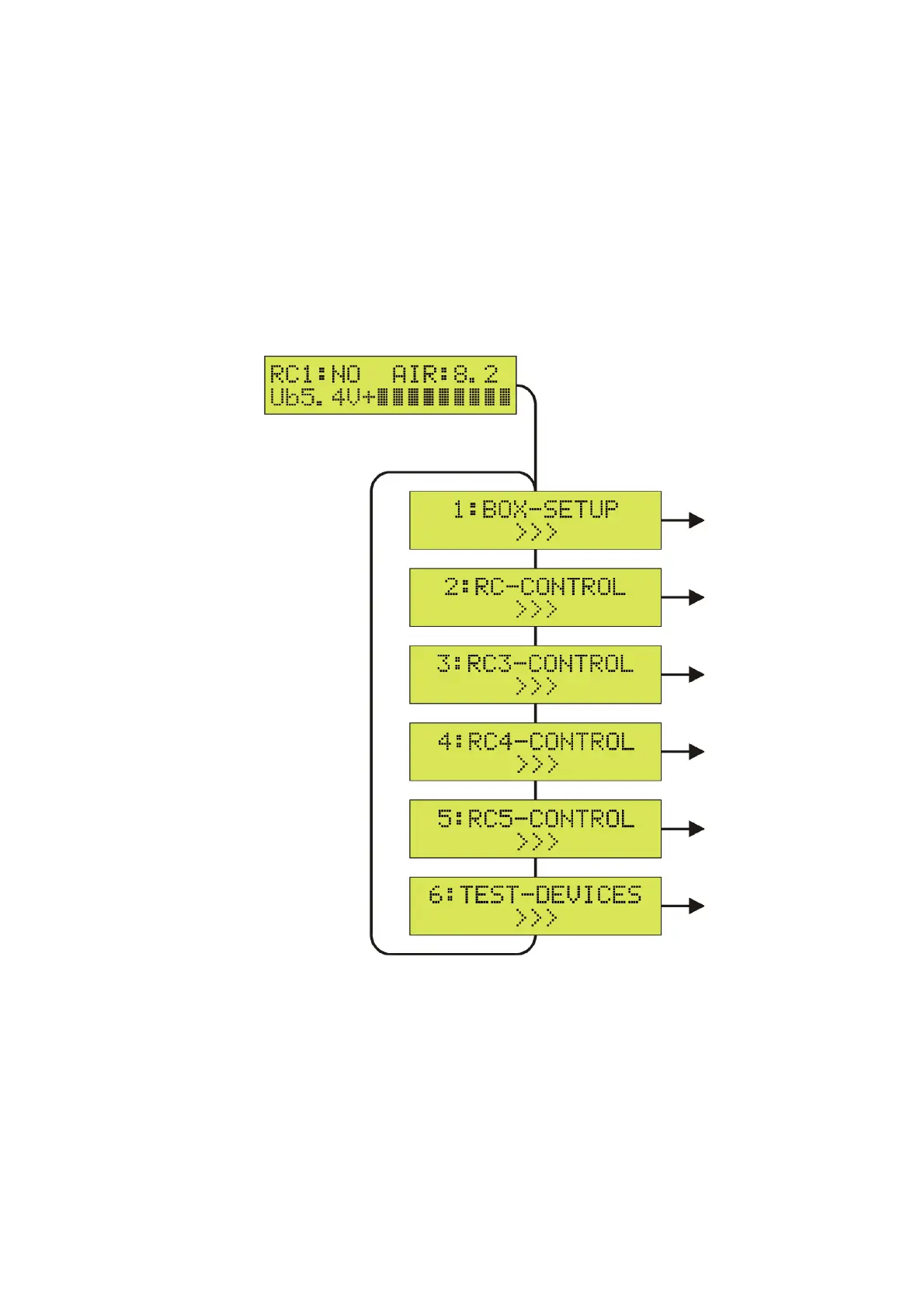
SETUP Menu
To activate the SETUP menu for changing the firmware configuration, first press the SET key, then
use the Up/Down keys to switch between the available items.
To leave the SETUP menu and to return to the BOX status display, press the SET key for more
than 2 seconds (ESC). In the following, the individual submenus of the SETUP menu are
described.
6


 To Next Page