Operating Guide
Operate with the app
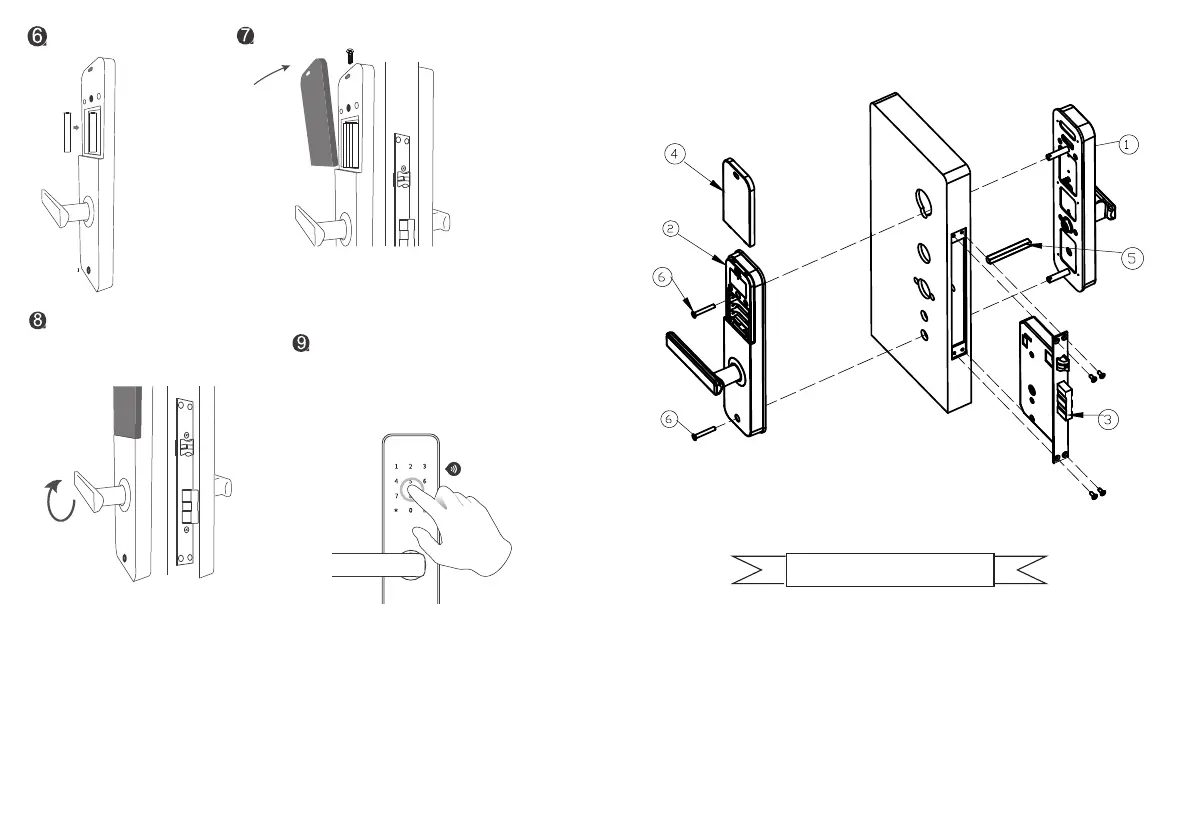
2-4: Installation Diagrams
7 8
1.Front panel 2.Back panel 3.Mortise
4.Battery cover 5.Square pole 6.Screw
Download " orbita smart " from app store/google play etc.
software download
Install battery
Install the battery cover
Lift the handle and the lock
latch out as normal
Touch the panel with your finger,
the 5 and # keys flash as normal,
enter the “123456” initial
password to open the door.


 To Next Page