Instruction Manual OXY- SMART
14
7. Monitoring ranges - Programming functions
The Oxy-SMART has a programming menu which allows to consider different
monitoring limits and settings. Press the button P in order to open the menu.
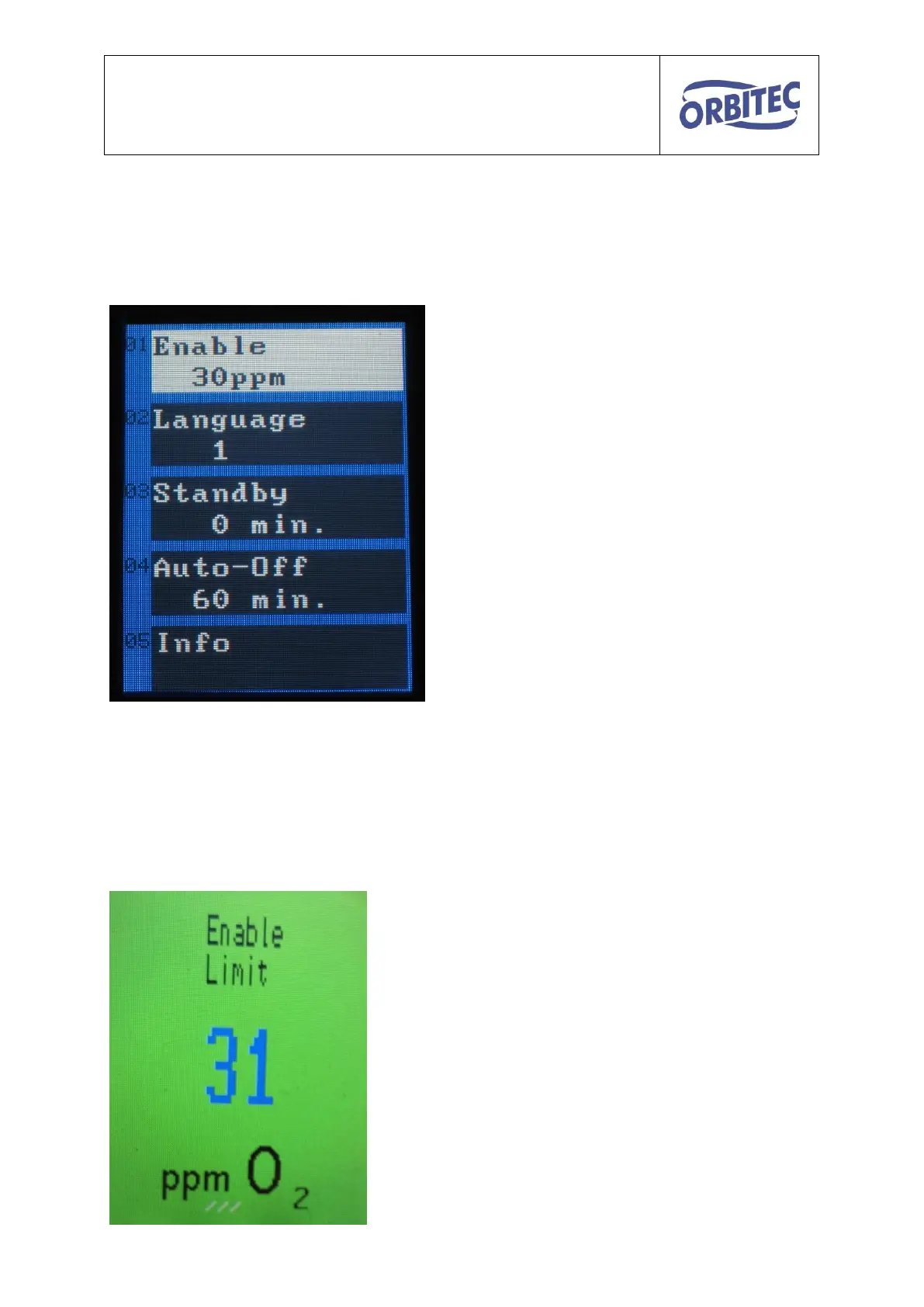
The following screen is displayed:
Release – Limit value red/green
30ppm factory setting
Language – 0-German, 1-English
Standby – Pump is switched off, cell heating
is reduced to 50%, display illumination is
dimmed
Auto-Off – the Oxy is completely switched off
Info – Information to be viewed:
Year of construction, serial number, last
calibration, next calibration and operating
hour counter
Scroll the menu items with the navigation buttons ˄ ˅ and select with the button P.
Change the desired value with the navigation buttons ˄ ˅ and confirm with the P.
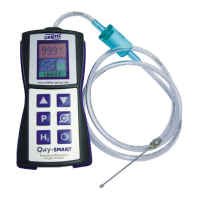
The menu item 01 Release can also be directly selected by pressing the navigation
buttons ˄ ˅. The following screen is displayed:
Change the limit value by pressing
the navigation buttons ˄ ˅.
After about 3 seconds the screen changes over to
the basic screen.


 To Next Page