23
c. Connect and plus the charger
• Check that the charger door is clean and dry before charging.
• The red charging indicator light indicates that the battery is charging.
• The green charging indicator light indicates that charging is complete.
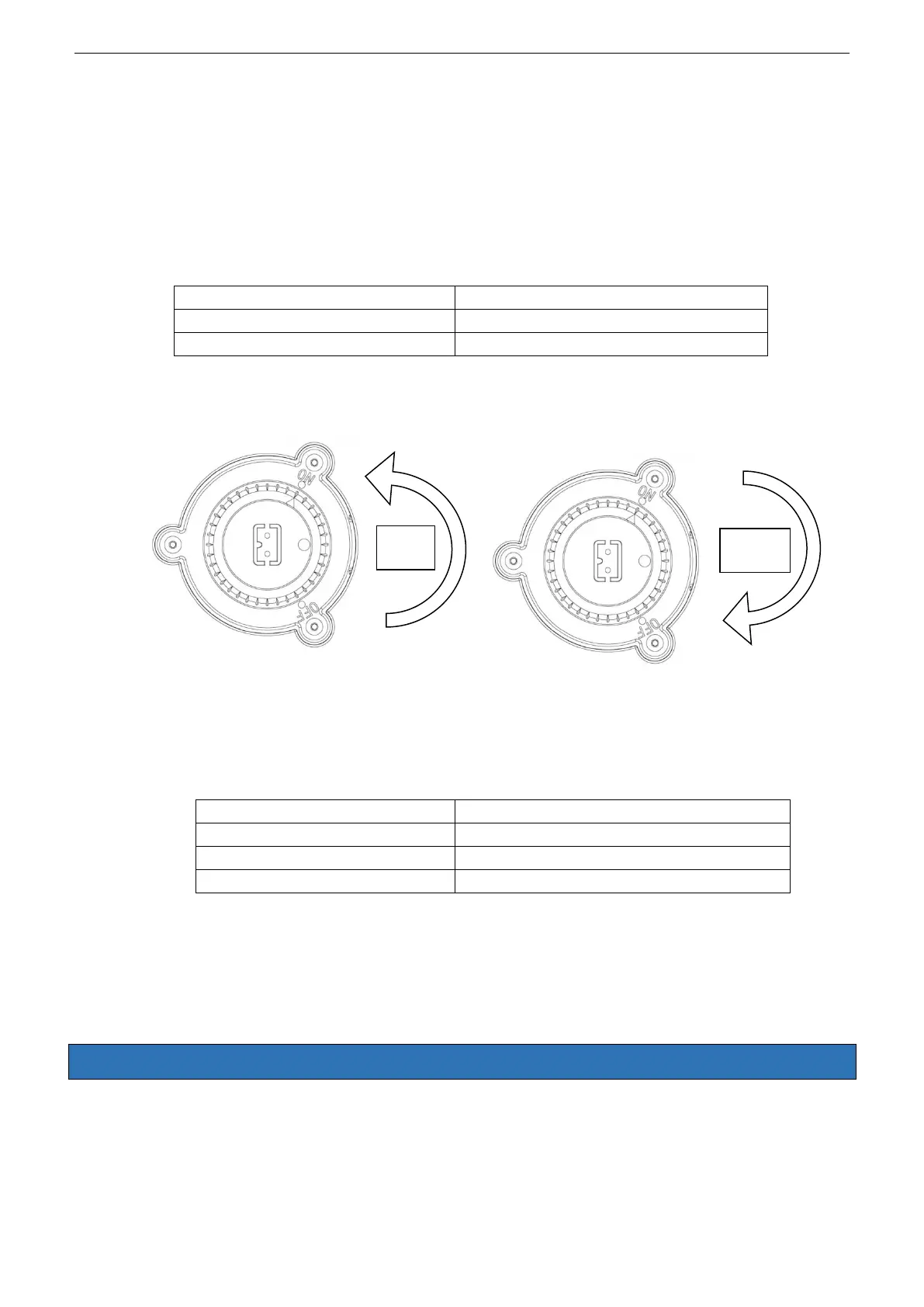
• Be sure to turn the switch knob to OFF before loading.
d. Turn the switch to ON after putting the cleaner in the water, the blue light comes on, after
15 seconds, the blue light flashes, the device starts working.
e. The blue light flashes 3 times at the end of the cleaning cycle, the pool cleaner
systematically approaches the poolside after about 2 minutes of operation, then the pool
cleaner stops while the light lights up blue.
f.
Bleu light flashes quickly
g. Turn the switch knob to OFF, the light goes out. Please clean the filter and retention tank
after each use..
3.0 MAINTENANCE AND ADJUSTMENT OF POOL CLEANERS
3.1 Function and adjustment of nozzles
There are two nozzles on the pool cleaner. While one opens, the other closes. The water is
expelled through the open nozzle and propels the pool cleaner in the opposite direction. Adjust


 To Next Page