15
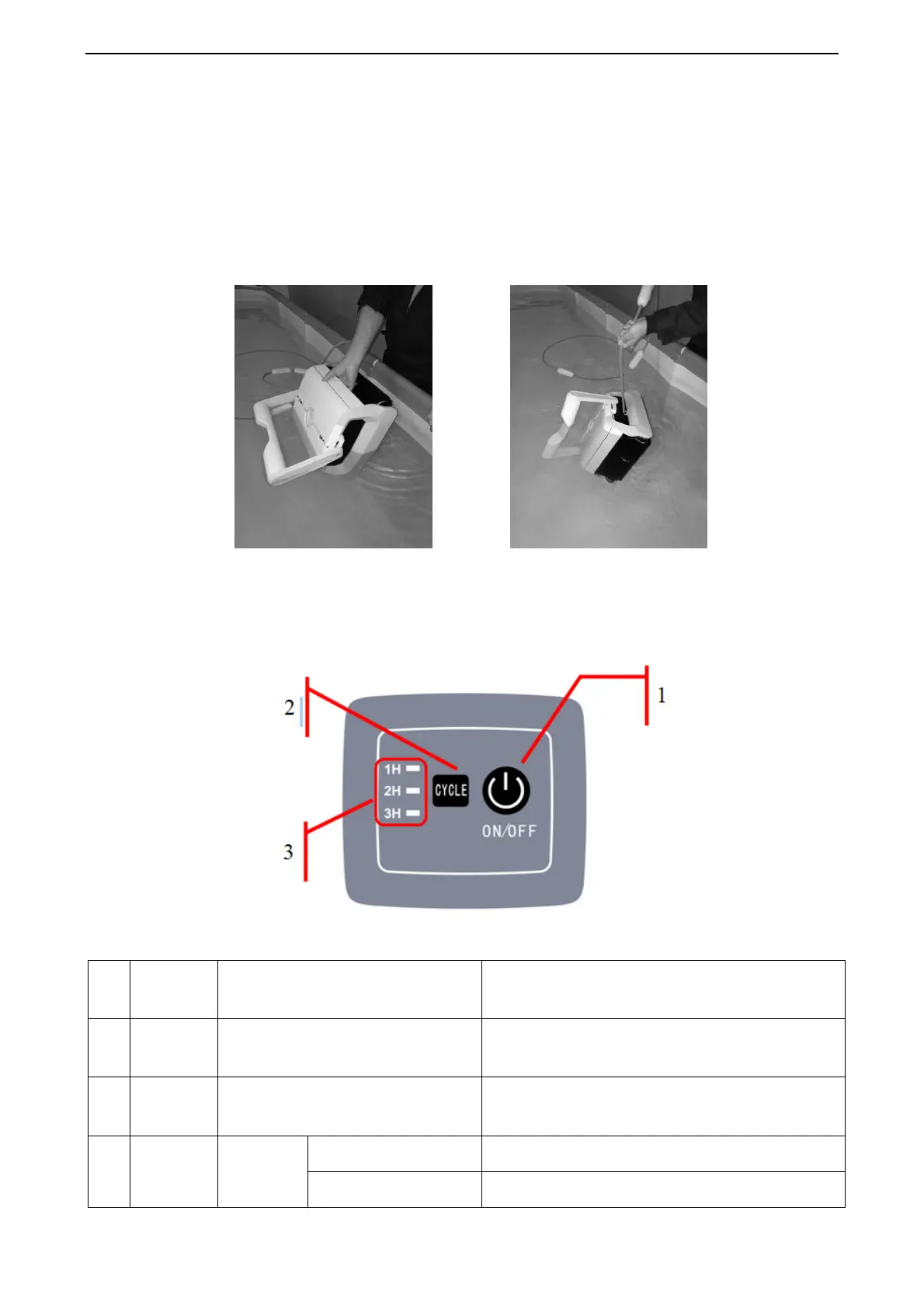
b. To get the cleaner out of the water
Use the handle to remove the unit from the water, not the cable, otherwise the unit may be
damaged..
Tip: First remove the filter boxes by the handle to reduce the weight of the cleaner, and then
remove the device.
2.3 First-hand experience
Control panel
No
.
indicator Description Fonction
1 ON/ OFF Power on / off
Press this button, the cleaner starts; press it
a second time, the cleaner is off.
2 CYCLE
To choose working cycle
When the cleaner is on, use this button to
choose preferred working time.
3 indicator indicator
1H flashes Cleaning starts for 1 hour
2H flashes Cleaning starts for 2 hours


 To Next Page