16
CAUTION
Use only original genuine OREC parts. Other parts may be dangerous for your health and for
the bystanders and the machine. If some flails are missing, big vibrations will occur. If you feel
such vibrations on the handlebar, check the rotor and the flails. Vibrations may loosen the
bolts and nuts and may crack the steel of the machine.
TIGHTENING OF BOLTS AND NUTS
• Check for tightening of bolts and nuts according to the chart. Vibrations of the
machine may loosen bolts and nuts.
LUBRICATION :
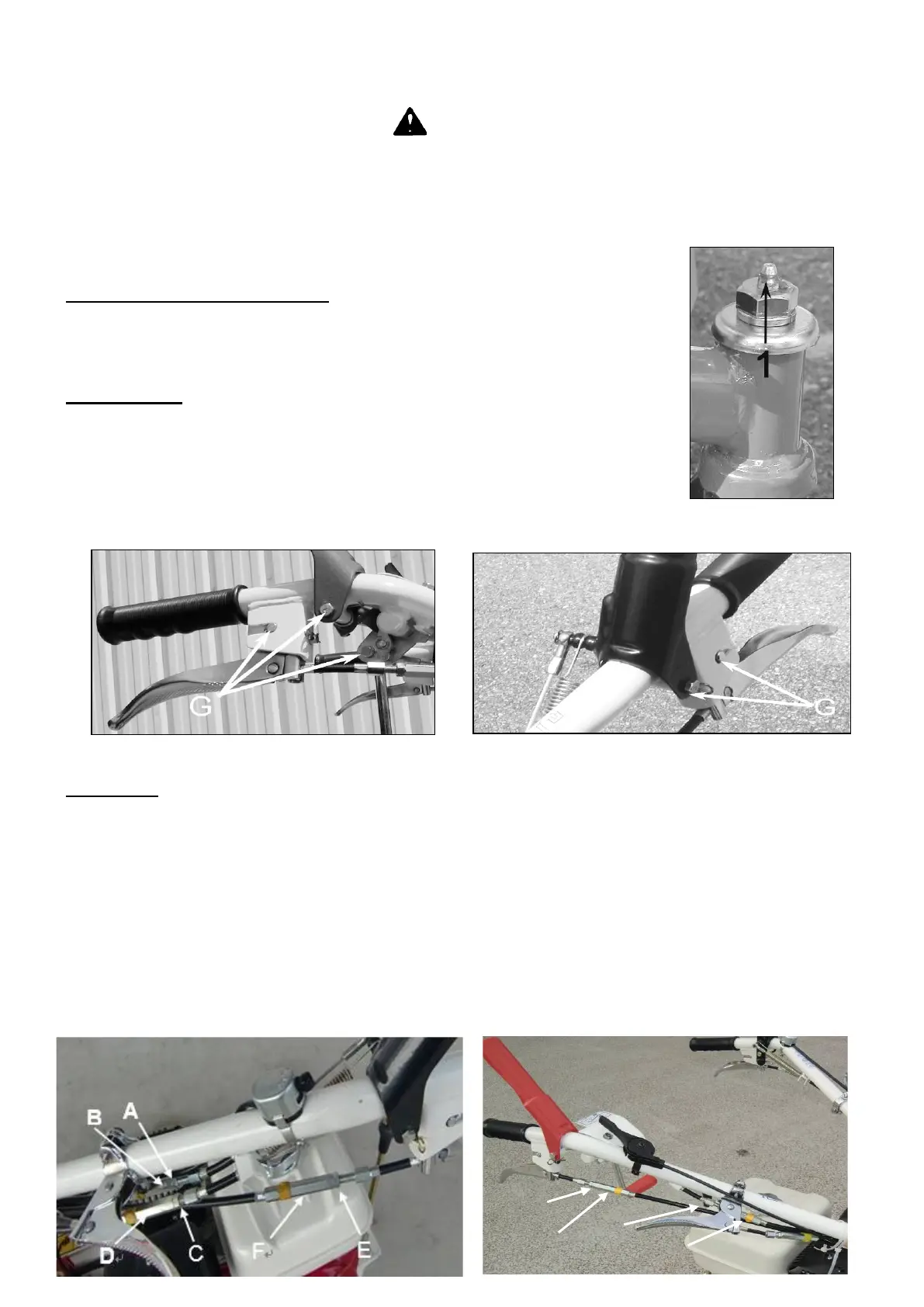
• Grease the front wheel axle (1, Figure 15) with grease NLGI N°2.
• Grease the different points (G, Figures 16,17) with light oil.
W
IRES GAP :
Transmission wires :
• If the machine does not stop when the drive clutch lever is released, adjust the tension wire as
follow : unscrew the locking screw (A, Figure 18) and unscrew the nut (B, Figure 18). Try the machine
again. Perform the adjustment again if needed. When the adjustment is performed, screw the locking
screw (A, Figure 18) on the nut (B, Figure 18).
• If the machine does not move when driving clutch lever is pressed, adjust the tension wire as
follow : unscrew the locking screw (C, Figure 18) and unscrew the nut (D, Figure 18). Try the machine
again. Perform the adjustment again if needed. When the adjustment is performed, screw the locking
screw (C, Figure 18) on the nut (D, Figure 18).


 To Next Page