EasyManua.ls Logo

Oregon Scientific BAR618HGA - User Manual

Oregon Scientific BAR618HGA
17 pages
Print Icon
To Next Page IconTo Next Page
Loading...
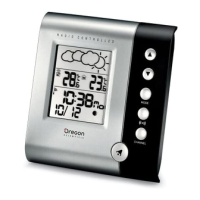
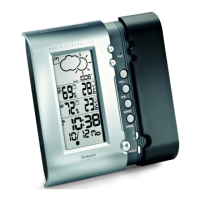
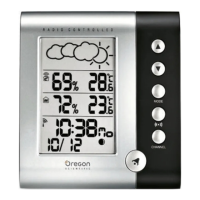
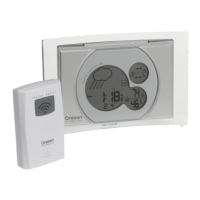
Wireless Acrylic Weather Station &
Atomic Alarm Clock
Model : BAR618HGA
User Manual
BAR618HGA lab test cover R4 2/18/04, 11:27 AM1

Questions and Answers

  • W
    William SandersJul 31, 2025
    Why can't I change the channel on my Oregon Scientific BAR618HGA Weather Station?
    • A
      Adrian GibsonJul 31, 2025
      If you cannot change the channel on your Oregon Scientific Weather Station, check the sensors. This issue may occur if only one sensor is working.
  • S
    sparksmeganAug 7, 2025
    How to fix data mismatch on my Oregon Scientific Weather Station?
    • J
      Joseph BrooksAug 7, 2025
      If the data on your Oregon Scientific Weather Station does not match the main unit, initiate a manual sensor search.
  • A
    Amanda JimenezAug 14, 2025
    What to do if my Oregon Scientific BAR618HGA cannot locate the remote sensor?
    • P
      patrick14Aug 14, 2025
      If your Oregon Scientific Weather Station cannot locate the remote sensor, check the batteries and the location of the sensor.
  • R
    ryanskinnerAug 22, 2025
    How to fix strange date/month on Oregon Scientific BAR618HGA?
    • R
      Robert FranklinAug 22, 2025
      To correct a strange date or month display on your Oregon Scientific Weather Station, change the language setting.

Summary

Getting Started with Your Weather Station

Battery Installation and Requirements

Specifies the types of batteries required for the main unit and remote sensor.

Changing Device Settings

Instructions on how to navigate and adjust various settings on the main unit.

Setting Up the Remote Sensor

Steps for preparing and pairing the remote sensor with the main unit.

Clock Functions

Manual Clock Setting

Instructions for manually setting the time, date, and language.

Alarm Functions

Setting a New Alarm

Step-by-step guide to setting the desired alarm hour and minute.

Barometer and Weather Information

Weather Forecast Interpretation

Details the accuracy and time frame of the product's weather predictions.

Selecting Temperature Units

How to switch between Celsius (YC) and Fahrenheit (YF) temperature readings.

Advanced Features and System Management

Resetting the System

Procedure for resetting the device to default settings.

Important Warnings and Troubleshooting

Product Handling and Safety Warnings

Crucial safety guidelines to prevent damage or injury when using the product.

Troubleshooting Common Issues

Solutions for problems related to clock, calendar, and sensor connectivity.

Power and Regulatory Information

Oregon Scientific BAR618HGA Specifications

General IconGeneral
ModelBAR618HGA
BrandOregon Scientific
Display TypeLCD
Temperature DisplayYes
Humidity DisplayYes
Weather ForecastYes
Forecast Range12-24 hours
Atomic TimeYes
Ice AlertYes
Wireless Transmission RangeUp to 100 meters
Power Source2 x AAA batteries
TypeWireless Weather Station
Temperature Range-20°C to 60°C

Related product manuals