EasyManua.ls Logo

Oregon Scientific RAR621 - User Manual

Oregon Scientific RAR621
17 pages
Print Icon
To Next Page IconTo Next Page
Loading...
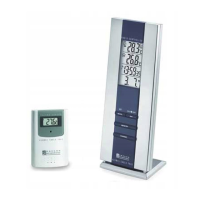
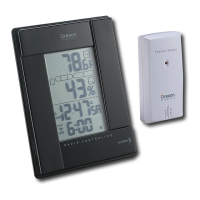
Wireless Thermo Clock
Model : RAR621
User Manual
RAR621 English Cover R2 7/27/04, 12:21 AM1

Questions and Answers

  • A
    Angela SteeleAug 10, 2025
    What to do if my Oregon Scientific RAR621 Thermometer remote sensor shows 'LLL' or 'HHH'?
    • D
      davissarahAug 10, 2025
      If your Oregon Scientific Thermometer remote sensor displays 'LLL' or 'HHH', it indicates that the temperature is out-of-range. Ensure the sensor is within the specified temperature limits.
  • B
    blackjohnAug 20, 2025
    How to fix an Oregon Scientific RAR621 Thermometer when the remote sensor isn't working?
    • L
      Lisa HessAug 20, 2025
      If the remote sensor of your Oregon Scientific Thermometer isn't working, try these steps: * Check the batteries in the remote sensor and replace them if necessary. * Verify the location of the remote sensor to ensure it's within the specified range and free from obstructions. * Initiate a manual sensor search.
  • P
    patrick57Aug 30, 2025
    Why Oregon Scientific RAR621 Thermometer temp remote sensor data does not match main unit?
    • S
      Samuel RoyAug 30, 2025
      If the data from the remote sensor of your Oregon Scientific Thermometer doesn't match the main unit, ensure that all sensors are functioning correctly. It might be that only one sensor is currently active.

Summary

Product Overview

Front View Controls

Details the main unit's front panel buttons (MODE, CHANNEL, ▲, ▼, ☌) and display components.

Back View Components

Identifies the back panel features: wall mount hole, battery compartment, table stand, and reset/MEM buttons.

LCD Display Indicators

Explains the various icons and readings displayed on the main unit's LCD screen for temperature and time.

Remote Sensor THN122 N

Sensor Setup Procedure

Steps for setting up the remote sensor, including battery insertion, channel selection, and initial pairing.

Getting Started

Clock Functions

Alarm Functions

Setting and Activating Alarms

Steps to set, activate, or deactivate single and weekday alarms, including stopping a ringing alarm.

Temperature Monitoring

System Reset

Safety and Care

General Warnings

Troubleshooting Guide

Product Specifications

Oregon Scientific RAR621 Specifications

General IconGeneral
TypeWireless Thermometer
Indoor Temperature Range-5°C to 50°C (23°F to 122°F)
Outdoor Temperature Range-20°C to 60°C (-4°F to 140°F)
DisplayLCD
Power Source (Remote Sensor)2 x AAA batteries
Wireless RangeUp to 30 meters (98 feet)
Accuracy±1°C (±1.8°F)
Power Source (Main Unit)2 x AAA batteries
FeaturesIndoor and outdoor temperature display, Min/max temperature memory

Related product manuals