2
GB
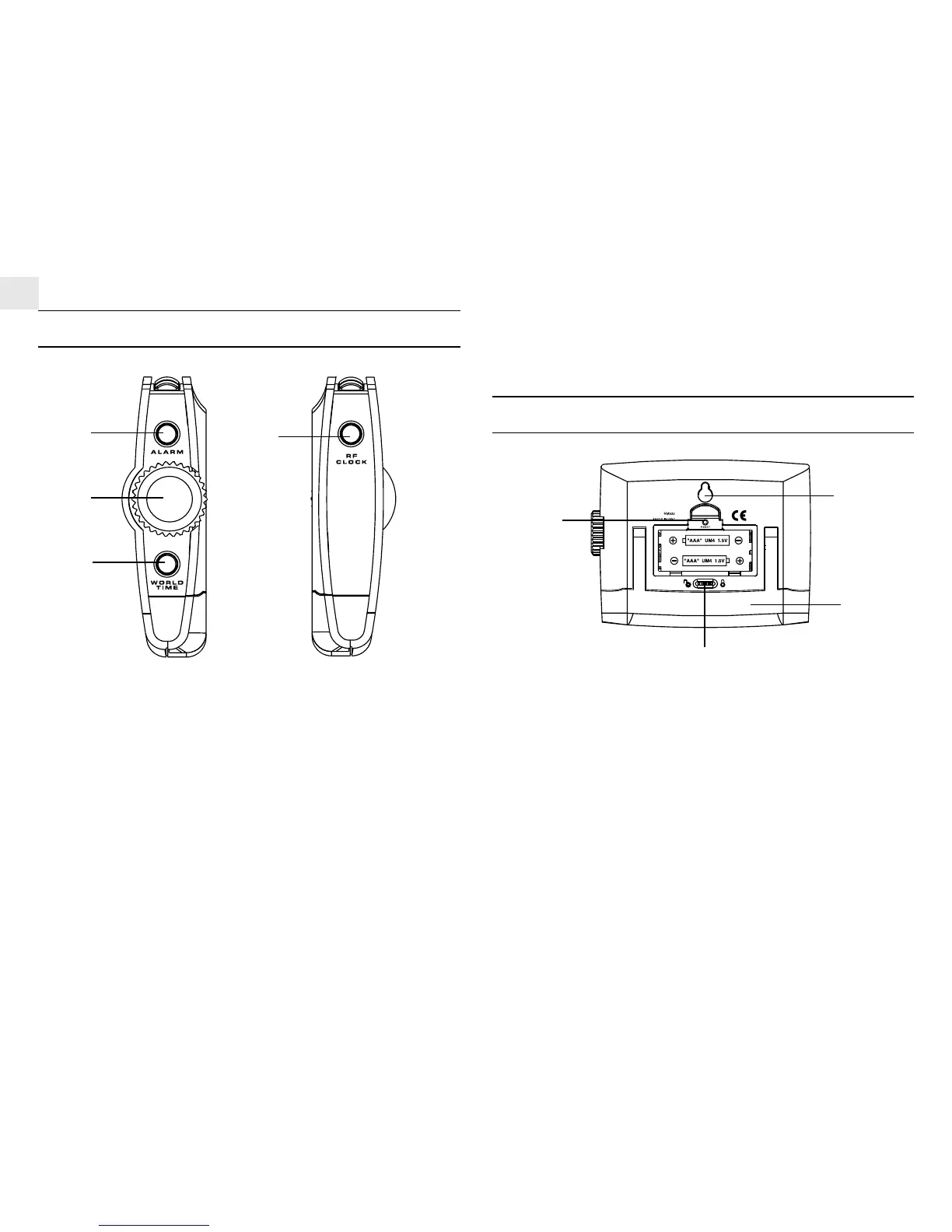
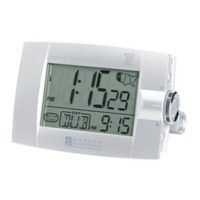
CONTROL BUTTONS:SIDE PANEL
1. [ALARM] BUTTON
- Press to toggle among the calendar, weekday alarm and single
alarm modes
- Press and hold for 2 seconds to enter the setting modes of the
corresponding alarm in display
2. ROTARY KNOB [UP] AND [DOWN] BUTTONS
- Scroll up or down to increase/ decrease the value of a setting
3. [WORLD TIME] BUTTON
- Press to enter the world time setting mode
4. [RF CLOCK] BUTTON
- Press and hold for 3 seconds to activate/deactivate the auto-
reception of RF clock signal
CONTROL BUTTONS:REAR PANEL
1. [RESET] BUTTON (inside battery compartment)
- Press to return all settings to default values
2. [KEY-LOCK] SLIDE SWITCH
- Slide to lock the key-functions
3. WALL-MOUNT HOLDER
4. FOLDABLE TABLE STAND
2
1
3
4
2
1
3
4





 To Next Page