4
EN
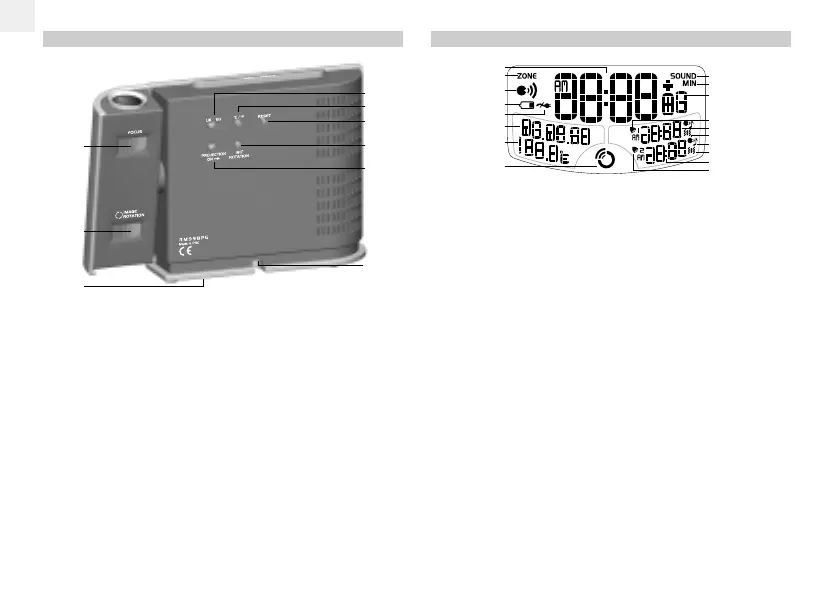
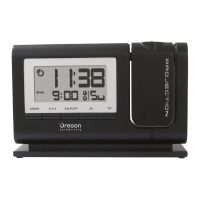
LCD DISPLAY
1. Time
2. Offset time zone
3. Voice activated function is ON
4. Battery status
5. AC adaptor is disconnected
6. Calendar
7. Indoor temperature – °C / °F
8. RF clock reception
9. Soothing sound function is activated
10. Sleep function is activated
11. Offset time zone / day of week / seconds
12. Alarm 1
13. Alarm 1 time
14. Talking alarm is set
15. Melody alarm is set
16. Vibration alarm is set (optional item)
17. Alarm 2 time
18. Alarm 2
2
1
3
4
6
7
8
5
9
10
1
1
15
16
18
17
14
12
13
BACK VIEW
1. FOCUS: Twist to focus the projected image
2. IMAGE ROTATION: Twist to get the best viewing angle
of the projected image
3. Battery compartment (cover on): 3 x UM-4 / AAA 1.5V
batteries
4. UK / EU: Select nearest radio signal base i.e. England
or Germany
5.
°C / °F: Select °C / °F
6. RESET: Press to return all values to the default settings
7. 180
° ROTATION: Press to flip the image if upside down
8. PROJECTION ON: Slide to ON for continuous image
projection when the AC power is connected
9. 4.5V AC / DC adaptor socket
1
2
3
6
7
8
9
4
5
RM998PSmanual-E 04/12/23, 5:26 PM4




 To Next Page