EasyManua.ls Logo

Oregon Scientific RMR603HGA - User Manual

Oregon Scientific RMR603HGA
17 pages
Print Icon
To Next Page IconTo Next Page
Loading...
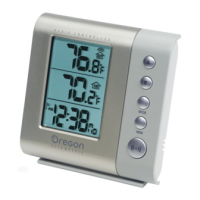
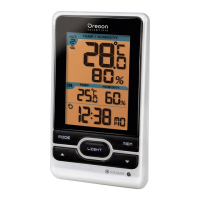
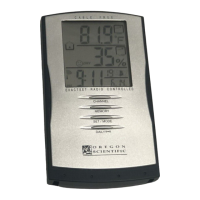
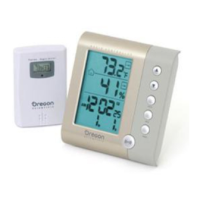
Wireless Thermo-Hygro Clock
Model : RMR603HGA
User Manual
RMR603HGA lab test cover R2 1/14/04, 1:31 AM1

Questions and Answers

  • J
    Jennifer FischerJul 30, 2025
    What to do if my Oregon Scientific RMR603HGA Weather Station cannot locate the remote sensor?
    • B
      Brittany PinedaJul 30, 2025
      If your Oregon Scientific Weather Station cannot locate the remote sensor, try checking the batteries of the sensor.
  • M
    martinlindsayAug 4, 2025
    Why my Oregon Scientific RMR603HGA Weather Station cannot locate the remote sensor?
    • J
      Jay NguyenAug 4, 2025
      If your Oregon Scientific Weather Station cannot locate the remote sensor, consider checking the location of the sensor.
  • A
    Amanda GonzalezAug 9, 2025
    What to do if my Oregon Scientific Weather Station cannot auto-synch?
    • P
      pwhitneyAug 9, 2025
      If your Oregon Scientific Weather Station cannot auto-synchronize, try the following steps: First, adjust the batteries. Second, press the RESET button. Third, manually activate the Atomic Clock feature.
  • C
    Caitlin EricksonAug 14, 2025
    What to do if data does not match main unit of Oregon Scientific Weather Station?
    • D
      Daniel SmithAug 14, 2025
      If the data on your Oregon Scientific Weather Station does not match the main unit, initiate a manual sensor search.
  • H
    Holly GarciaAug 19, 2025
    Why I cannot change channel on my Oregon Scientific RMR603HGA?
    • P
      Pamela TorresAug 19, 2025
      If you cannot change the channel on your Oregon Scientific Weather Station, check the sensors. This might happen if only one sensor is working.
  • K
    Kelly SnyderAug 25, 2025
    How to fix strange date / month on Oregon Scientific RMR603HGA?
    • T
      Tammy GrahamAug 25, 2025
      To resolve the strange date/month issue on your Oregon Scientific Weather Station, change the language setting.

Summary

Product Overview

Front View Controls

Identifies and explains the function of buttons and display areas on the front of the main unit.

Main Unit Back Features

Getting Started

Battery Installation

Information on battery types and installation for the main unit and remote sensor.

Sensor Setup and Placement

Setting Sensor Channels

How to set the channel for the remote sensor.

Optimal Sensor Placement

Guidelines for optimal placement of the remote sensor for accurate readings.

Data Transmission and Clock

Searching for Sensors

Instructions on how to manually search for the remote sensor.

Atomic Clock Functionality

Details on Atomic Clock reception and manual search.

Clock and Alarm Settings

Alarm and Sensor Operations

Records, Backlight, and System Reset

Warnings and Troubleshooting

Product Warnings

Important safety precautions and guidelines for product usage.

Clock Troubleshooting

Solutions for common clock issues like date/time problems.

Sensor Troubleshooting

Troubleshooting steps for sensor detection and data issues.

Oregon Scientific RMR603HGA Specifications

General IconGeneral
TypeWireless Weather Station
ModelRMR603HGA
BrandOregon Scientific
Display TypeLCD
Indoor TemperatureYes
Outdoor TemperatureYes
Outdoor Temperature Range-20°C to 60°C (-4°F to 140°F)
Indoor HumidityYes
Outdoor HumidityYes
Humidity Range20% to 95%
Weather ForecastYes
BacklightYes
Radio controlled clockYes
Transmission RangeUp to 100m
Wireless RangeUp to 100m
Indoor Temperature Range0°C to 50°C (32°F to 122°F)

Related product manuals