13
OPERATING THE HEDGE TRIMMER
OREGON® Cordless Tool System
HEDGE TRIMMER MODEL HT250
AD 1212 - F/N 558935
OPERATING THE HEDGE TRIMMER
UNPACKING
WHAT’S IN THE BOX?
The hedge trimmer comes completely
assembled. These items ship with the
hedge trimmer:
•Hedge trimmer
•Blade cover
•Instruction manual
•Charger and power cord (if so equipped)
•Battery (if so equipped)
After removing the hedge trimmer
from the box, inspect it carefully to
ensure no damage has occurred during
shipping, and that no parts are missing.
If any parts are damaged or missing,
do not use the hedge trimmer. Contact
OREGON® Cordless Tool System to obtain
replacement parts at ...
BATTERY PACK AND CHARGER
WARNING: DO NOT CHARGE THE
BATTERY PACK IN THE RAIN.
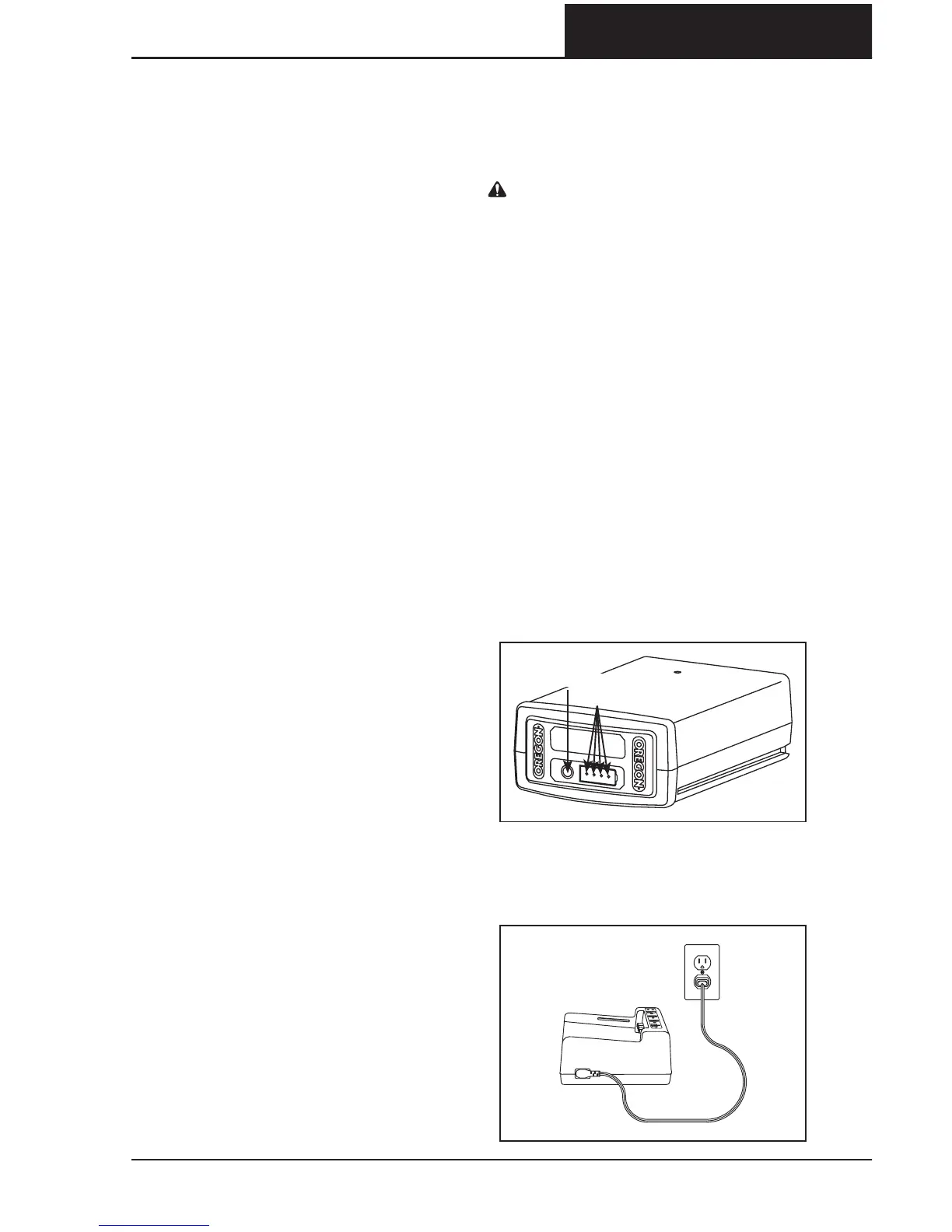
BATTERY PACK LED CHARGELEVEL
INDICATOR
The lithium ion battery pack is equipped
with an LED charge-level indicator. To test
the charge level of the battery pack, press
the indicator button on the battery pack’s
face (Fig. ).
No lights: recharge.
One steady green light:
less than % charged.
Charge battery pack before use.
Two steady green lights:
–% charged.
Three steady green lights:
–% charged.
Four steady green lights:
–% charged.
CONNECTING THE CHARGER
Connect the charger cord to the charger
and to the proper electrical outlet (Fig. ).
FIG. 6
INDICATOR LIGHTS
INDICATOR BUTTON
FIG. 7



 To Next Page