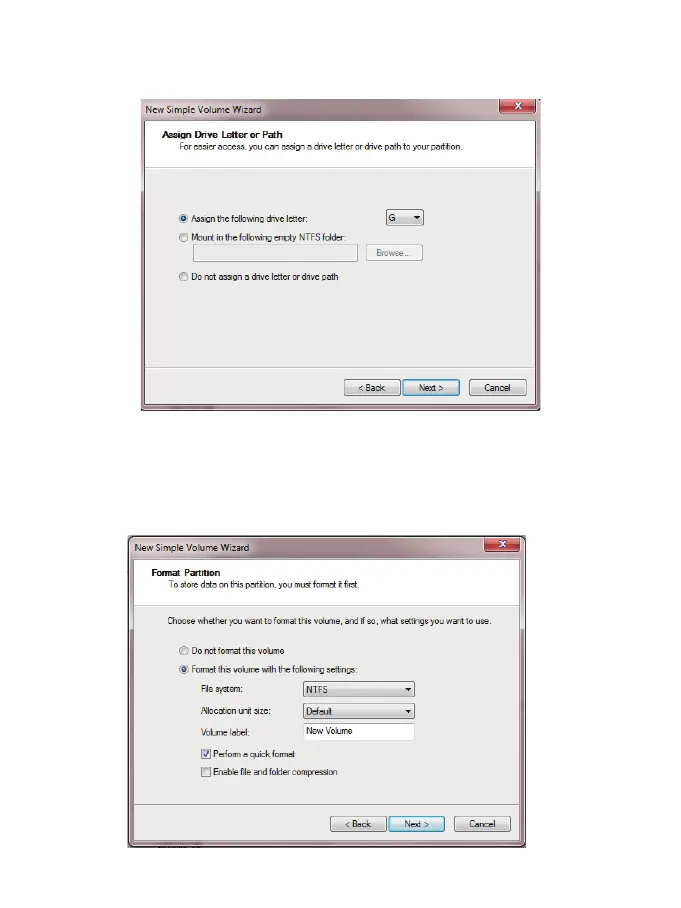
(6) Format your new volume. You can set the file system (NTFS or FAT32), allocation unit
size and volume label here. Perform a quick format is recommended. Please click
“Next” when everything is configured.
(5) Assign new drive letter for the new volume. drive letter such as C, D, E, F, G will shown
in computer and explorer for application.
- 10 -


 To Next Page
 Loading...