14
Operation
Operation
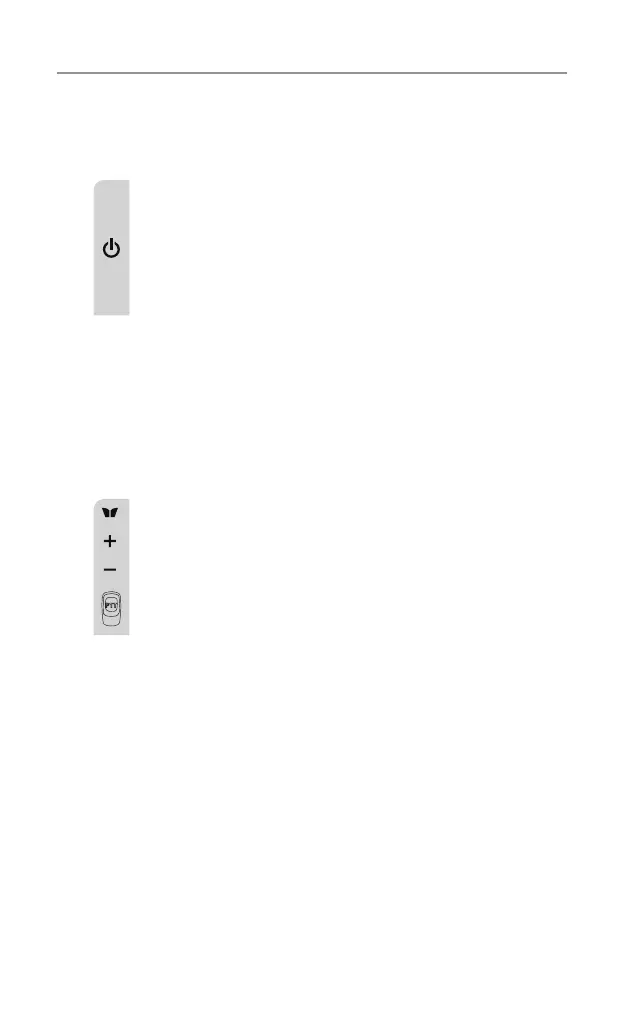
Turning the Unit ON/OFF
To Turn ON;
a.Press&holdON/OFFbuttonfor2secondsuntiltheLCD
screen turns ON and displays the current channel.
To switch OFF;
b.Press&holdON/OFFbuttonfor2secondsuntiltheLCD
screen turns blank.
Changing volume
Pushthe+ or - buttons to change the volume.
Changing Channels
The radio has 77 available channels, to communicate with other
radios, it must be tuned to the same channel.
a.PresstheMENU button once, the current channel
number ashes on the LCD Screen.
b.Pressthe+ or – button to select the desired channel. The
channel changes from 1 to 80, or vice versa.
c.PressthePTTbuttontoconrmthechannelsetting.
Channels 1 to 8 and 41 to 48 are used for repeaters and are paired
with higher channels as output/input (1/31, 2/32, etc.)
Check for local repeater activity before using these channels in
Simplex mode to avoid interference. Channels 9 and above are the
best choices for general use in Simplex mode.
Youcanndmoreinformationaboutchannelsandfrequenciesby
visiting the Web site http://www.acma.gov.au
Note: Refer to the “Channel Table” section of this Owner’s Manual
for detailed frequency listing.
PushMenu button 2 times to select RPT. Use + or - buttons to
turn on/off.
This can only be turned on, on channels 1 to 8 and 41 to 48. On all
others, it will always be off.



 To Next Page