Need help?
Do you have a question about the Oricom UHF390 and is the answer not in the manual?
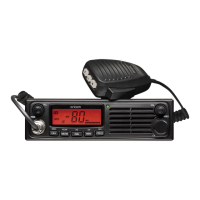
Details the front view controls of the speaker microphone, including LCD and buttons.
Describes the rear panel connections for speaker, power supply, and antenna.
Explains the meaning of various icons displayed on the radio's LCD screen.
Covers potential hazards like explosive atmospheres, blasting caps, and electromagnetic interference.
Instructions for connecting and disconnecting the controller speaker microphone.
Advises on safe vehicle installation and avoiding interference with vehicle components.
Explains two methods for wiring the radio to the vehicle's power supply.
Discusses antenna importance and optional accessories like external speakers.
Guides on turning on the radio and adjusting the sound volume level.
Instructions on selecting radio channels and adjusting the squelch level.
Explains the Push-To-Talk button and initiating Open Scan.
Covers memory storage, recall, and priority channel setup.
Describes how to use the monitor button to temporarily open the squelch.
Explains how to enable or disable CTCSS or DCS tones on selected channels.
Explains monitoring multiple channels and accessing memorized channels.
Guides on storing channels, memory scanning, and accessing the menu.
Lists various selectable features available through the radio's menu system.
Explains the Duplex function and how it enables repeater access.
Details settings for CTCSS/DCS codes and the scramble feature for private communication.
Covers options for selecting LCD backlight colour and brightness level.
Explains voice enhancer equalizer settings and how to set a priority channel.
Details the functionality of Open Scan and Priority Scan modes.
Covers Busy Channel Lock, Key Beep, Roger Beep, Squelch Tail, and Auto Power Off.
Explains how to perform a factory reset and the Time Of Timer (TOT) function.
Lists all UHF CB channels and their associated transmit and receive frequencies.
Mentions relevant class licences for operating UHF CB radios in Australia and NZ.
Provides a list of CTCSS codes and their corresponding frequencies in Hz.
Presents a table of DCS (Digitally Coded Squelch) codes and their octal values.
Outlines the terms, conditions, and limitations of the express warranty.
Details the step-by-step process for submitting a warranty claim.
Advises users about potential data loss during repair services.
Provides phone numbers, email addresses, and websites for customer support.
 General
| Frequency Range | 476.425 - 477.4125 MHz |
|---|---|
| Channels | 80 |
| Power Output | 5W |
| Weight | 200 g |
| Output Power | 5W |
| Duplex Range Extender | Yes |
| VOX Handsfree | Yes |
| Range | Up to 10 km |


 To Next Page