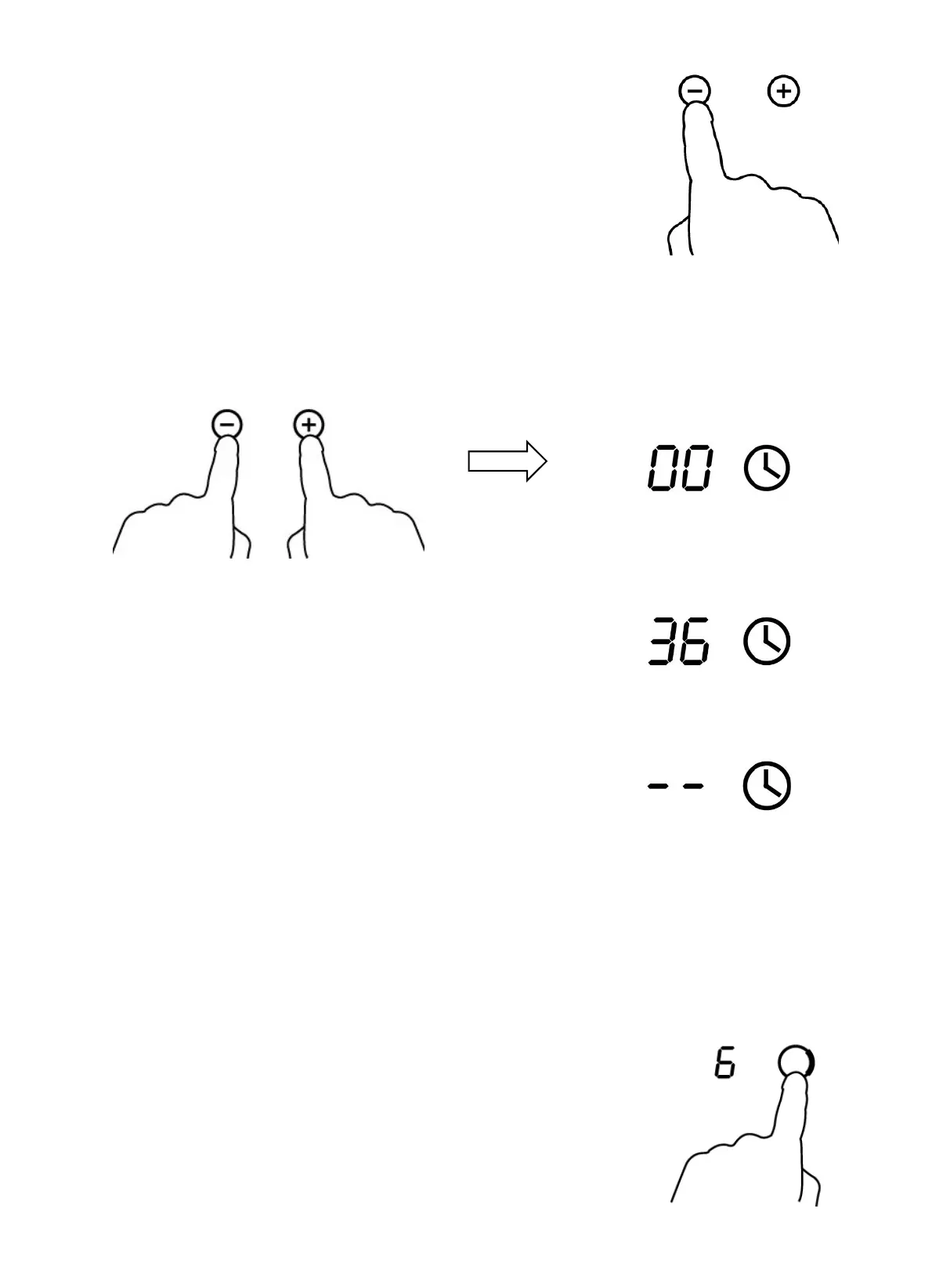
3. Set the time by touching the”-“ or ”+” control
of the timer
Hint: Touch the “-“ or ”+” control of the timer
once to decrease or increase by 1 minute.
Hold the “-“ or “+” control of the timer to
decrease or increase by 10 minutes.
4. Touching the ”-“ and “+” together, the timer is cancelled, and the”00” will
show in the minute display.
5. When the time is set, it will begin to count down
immediately. The display will show the remaining
time and the timer indicator will flash for 5 seconds.
6. Buzzer will bips for 30 seconds and the timer
indicator shows “- - “ when the setting time
finished.
Setting the timer to turn one cooking zone off
Cooking zones set for this feature will:
1. Touching the heating zone selection control
that you want to set the timer for. (e.g. zone 3#)


 To Next Page