Need help?
Do you have a question about the ORiNG IES-3162GC and is the answer not in the manual?
Overview of the switch's capabilities and environmental resilience.
Lists key software features like O-Ring, VLAN, QoS, and security protocols.
Details physical attributes including ports, operating temperature, and dimensions.
Step-by-step guide for mounting the switch onto a DIN-rail.
Instructions for installing the switch using a wall mount panel.
Describes the ports and indicators on the switch's front panel.
Explains the status and meaning of each LED on the switch's front panel.
Details components on the rear and top panels, including terminal blocks and mounting holes.
Specifications for connecting the switch using various Ethernet cable types.
Information on SFP connectors and the console cable for management.
Introduces the web-based interface for switch configuration and monitoring.
Explains the web management features, browser requirements, and Java Applet usage.
Details default IP address, subnet mask, gateway, username, and password.
Steps to access the web interface and view the main dashboard after login.
Displays current switch configuration, firmware version, and system status.
How to enable location alerts and view the front panel via the web interface.
Configure system name, description, location, and contact information.
Change the login username and password for enhanced security.
Configure IP address, subnet mask, gateway, and DNS settings.
Set up SNTP for time synchronization, including daylight saving and time zones.
Configure LLDP for network discovery and Auto Provision for firmware updates.
Manage switch configurations and firmware via TFTP.
Configure the switch to act as a DHCP server, defining IP pools and lease times.
View DHCP clients and assign static IP addresses to specific ports.
Set port state, speed, duplex mode, and flow control.
Monitor port status and assign custom names (aliases) to ports.
Configure ingress and egress bandwidth limits for ports.
Set up link aggregation for increased bandwidth and redundancy.
View the configuration status of port trunking groups.
Implement fast ring redundancy using ORing's proprietary technology.
Configure ORing switches to work with other vendors' ring technologies.
Configure ORing's proprietary redundant ring protocol for enhanced performance.
Set up Rapid Spanning Tree Protocol for faster network convergence after topology changes.
Configure Multiple Spanning Tree Protocol for efficient VLAN mapping and load balancing.
Configure VLANs using 802.1Q tagging for network segmentation.
Configure port-based VLANs without using VLAN tagging.
Configure SNMP versions, community strings, and user profiles.
Define trap managers for receiving network alerts and notifications.
Set QoS policies using weighted fair queuing or strict priority schemes.
Assign priorities to ports and configure COS (802.1p) priority mapping.
Configure traffic priority based on Type of Service (TOS) or DSCP values.
Enable IGMP snooping to efficiently manage multicast traffic.
Configure Multicast VLAN Registration and IP-based multicast filtering.
Restrict remote management access based on IP addresses.
Implement port security with static MACs and block specific MAC addresses.
Configure 802.1x for authenticated and authorized network access.
Set up RADIUS server details and port authorization modes for 802.1x.
Configure alerts for power failures or port link status changes.
Set up SYSLOG and SMTP alerts for system events.
Configure SYSLOG logging and SMTP email alerts for system events.
Choose specific system and port events to trigger SYSLOG or SMTP notifications.
View and manage the switch's MAC address table.
Configure the aging time for MAC addresses to clear the table automatically.
Display detailed traffic statistics for each switch port.
Configure port mirroring to analyze network traffic.
View system event logs for troubleshooting.
Use the ping utility to test network connectivity.
Save current configurations and reboot the switch.
Reset the switch to its default factory settings.
Introduction to managing the switch via CLI through console or Telnet.
Steps for connecting and configuring a serial console for CLI access.
Instructions for connecting to the switch's CLI using Telnet.
Basic command mode for viewing information and entering other modes.
Advanced mode for displaying status and saving configurations.
For system-wide parameter configuration.
For VLAN-specific parameter configuration.
For configuring switch and Ethernet ports.
Lists supported Ethernet standards, protocols, and features.
Details port types, LED indicators, power, and environmental requirements.
Covers dimensions, casing, regulatory approvals, and warranty.
Provides warnings, safety conditions, and ATEX compliance details.
 General
| Number of Ports | 16 |
|---|---|
| MAC Address Table | 8K |
| Humidity | 5 ~ 95% (Non-condensing) |
| Jumbo Frame | 9K |
| Operating Temperature | -40~70°C |
| Storage Temperature | -40~85°C |
| Mounting | DIN-Rail, Wall-mount |
| Certifications | EN 61000-4-2, EN 61000-4-3, EN 61000-4-4, EN 61000-4-5, EN 61000-4-6, EN 61000-4-8, EN 61000-4-11 |
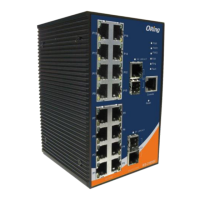
| Ports | 16 x 10/100/1000Base-T(X), 2 x 100/1000Base-X SFP |

 To Next Page