EasyManua.ls Logo

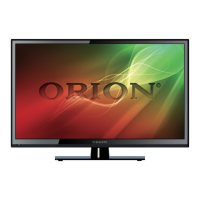
Orion 32” - User Manual

Orion 32”
27 pages
Print Icon
To Next Page IconTo Next Page
Loading...
USER'S MANUAL
Read this manual carefully and retain for future reference
32” LED Television

Other manuals for Orion 32”

Questions and Answers

  • J
    janicedavisAug 16, 2025
    What to do if the remote control does not work for Orion LED TV?
    • R
      Richard AndersonAug 16, 2025
      If the remote control isn't working with your Orion LED TV, check the batteries' order and alignment. Also, make sure that nothing is blocking the IR sensor on the remote control.
  • K
    kelsey09Aug 19, 2025
    What to do if there is no sound on my Orion LED TV?
    • D
      Deanna Crawford MDSep 12, 2025
      If there's no sound on your Orion LED TV, first ensure that you haven't accidentally pressed the MUTE button either on the panel or the remote control.
  • H
    hreynoldsAug 22, 2025
    How to fix no signal on Orion 32” LED TV?
    • J
      jjonesAug 22, 2025
      If your Orion LED TV displays 'No Signal', ensure that all cables are correctly plugged in.
  • G
    greg04Aug 25, 2025
    How to adjust color on Orion 32” LED TV?
    • M
      Michael JacksonAug 26, 2025
      To adjust the color on your Orion LED TV, modify the contrast, color, and brightness settings.
  • J
    John RoyAug 27, 2025
    Why is there snow on my Orion LED TV screen?
    • C
      Crystal MillerAug 27, 2025
      Snow on the screen of your Orion LED TV may indicate that the antenna cables are not correctly plugged in.
  • S
    Shelby WrightAug 30, 2025
    What causes double image on Orion 32” LED TV?
    • C
      catherinespearsAug 30, 2025
      A double or multiple display image on your Orion LED TV could be the result of electrical wave interference from other TVs, computers, game machines, or radios.
  • S
    stephanielongSep 2, 2025
    Why does my Orion 32” cover make a 'zip' noise?
    • D
      Douglas EwingSep 2, 2025
      If your Orion LED TV cover makes a 'zip' noise, even with a correct display image, it might be due to an unsteady fixation of the panel.
  • J
    jasonhallSep 5, 2025
    What to do if the Orion Monitor screen doesn’t show up?
    • M
      maryharringtonSep 5, 2025
      If your Orion Monitor's screen isn't displaying anything, ensure the power supply is properly connected and that the power is turned on. Also, verify that the correct input signal is selected for the connected port.
  • S
    Shaun ColeSep 8, 2025
    Why is the screen color strange on my Orion Monitor when using a PC signal?
    • P
      Paul QuinnSep 8, 2025
      If the screen color appears strange when using a PC signal on your Orion Monitor, perform the AUTO-ADJUST function in the FUNCTION menu of the OSD menu.
  • R
    Richard ButlerSep 12, 2025
    What to do if the Orion Monitor screen size is not fit for the PC signal?
    • M
      Mark HallSep 12, 2025
      If the screen size of your Orion Monitor doesn't fit the PC signal, press the AUTO key among the keys on the front of the monitor. Note that this function is only applicable when using a PC signal.

Summary

2. SAFETY PRECAUTIONS

General Safety Guidelines

Essential safety instructions for TV usage, including placement and handling.

6. FRONT & BACK CONNECTIONS OF LED

TV Ports and Front Controls

Details on front panel buttons and rear/side input/output ports.

7. REMOTE CONTROL

Remote Control Operation (TV Mode)

Guide to using the remote control buttons for TV functions.

8. MENU OPERATION

Channel Menu Navigation

How to access and use the Channel menu for tuning and editing.

Picture Menu Settings

Adjusting picture quality settings like brightness, contrast, and color.

9. TROUBLESHOOTING AND ADVICE

Common Troubleshooting Scenarios

Solutions for common issues like no signal, color problems, and remote control errors.

Orion 32” Specifications

General IconGeneral
Screen Size32 inches
Display TypeLED
Refresh Rate60 Hz
USB Ports1
Built-in Wi-FiYes
Smart TVYes
Resolution1366 x 768

Related product manuals