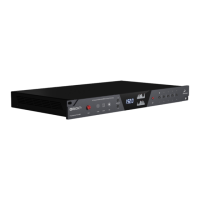
From left to right:
1. Power button
Toggles standby/operation state
Press and hold the Power button to enter the System Menu, which lets you access the
following sub-menus:
1. Comm. Interface (choose between Thunderbolt(TM) and USB connectivity)
2. Device Info
3. Brightness
4. Scr Save Time
5. Scr Save Style
6. Factory Reset
7. 10M Calibration
Use the Frequency Up/Down buttons to navigate. Press the Frequency Down (?) button to
enter a menu. To confirm, press and hold the Frequency Down button.
2. Oven Clock light
When lit, this indicates Orion32+ | Gen 3 is clocked by its own internal clock.
3. Lock light
When lit, this indicates Orion32+ | Gen 3 is locked to the Digital input (S/PDIF, MADI,
DB25).
4. Atomic Clock Lock light
When lit, this indicates Orion32+ | Gen 3 is locked to the Antelope Audio 10M/10MX
Atomic Master Clock. The Oven Clock lock light will automatically dim.
5. Frequency Up/Down buttons


 To Next Page