Need help?
Do you have a question about the Orion HCCA-D1200 and is the answer not in the manual?
Details the interaction between the anti-theft feature and power removal.
Advises on protecting hearing from high sound pressure levels.
Lists CEA-2006 compliant power output and signal-to-noise ratio for each model.
Details amplifier performance metrics and crossover parameters.
Describes how to connect audio sources and expand systems.
Explains input gain adjustment and phase switch functionality.
Details power and ground wire connections for different models.
Safety warnings and general advice for installation.
A sequential guide for installing the amplifier.
Steps to verify correct installation and operation.
Procedure for tuning audio levels and sound characteristics.
Lists common symptoms, probable causes, and actions to take.
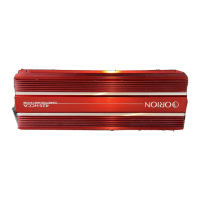
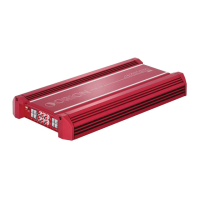
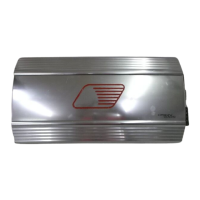
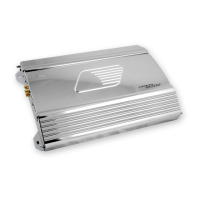
This document is an owner's manual for the Orion HCCA-D1200, HCCA-D2400, and HCCA-D5000 power amplifiers, designed for high-performance car audio systems. These single-channel Class D amplifiers are built to deliver significant power, offering advanced features and ease of use for both high-end sound and high SPL (Sound Pressure Level) systems.
The Orion HCCA-D series amplifiers serve as the central power source for car audio systems, specifically designed to drive subwoofers with high efficiency and control. They feature a built-in infrasonic filter, INTELLI-Q, ESP2 compatibility, and remote bass control. The infrasonic filter is crucial for protecting subwoofers by cutting off extremely low bass frequencies that speakers cannot effectively reproduce, thereby improving amplifier efficiency, sound reproduction, and reducing the risk of damage to the subwoofers.
The INTELLI-Q feature is a key component of the high-pass crossover, designed to maximize subwoofer performance. It allows for a "Q" boost of the high-pass crossover from 0 to 10dB, which can significantly increase low-frequency response and improve mechanical power handling by removing unwanted bass output from the woofer. This feature is particularly beneficial for optimizing subwoofer performance across various enclosure types, such as infinite baffle, sealed, vented, sealed band-pass, vented band-pass, and aperiodic designs. The manual provides guidance on recommended boost levels for each enclosure type to prevent over-excursion and potential woofer damage.
The amplifiers include a comprehensive input section with RCA inputs for connecting to a head unit, preamplifier, or equalizer, and RCA line outputs for system expansion with additional amplifiers. A Master/Slave switch allows for combined amplifier configurations, where one amplifier acts as the master, setting the gain for other slave amplifiers in the signal chain. This simplifies system setup and ensures consistent audio levels across multiple amplifiers.
Internal crossover configurations are highly flexible and continuously variable, featuring both low-pass and high-pass filters. The low-pass crossover can be bypassed or activated with either a 2nd order (12dB per octave) or 4th order (24dB per octave) slope, adjustable from 30Hz to 250Hz. The high-pass crossover, which incorporates the INTELLI-Q feature, is continuously variable from 20Hz to 150Hz and functions as a subsonic filter. These adjustable crossovers allow users to fine-tune the frequency response to match their specific speakers and vehicle acoustics, ensuring optimal sound quality and speaker protection.
Phase control switches offer either 0 or 180-degree phase shift of the amplified output, which is useful for facilitating bridging of amplifiers and improving staging in a vehicle, especially for subwoofers. A remote bass jack allows for the connection of an optional HP-RB1 remote bass control, enabling convenient bass level adjustment from the driver's seat.
The HCCA-D series amplifiers are designed for straightforward integration into car audio systems. The installation process is detailed step-by-step, covering everything from choosing mounting locations to wiring connections and system testing. The manual emphasizes the importance of proper mounting to ensure adequate ventilation and protection from elements, recommending stable, flat surfaces and avoiding engine compartments.
For power connections, the HCCA-D1200 and HCCA-D2400 accept up to 4 AWG wire, with 4 AWG power and ground wire recommended for optimal performance. The HCCA-D5000 requires dual 4 AWG power and ground wires for proper operation, or a single 1/0 AWG. All power wires must be fused within 18 inches of the battery terminal. The remote turn-on terminal connects to the head unit's remote lead, providing a +12V signal to activate the amplifier. Ground connections should be made directly to the vehicle's chassis, ensuring a clean, short path.
Speaker connections are facilitated by two positive and two negative output terminals, which are internally paralleled for mono operation. The amplifiers are stable down to 1 ohm, allowing for flexible speaker configurations. Bridging two HCCA-D1200 or HCCA-D2400 amplifiers into a single speaker load is possible using the Master/Slave switch and phase control, with specific wiring instructions provided to ensure proper operation and impedance matching.
Setting up the sound system involves a systematic approach to gain adjustment and crossover tuning. Users are guided to set the source unit's volume to its highest undistorted output level, then adjust the amplifier's level controls for midrange, tweeter, and woofer outputs to achieve a balanced and undistorted sound. The remote bass control (HP-RB1) can be used to fine-tune the woofer output to match the system's sonic requirements.
The manual includes a comprehensive troubleshooting guide to address common issues such as no output, audio cycling on and off, distorted output, poor bass response, and fuse blowing. This section provides probable causes and corresponding actions to take, empowering users to diagnose and resolve problems effectively. For instance, if there's no output, checks include remote turn-on voltage, fuse integrity, and power/speaker/audio input connections. For distorted output, readjusting gain, checking speaker impedance, and verifying speaker wire connections are recommended.
The amplifiers also incorporate protective circuitry against thermal overload, DC offset, reverse polarity, short circuits, undervoltage, and overvoltage. A Protect LED illuminates (red) when any of these conditions are detected, indicating that the amplifier's protective measures have been activated.
Furthermore, the amplifiers feature ESP®-2 serial databus compatibility, allowing for programmable features via Directed's proprietary Bitwriter® tool (version 2.3 or above). These programmable features include:
The amplifier also stores up to seven recent diagnostic events (Undervoltage, Overvoltage, Thermal, Overcurrent, etc.) to assist in troubleshooting, which can be read using the Bitwriter®. This detailed diagnostic capability enhances the maintainability and reliability of the amplifier, allowing installers to quickly identify and address issues.
 General
| Channels | 1 |
|---|---|
| Peak Power | 2400W |
| Frequency Response | 10Hz - 250Hz |
| Damping Factor | >200 |
| Input Sensitivity | 200mV - 6V |
| Fuse Rating | 120A |
| RMS Power at 1 Ohm | 1200W |
| Crossover Type | LP |

 To Next Page